Can I add custom features for my Airpods Pro Gen 2?

Hey, does anyone know if it’s possible to customize AirPods controls, such as setting a double-tap to skip forward 10 seconds on YouTube or a triple-tap to rewind? As that would come in handy when the phone is deep in the pocket and you are skipping an ad integration. I know the default options are limited to skipping tracks and activating Siri, but is there a hidden setting or a third-party app that allows for more advanced customization? Skipping entire tracks isn’t usually necessary, so a more precise control would be much more useful.

iPad Air

Posted on Mar 21, 2025 6:11 AM

Reply
1 reply

Mar 21, 2025 8:48 AM in response to oskars272

There is no touch or tap controls on AirPods Pro.

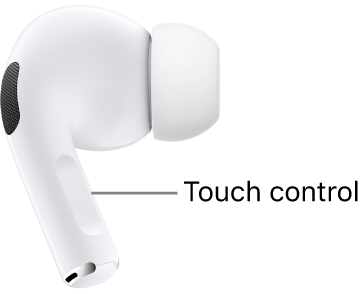
You squeeze the force sensor on the stem.


Airpods controls:

Use controls and gestures with your AirPods - Apple Support


AirPods Pro 2 controls and gestures

With the Touch control on the stem of both AirPods Pro 2, you can do any of the following:

  • Play and pause audio: Press the stem. To resume playback, press it again.
  • Play the next track: Double-press the stem.
  • Play the previous track: Triple-press the stem.
  • Answer a call: When you receive a call, press the stem.
  • Adjust volume: Lightly swipe up or down on the stem.


This thread has been closed by the system or the community team. You may vote for any posts you find helpful, or search the Community for additional answers.

Can I add custom features for my Airpods Pro Gen 2?

Welcome to Apple Support Community
A forum where Apple customers help each other with their products. Get started with your Apple Account.