iPhone 13 Pro Max stuck on 3G despite 4G SIM compatibility

Cellular Network stuck on 3G and sometimes drops 

i have iPhone 13 pro max

i have always 3G network when I tried to but my sim card in another device it reads 4G

I don’t know whats the issue i tried to on off air plan mode but without any difference the same issue still


[Re-Titled by Moderator]

Original Title: Stuck on 3G

iPhone 6s

Posted on Jun 15, 2025 5:02 PM

Reply
2 replies

Jun 16, 2025 11:17 AM in response to Plusi265

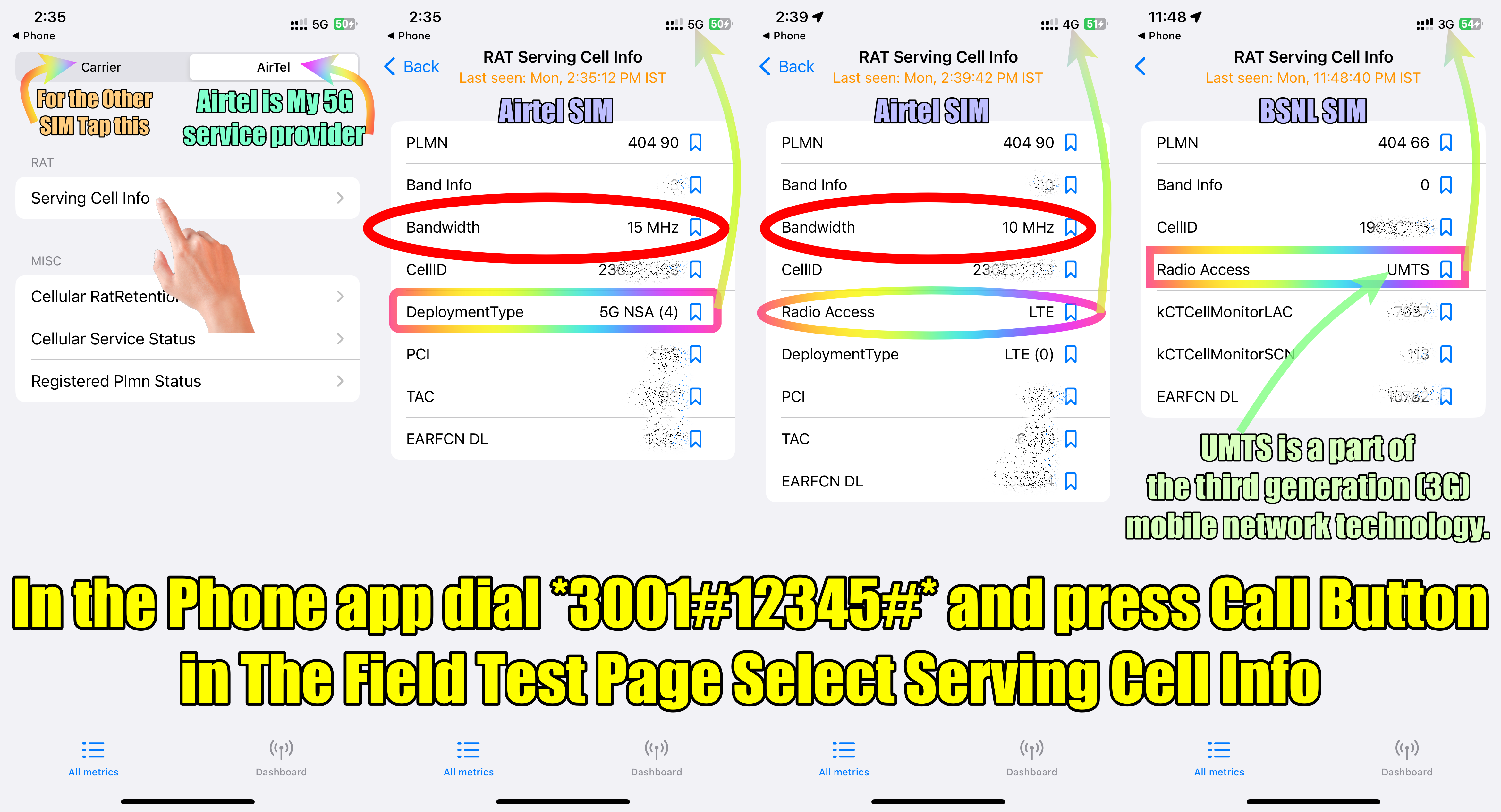
Please check the bandwidth that you are getting. Disable WiFi before running this Field Test.


You may check the current LTE band/5G/4G/3G by dialing *3001#12345#* pressing the call button and then selecting the Serving cell info option


Bandwidth on the 2nd and 3rd Screenshots.


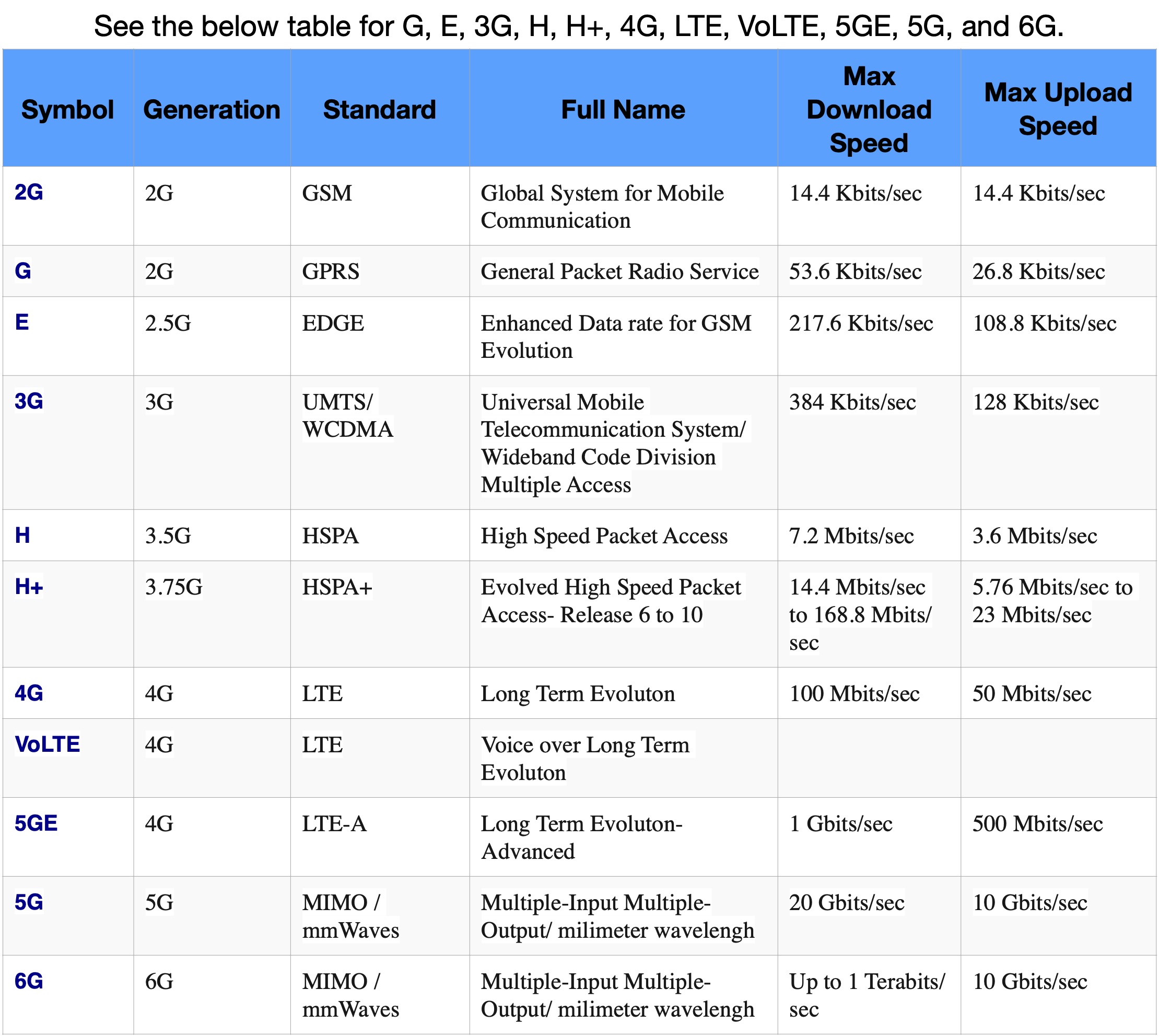
See the pic below which is self-explanatory


E, 2G, 3G, 4G, LTE, VoLTE, and 5G all are Carrier Specific features. Contact your Carrier (Cellular Service Provider), the agency that issued the SIM / eSIM to you. About the LTE options on your iPhone - Apple Support (IN)


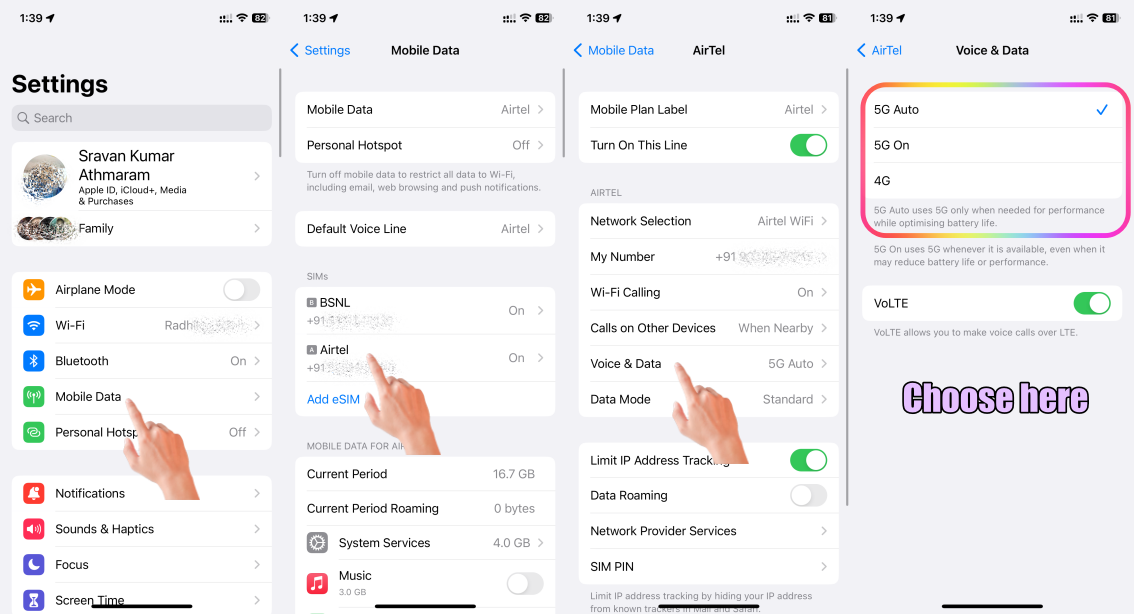
See the Pic below and the explanations thereof
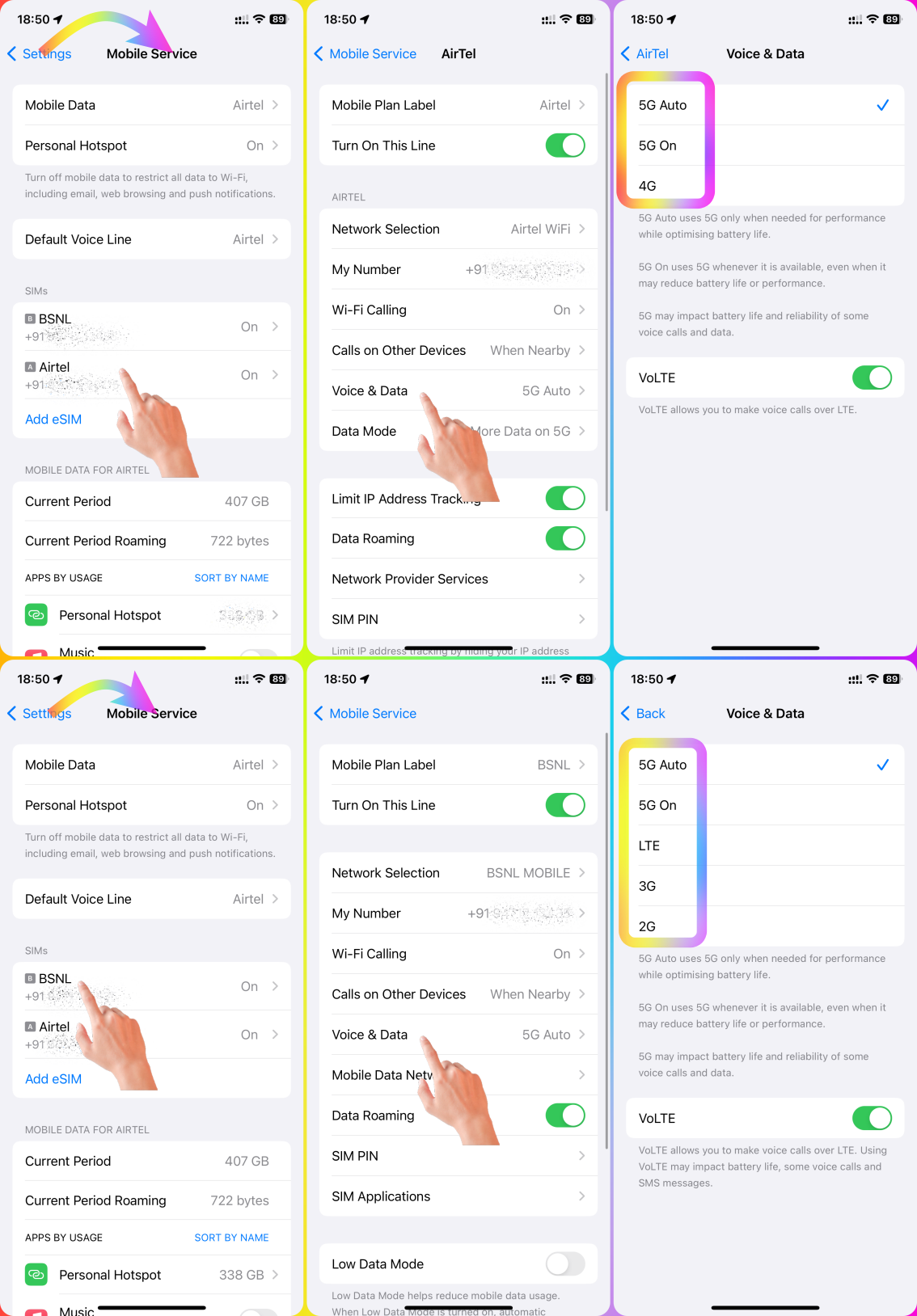


The pic below is self-explanatory


However, iPhone model-specific feature is listed here --> Identify your iPhone model - Apple Support . and tap on "See the Technical Specs for Model "XXXXXX" under each model and Scroll down to the "Cellular and Wireless" section.



This thread has been closed by the system or the community team. You may vote for any posts you find helpful, or search the Community for additional answers.

iPhone 13 Pro Max stuck on 3G despite 4G SIM compatibility

Welcome to Apple Support Community
A forum where Apple customers help each other with their products. Get started with your Apple Account.
