Revolteh wrote:
That's incorrect, as the "Developer Mode" setting is related to Apple, so it IS related to discussions.apple.com, which means that this question IS completely in the scope of this site.
Enabling Developer Mode is associated with the Apple Developer Program for third-party app developers.
Installing the Apple Xcode development tool on a Mac and then connecting the Mac to an iPhone or iPad is the only supported means of enabling Developer Mode.
Enabling Developer Mode on a device | Apple Developer Documentation
(I haven’t ever tried enabling Developer Mode with a locked device, though it wouldn’t surprise me to learn that an unlocked device is also required.)
Enabling ad-hoc testing involves Apple and installing a profile.
Distributing your app for beta testing and releases | Apple Developer Documentation
Using TestFlight is far easier for everybody.
The best place to discuss issues or problems or questions involving enabling Developer Mode with Xcode would be the Apple Developer Program forum specific to using Xcode.
Apple Developer Forums
Developer mode enables limited app side-loading and the direct local installation of apps, while other device-local protections remain in place. This side-loading bypasses the Apple App Store and its related app checks of the developer and of the app itself.
If Developer Mode has already been enabled, then disabling Developer mode does not require Xcode, or any other additional steps. Slide the toggle to off, as shown below:
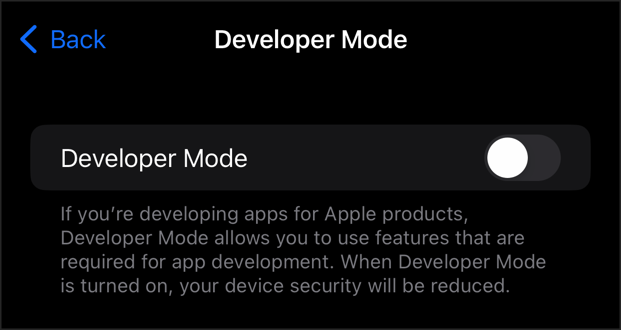
If Developer Mode is unexpectedly enabled, I’d treat it as a device compromise and an uncontrolled and unlocked device out of my possession, would reset and reinstall and not restore, change all passcode and all passwords, much the same as finding an unexpected app installed, or other and unexpected device-local changes.






