Face ID issues-"Reset Face ID" deactivated

greetings,

This is an issue for a new iPhone 16+ - it was subjected to the iOS 18.6 update a couple of nights ago, and now Face ID does not seem to be working. I'd like to reset it, but when I go to the "Face ID and Passcode" page in Settings, the "Reset Face ID" button is greyed out and inaccessible.


Any thoughts on how to get it reactivated?

(btw, it passed the Apple diagnostics test with no hardware issues to report).


On another note, to make sure I can delay a future OS update, where do I go for that?

Many thanks for reading,

DLC

iPhone 16 Plus, iOS 18

Posted on Aug 14, 2025 1:27 PM

Reply
Question marked as Top-ranking reply

Posted on Aug 19, 2025 10:39 AM

So to review what I did that fixed the problem (as also noted in the last two recipients):


1) Go to Stolen Device Protection

2) turn it off

3) wait the obligatory 1 hour (at least I had to on my iPhone)

4) Reset Face Recognition (now available)

5) Adjust other affected apps and preferences (for me it was Siri voice activation and Messages dictation)

6) turn Stolen Device Protection back on and set to preferred level (for me it's "Familiar")


Yes, seemingly unrelated, but that's what worked for me.

Cheers,

DLC

19 replies
Question marked as Top-ranking reply

Aug 19, 2025 10:39 AM in response to dncollins

So to review what I did that fixed the problem (as also noted in the last two recipients):


1) Go to Stolen Device Protection

2) turn it off

3) wait the obligatory 1 hour (at least I had to on my iPhone)

4) Reset Face Recognition (now available)

5) Adjust other affected apps and preferences (for me it was Siri voice activation and Messages dictation)

6) turn Stolen Device Protection back on and set to preferred level (for me it's "Familiar")


Yes, seemingly unrelated, but that's what worked for me.

Cheers,

DLC

Aug 17, 2025 1:26 PM in response to dncollins

Greetings all,

Quite the conversation! Thank you all for your contributory notes on the matter, esp. Smilin' Brian and SravanKrA


This also provide some interesting experiences and investigations, all of them worth the effort.

First, all is well with the three concerns I had regarding Siri (no voice activation), face recognition (not working-cannot reset), and security (Stolen Device Protection). Added since posting was that dictation had been turned "ON" not by me but by the update.

The biggest fix was that the Stolen device protection setting was, inadvertantly set to "Always" instead of "familiar".

So, I had to turn that off, THEN wait for the obligatory 1 hour in order to change settings. Once I did this (I turned the setting off, then walked away ;-), I was then able to reset all to my preferred settings, including a fresh go-through with Face Recognition, Dictation (OFF!) in Messaging, Stolen Device set to "Familiar" and Siri voice activation re-engaged. Yay!

Intereting note as an FYI - it was Apple Support that set for me a reservation with Best Buy (supposedly the most local iPhone specialist) - when I called BB to cancel, they had no used or record that I had a reservation (!).

Has this happened to others?

Thank you again - all is well.

DLC


Aug 15, 2025 2:13 AM in response to dncollins

Test in a Fresh Environment


  1. Back up your iPhone.
  2. Go to Settings → General → Transfer or Reset iPhone → Erase All Content and Settings.
  3. Set up as new (do not restore from backup yet).
  4. If Face ID & Passcode is available now → your backup contains the restriction.


If, after the above test, it’s still greyed out, the device is almost certainly locked by supervision or MDM at the firmware level.

Aug 17, 2025 8:13 PM in response to dncollins

I updated my iPhone 14 Pro to 18.6.1 this afternoon and had the same issue. Face ID stopped working and the Reset Face ID button was greyed out.


Tried a bunch of things, and got to the point I needed to turn off Stolen Device Protection (had it set to Away from Familiar Locations, this was at my home). Once I turned off Stolen Device Protection, Face ID started working again, I didn't have to do anything else.


That solution doesn't really make sense to me but there you have it.

Aug 15, 2025 2:03 AM in response to dncollins

  1. Is this your corporate/organisation/enterprise/School Management iPhone? Then please contact the system administrator of your corporate//organisation/enterprise/School Management
  2. If it is your device, in that case, do you have any profile installed by your corporate/organisation/enterprise/School Management?
    1. Erase the profile added by you If you have installed a profile on your own --> Install or remove configuration profiles on iPhone - Apple ...
    2. Or please contact the system administrator of the organisation who provided the profile to you


A corporate profile installed on your iPhone could potentially be contributing to the inaccessibility of certain features. 

Here's why:

  • Restrictions: Corporate profiles can have restrictions placed on apps and functionalities. These restrictions might be limiting some activity, causing it to be unresponsive or quit.
  • Managed Apps: IT departments might deploy specific navigation apps through the profile, potentially blocking certain functions or features.
  • Security Settings: Corporate profiles often have stricter security settings that could affect app or function behavior. This might be causing unexpected behavior of an App or functions.


Here's what you can do:

  • Check with IT: The best course of action is to contact your IT department. They can explain the restrictions set by the corporate profile and see what is affected. They might be able to adjust settings or suggest alternative apps or features approved for corporate use.
  • Look for App Conflicts: See if your IT department uses a different app through the corporate profile. Conflicting apps might cause crashes.


Additional points to consider:

  • Even if the profile isn't directly affecting the function, it's still a good idea to check with IT. They might be aware of similar issues and have workarounds.
  • While troubleshooting, make sure you prioritize safety. Don't fiddle with your phone. 


By working with IT and considering these possibilities, you can hopefully identify if the corporate profile is the culprit and find a solution that allows you to use the iPhone to your liking.


Aug 14, 2025 1:30 PM in response to dncollins

Follow these steps, testing after each step:


If that didn’t work, then it could be a hardware issue.


According to Apple:

Using diagnostics available in iOS 14.6 or later, Apple has detected an issue with your TrueDepth camera that might cause it to not function as expected. The TrueDepth camera contains lasers, which might be disabled for safety reasons if the device malfunctions or is damaged. This won't prevent you from using your iPhone or iPad, but until your iPhone or iPad is updated or serviced, you might not be able to use Face ID, Animoji, Memoji, and some other features that use the front camera.


As a result, I recommend service.


Service Checklist:


Click ▶︎ Start a Repair Request.


Need more help?


Click ▶︎ Check Repair Status. 🔧


Good luck! 👋🏼😉

Aug 15, 2025 2:03 AM in response to dncollins

It's not always the iOS update's fault!  Many things can cause phone problems.  If you tell people you think it's an iOS update, it might make it harder to fix or find a solution for the real issue.


Remember, the right question often leads to the solution!


Was/Is your device Jailbroken? If that's the situation, please be informed that attributing the issues to iOS updates may not be accurate.


iOS updates aim to enhance user experience, boost security, and fix bugs rather than disrupt core features. The majority of the issues after updates might stem from underlying, unmentioned factors. Updates won't typically alter personal data but may refine settings or features. Backup before major updates for safety. Review Apple's update details and backup advice for a smooth process.


Kindly consider checking your settings and addressing any device issues before attributing the issue to external factors. This could be a pure coincidence that the iOS update affected the iPhone functions.


Before initiating a standard iOS update, it's advisable to create a backup. Have you completed this step? If yes, proceed with the restoration from the backup.


See what each update does: About iOS 18 Updates, About iOS 17 Updates, About iOS 16 Updates, About iOS 15 Updates, About iOS 14 Updates, About iOS 13 Updates, About iOS 12 Updates, and so on...


Aug 15, 2025 2:02 AM in response to dncollins

dncollins wrote:


On another note, to make sure I can delay a future OS update, where do I go for that?

Is your device Jailbroken? If that's the situation, please be informed that attributing the issues to iOS updates may not be accurate.


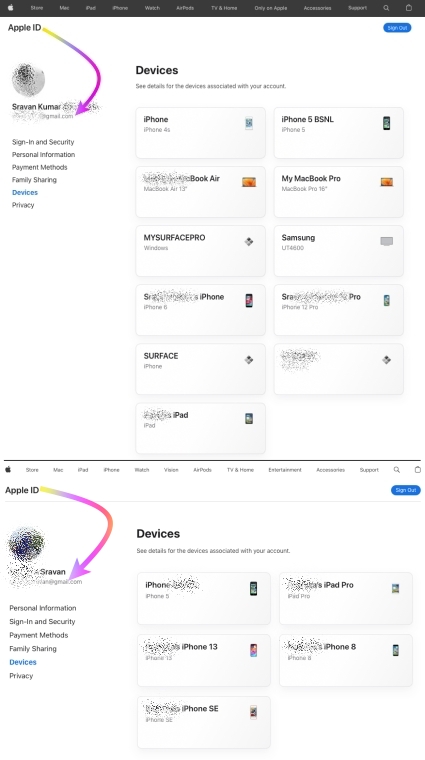
I have been updating my devices ever since I bought my first device in 2009. iPhone 3Gs, 4S, 5, 6, SE (1st Gen), 7, 8 and iPhone 12 Pro, iPad Pro, iPhone 13, Macbook Air 2019, MacBook Pro 16"


I never had any issues with any iOS, iPadOS, or macOS updates to date.


I would personally recommend everyone update their devices instead of listening to rumors from people who may not have kept their devices free from any spurious software.


iOS / iPadOS devices cannot be hacked or infected with Virus / Malware / Spyware if it is updated to the latest iOS/iPadOS unless you have intentionally downloaded spurious software or unauthorized apps directly from the internet and installed them on your device or/and have Jailbroken


iOS updates generally aim to enhance user experience, boost security, and fix bugs rather than disrupt core features. Issues after updates might stem from underlying, unmentioned factors. Updates won't typically alter personal data but may refine settings or features. Backup before major updates for safety. Review Apple's update details and backup advice for a smooth process.


This seems purely coincidental so please check the Setting on your device.


See what each update does: About iOS 18 Updates, About iOS 17 Updates, About iOS 16 Updates, About iOS 15 Updates, About iOS 14 Updates, About iOS 13 Updates, About iOS 12 Updates, and so on...



Aug 19, 2025 11:08 AM in response to dncollins

Great job with uncovering the mystery behind this story. 👍🏼


Our community is eternally grateful for your insight.


I’d like to offer you an opportunity to consider joining us in volunteering here in the community.


When you solve problems, it can be very rewarding.


Think about it, dncollins. You already have a head start (your score is above average).


Share what you know and get recognized. 😉

Aug 19, 2025 11:49 AM in response to dncollins

Just simply browse the posts in the community and answer questions.


Use hyperlinks 🔗 to connect your bullet points to articles for easy reference.


When people upvote your answer (as I have), then you’ll earn points.


I started several years ago during the holidays and (like many others here), got addicted. 😁


Then I asked for a username change to reflect my interests.


Give it a try. 😇

This thread has been closed by the system or the community team. You may vote for any posts you find helpful, or search the Community for additional answers.

Face ID issues-"Reset Face ID" deactivated

Welcome to Apple Support Community
A forum where Apple customers help each other with their products. Get started with your Apple Account.

