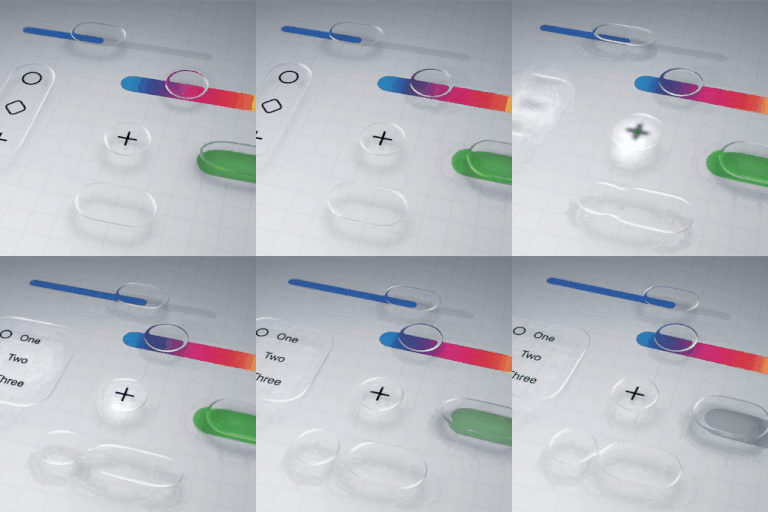
How to disable liquid glass in iOS 26?
Is there a way to completely disable the liquid glass functionality on iOS 26? I'm not going to get into a lengthy diatribe over why it's awful, I just want it gone.
iPhone 13 Pro Max, iOS 18
Is there a way to completely disable the liquid glass functionality on iOS 26? I'm not going to get into a lengthy diatribe over why it's awful, I just want it gone.
iPhone 13 Pro Max, iOS 18
amdc101 wrote:
There is a serious issue around accessibility with the Liquid Glass display, it’s not just an aesthetic issue. I do personally think it’s an unnecessary overlay, and don’t like it, but part of that is that I work for a charity for blind people and in terms of apples usual excellence with accessibility this is a huge fail.
iOS/iPadOS 26.1 introduced a new setting that subtly charges the appearance of Liquid Glass:
Settings > Display & Brightness > Liquid Glass - select Clear or Tinted
Sadly, for iPad, this new setting makes very little difference for those that struggle with both the appearance and overlapping screen elements introduced with Liquid Glass - an issue that is often not understood by those that have perfect eyesight.
If you are experiencing difficulty with the new Liquid Glass UI, there are other settings that can significantly improve the appearance and suppress the majority of unwanted effects:
Each if these settings can be used individually, or in combination. Setting Reduce Transparency alone (1) will likely suppress the majority of your issues. The Reduce Motion setting (3), if used, will eliminate the "lensing" effects of the Liquid Glass UI. Experiment; you should find a combination that works for you.
I suggest that you begin with setting Reduce Transparency to ON - and then, if needed, experiment with additional use of one or more of the other options.
NB: The new Display & Brightness > Liquid Glass setting can only be changed/toggled while Reduce Transparency is set to OFF. You might find that setting Liquid Glass to Clear, prior to enabling Reduced Transparency to ON, may give the best result.
Liquid Glass is here to stay - and will likely evolve throughout the lifespan of iOS/iPadOS 26. Hopefully, Apple will provide additional controls over time with which to selectively eliminate aspects of the new UI to better meet the functional and visual needs of the wider user population. Liquid Glass is very "pretty" - but for some is arguably form over function, reducing legibility and usability for some users.
You - and anyone else that has an issue with the Liquid Glass implementation - should submit constructive comments via Apple's Product Feedback portal. For iPhone:
Every Report counts.
azwinnieQ wrote:
I want a way to turn off Liquid Glass. I cannot “see” the display as easily as before. I updated my iPhone 16 as well as my iPad Pro, to IOS 26 and am very disappointed. Please fix this with an update to give us a choice.
You can reduce the transparency if that helps you at Settings > Accessibility > Display & Text Size > Reduce Transparency. Every year there are users who do not like any changes, that is not unusual. The UI is a central part of any OS, and not something that you can just turn on/off with a switch to revert back to the previous UI. Others like it too:
Five_bells wrote:
They’re just asking for the option to disable Liquid Glass, period, regardless of how you define “feature.” (And I know, this isn’t the forum for that, but please cut DanielleMarie89 and the rest of us whose devices have now become less usable some slack.) Reducing transparency doesn’t affect the flashes of light they were referring to—I’m betting that’s one of the settings they mentioned trying unsuccessfully.
You're right. If people actually read the terms of use they agreed to when they joined this forum, they already know Apple doesn't participate here, nor read here for user feedback. So posting how someone wants to remove Liquid Glass, which can't be removed to other users on this user to user only forum won't get anyone anywhere. People also don't read past the first post. So we get a lot of me too posters here, which becomes rather annoying when it's been explained what options are available to people.
Apparently no one who works for Apple is likely to see posts in here and we should request the option to disable Liquid Glass on their feedback page:
Also: Contact - Official Apple Support
Contact - How to Contact Us - Apple
I’m finding it way less usable as well, but at least I’m not getting migraines—genuinely sorry to hear that. For me, iOS has steadily gotten less and less accessible in recent years, plus I was honestly shocked at how bad the iPhone 15 camera is. I really don’t want to have to switch to Android, but 🤷🏻♀️
Vaibhavtiwari wrote:
It is a request, please remove liquid glass
That is not possible here and if you want Apple to see your request, then you will have to send feedback to them where it will be read. This is a support site made up of mostly other users like you where none of us have a backdoor communication channel to let Apple know how you feel.
Martyn2605 wrote:
I have slightly impaired sight. The downgrade to ‘liquid glass’ makes an iPhone unusable for me, even with the transparency set to the minimum allowed. There is no ‘depth’ of contrast and the screen now looks almost uniformly grey.
Have you tried any of the other accessibility options? Have you experimented with both the dark and the light versions?
Accessibility features for vision on iPhone - Apple Support
There are 9+ pages of replies in this thread that all explain that it is not possible to "turn off" Liquid Glass.
There are also replies that provide instructions on how to minimize the effects.
I suggest that you read through this thread.
mrdattu1969 wrote:
why can't they just clearly allow you to only choose security updates or at least give you a clear and easy way to go back to at least the most recent screen display before the update. it's so frustrating and irritating when they do this. all the apps now have weird layouts and non-intuitive ways of doing things. i'm seriously rethinking the apple ecosystem.
[Edited by Moderator]
Well.....they did let you choose a security update. You could have only updated to iOS 18.7 as opposed to iOS 26. Liquid Glass has been perhaps the most widely discussed Apple update in years. There were like a zillion YouTube videos about it. Countless articles about it, too.
Personally, I LOVE Liquid Glass. And you can minimize its effects as has been mentioned on just about every page of this thread. But get rid of it, you can't. It's an integral part of iOS. So either get used to it or don't.
As to leaving the Apple Ecosystem, do as you please. It certainly makes no difference to anyone here on this user to user only forum. You should absolutely buy what suits you best.
Liquid glass makes me dizzy and sick to my stomach. This will definitely help reduce me using my iPhone.
The only thing that slightly helps is changing the background to a solid color.
How do we request a change from apple? Don’t want a product that makes me physically sick.
Missdlb wrote:
I too am experiencing visual issues with the Liquid Glass. Everything is a bit blurry as is I’m looking through glass at fish in a fish tank. I did workaround, it doesn’t help. Nothing is clear and crisp. My phone is essentially unusable at this point. I don’t know what to do. My company requires our devices to always be updated.
There is nothing anyone here can do about it. Submit your feedback to Apple:
You can change your Home Screen background to black - which is better for making app logos clearer anyway. You can also adjust Liquid Glass by pressing on Home Screen until apps jiggle, and then clicking edit in top left corner to change transparency and colours. I’ve used it for 5 days now and like all changes in life, you get used to it quite quickly. I like it now.
Please don’t change to Android - you’ll seriously regret the lack of general security and miss the Apple OS ecosystem.
Optional? In what world would a new design of an OS be optional? Why didn’t you research before updating especially with your conditions? There are billions of videos showcasing it.
The best you’ve got is reduced motion, which I assume you already have enabled.
Zedairder wrote:
The best you’ve got is reduced motion, which I assume you already have enabled.
Also Settings>Accessibility>Display & Text Size>Reduce Transparency and Increase Contrast.
But yeah, definitely not optional!
There's nothing appalling about Liquid Glass. It's simply different. If you don't like the look, open Settings > Accessibility > Display & Text Size - Turn on Increase Contrast and Reduce Transparency. If you don't like the animation, turn on Reduce Motion as well.
If you don't like change, technology is likely not for you. Every year, things change. That's not going to stop.
T-MobileAWFUL wrote:
A security update should not affect the appearance of the phone. The white lines and white bubbles around everything are appalling. Especially in dark mode.
You seem a bit confused. iOS 18.7 was a security and bug fix update for iOS 18. iOS 26 is the new for 2025 iOS version, which most definitely was intended to change how things look and in some cases how things work.
Read this --> OS - iOS 26 - Apple
If you installed iOS 26, you get a new look and feel and it was quite intentional. In an earlier post, you suggested there was no warning. There was plenty of advance notice on what iOS 26 was bringing to our phones. For months, Apple showed off iOS 26 on their website. There were as there ALWAYS are with every iOS update, release notes on the update page on your iPhone. You didn't have to read them, but then that's really on you, if you didn't. YouTube had literally hundreds if not thousands of videos about iOS 26 before it was released. If you didn't do any research at all before you upgraded, that's really not Apple's fault.
"It's NOT doable if someone installed iOS 26 last week when it was officially released. "
Au contraire, I also reverted to 18.7. It was a bit of a chore, but I'm back to no visual distractions. Unfortunately, it now appears that Apple is no longer signing 18.6.2, so we can no longer revert. I guess I just made it under the wire.
How to disable liquid glass in iOS 26?