Home screen icons disappearing after Tahoe 26.0.1 update

Just upgraded to Tahoe 26.0.1 and having trouble keeping the various icons on the bottom of the home creen on, and not disappearing each time. Suggestions?


[Re-Titled by Moderator]

Original Title: Tahoe 26.0.1 Upgrade

Posted on Sep 30, 2025 12:52 PM

Reply
Question marked as Top-ranking reply

Posted on Sep 30, 2025 6:54 PM

Do you mean the Dock? System Settings > Desktop & Dock, turn off the setting to automatically hide the dock.


14 replies

Oct 13, 2025 11:36 AM in response to svescape

svescape wrote:

Just upgraded to Tahoe 26.0.1 and having trouble keeping the various icons on the bottom of the home creen on, and not disappearing each time. Suggestions?

[Re-Titled by Moderator]
Original Title: Tahoe 26.0.1 Upgrade


What is a a home screen, associated with a browser(?)


Are you saying the Desktop?


What does that mean "not disappearing each time." Each time what?


Have you shut down and restarted more than once:

>Shut Down...


What macOS was it before 26.0.1 (?) are you saying in macOS 26 you did not have the issue or it was previous to this?


Turn off all the Desktop bells and whistles and get back some control of the Desktop..
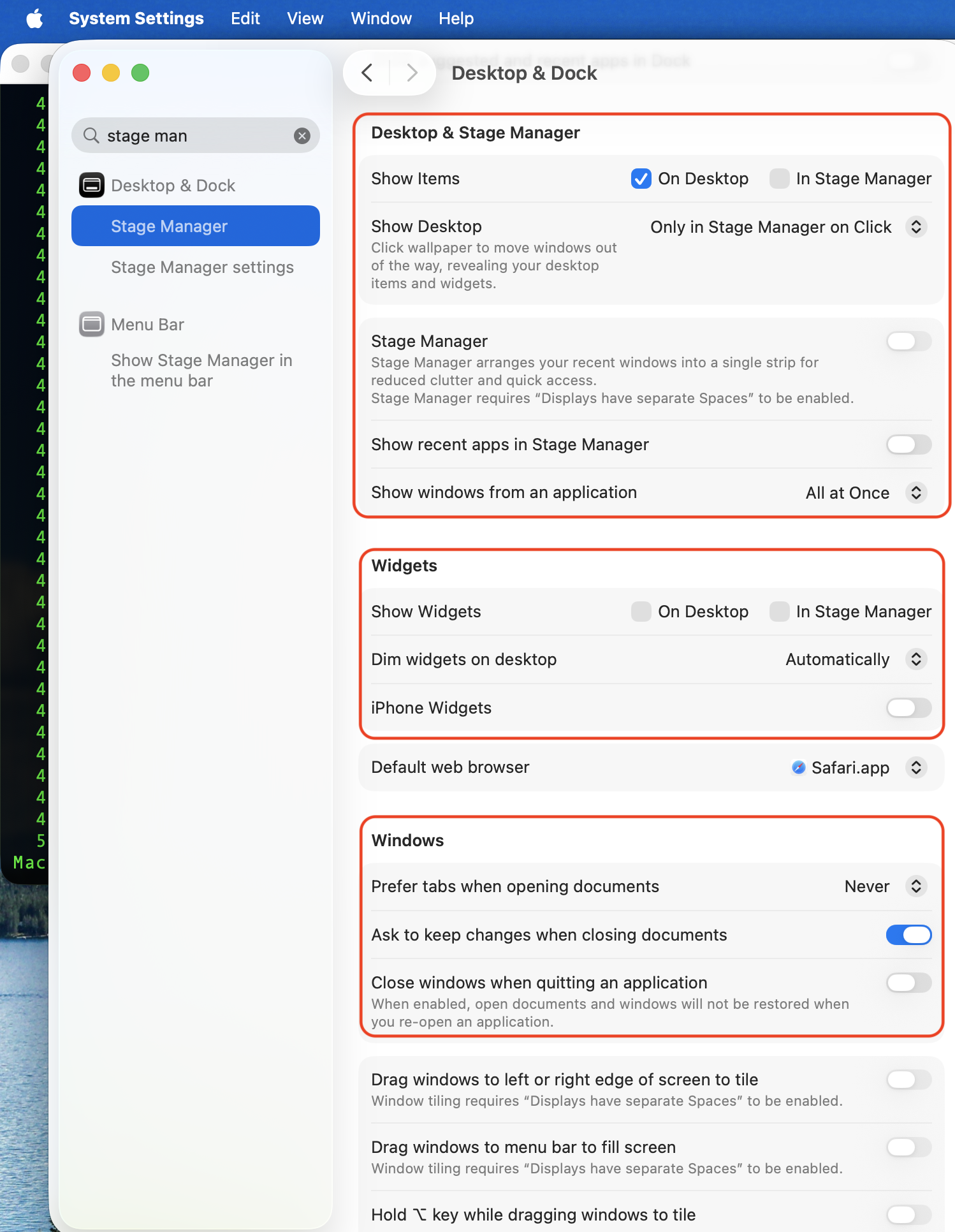


If iCLoud Drive> Desk top & Documents got turned, then look there. If you need help with that as an issue please clarify.

Add your Desktop and Documents files to iCloud Drive - Apple Support


[Edited by Moderator]


Dec 11, 2025 11:13 AM in response to Nicolash68

I found the solution for that to unhide the files using (⌘ Cmd  + ⇧ Shift + . Dot )

That command toggles invisible files, in other words it makes visible the files that macOS intentionally hides. Many of those files are things that macOS needs and that you should not mess with (which is why they're invisible). It's not a bug. Some (like .DS_Store files) present no risk with deletion, others do. Unless you know the function of those invisible files, manipulate them at your own risk.

Home screen icons disappearing after Tahoe 26.0.1 update

Welcome to Apple Support Community
A forum where Apple customers help each other with their products. Get started with your Apple Account.


