For the Messages, the pop-up (As shown in the pic posted by you) has nothing to do with Location Services. Share Focus Status needs to be disabled.
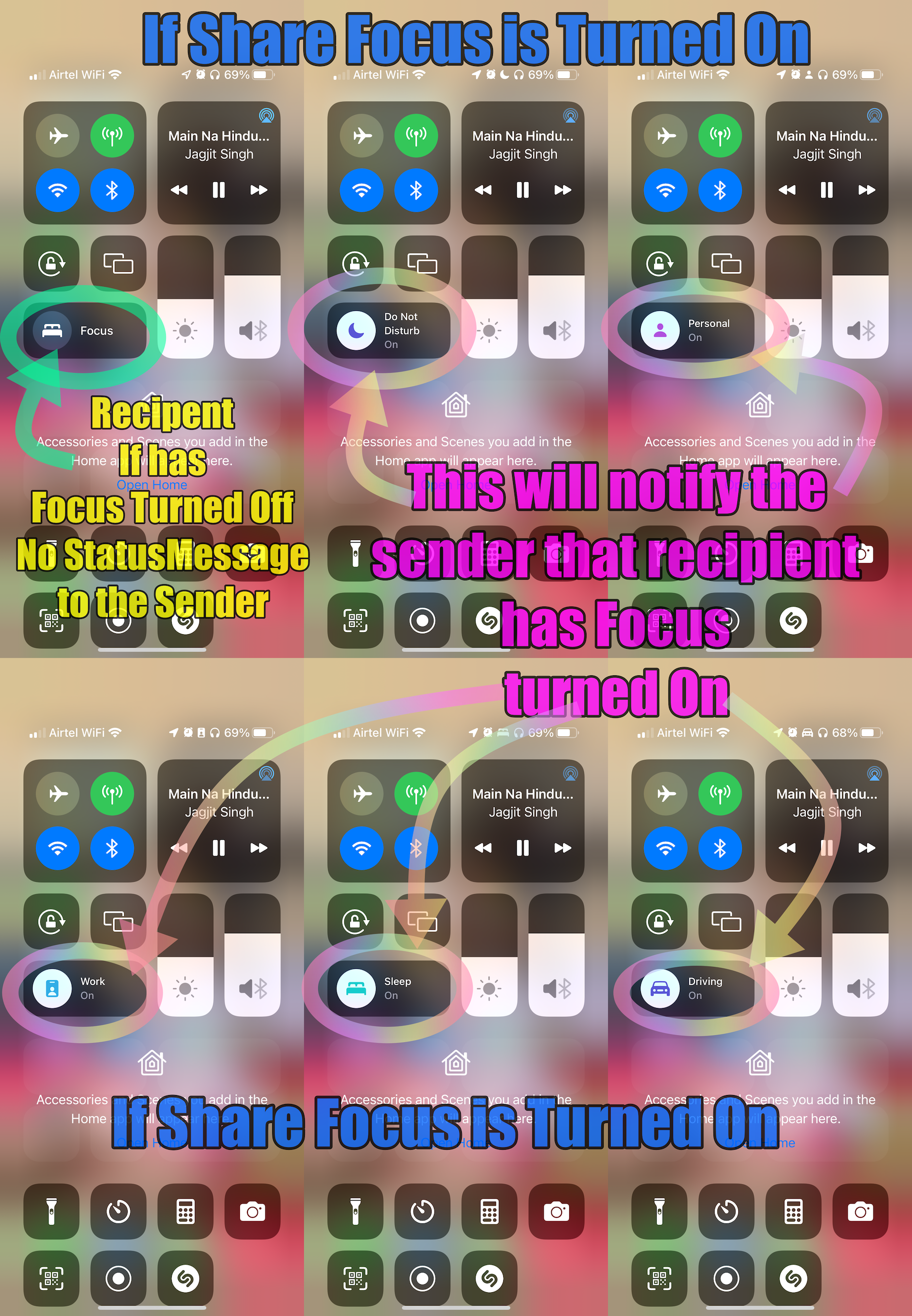
On iOS, Share Focus Status applies not just to Do Not Disturb but to all Focus categories you have set up, such as Personal, Work, Sleep, or any custom Focus you create. When this option is enabled for a Focus mode, others who send you messages in supported apps (like iMessage) will see a notification that you have notifications silenced. This sharing happens automatically whenever any of your Focus modes is active, so the sender is aware you might not respond immediately.
As soon as you turn off the Focus, the status message that was displayed earlier on the recipient's iPhone will go away. There is no question of a new status appearing unless you have not enabled any of the focus DND.
See the pic below for more clarity. Open Control Center
Also, check if your Mac (or other Apple devices) is set to Do Not Disturb. If it is, your iPhone will also be automatically switched to Do Not Disturb. This is because of the Share Across Devices feature, which syncs Focus modes across all your Apple devices signed in with the same Apple ID. To prevent this synchronization, disable Share Across Devices in your Focus settings, as illustrated in the image below.



