Apple Support are not here.
Please understand the Apple Support Community is a user-to-user technical forum. Contributors here are all end-users, just like you. Other than the site Moderators, Apple neither monitor nor participate here. As such, if you hope to reach Apple or Apple Support staff through these forums, you will be disappointed.
You state that you have noted unexpected changes in App behaviour with iPadOS 26 multitasking - but offer no explanation as to the behaviours or Apps with which you are experiencing difficulty. Without more information, should you seek it, it is impossible for Contributors here to offer useful help or guidance.
If you need assistance or wish to contact Apple Support, you can contact the Support Team using the Support link at top-right or bottom-left of this page.
Alternatively, you can initiate and manage your support cases from Apple devices using the excellent Apple Support App. If not already installed, the App can be downloaded from the App Store:
https://apps.apple.com/app/apple-support/id1130498044
iPadOS multitasking has received a significant makeover from that to which you may be accustomed in iPadOS 18.x and earlier - and may take a little time to learn and adjust your workflows. You would be well advised to review the official iPadOS User Guide and the many available online tutorials (such as YouTube) to become better acquainted with the new multitasking interface and associated gestures and controls.
Multitask on iPad with iPadOS 26 - Apple Support
Work with multiple windows at once on iPad - Apple Support
OS - iPadOS 26 - Apple
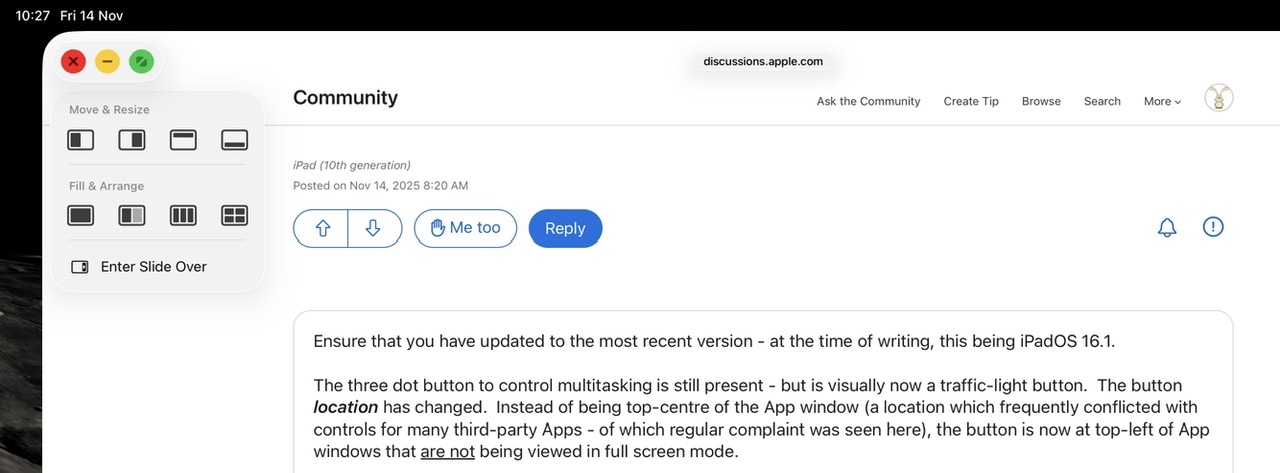
The three-dot multitasking button with which you are no doubt familiar from earlier versions of iPadOS has been replaced with the traffic-light button to access and control the revised window-based User Interface.
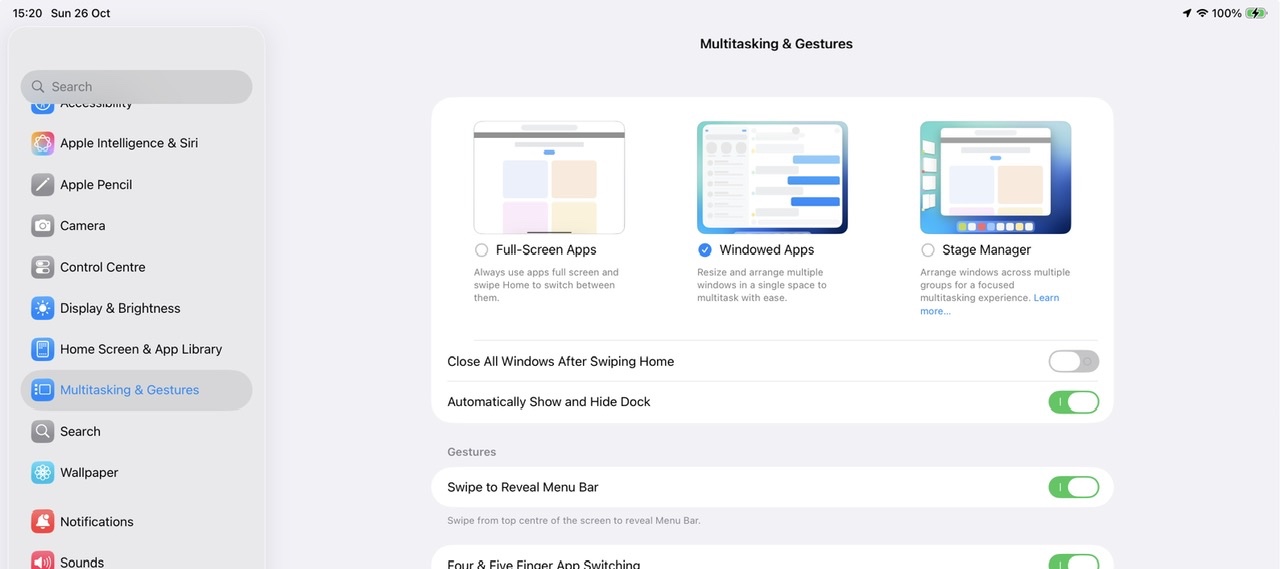
If you dislike the windowed environment, you can switch to using the basic Full-Screen App mode - but this disables all multitasking capabilities and hide the traffic-light controls; you will not be able to use split screen or slide-over modes with which you are likely familiar:
Settings > Multitasking & Gestures - select Full Screen Apps
Apple invite submission of constructive comments and feature requests via its Product Feedback portal. If you would like Apple to reconsider recent changes, or alter the appearance or function of the multitasking controls, this would be the most appropriate and effective path to having your voice heard:
Feedback - iPad - Apple

