Sagittal wrote:
Now the new process for me:
1. Create/Name document
2. Write
3. Command-S to "Save A Version" (don't know why it's called that when that's not really what it does...)
4. Duplicate
5. Save... > check box for "Save a copy as - .doc"
6. Make sure to delete the word "copy" I never wanted in my file name anyways
7. Close and confirm that I didn't want to save the "duplicate" .pages file when prompted.
Save a Version does exactly what it says.
It save the late changes bringing to the current state of the document in the hidden folder used by the Versions tool.
It's these Versions which you may retrieve easily :
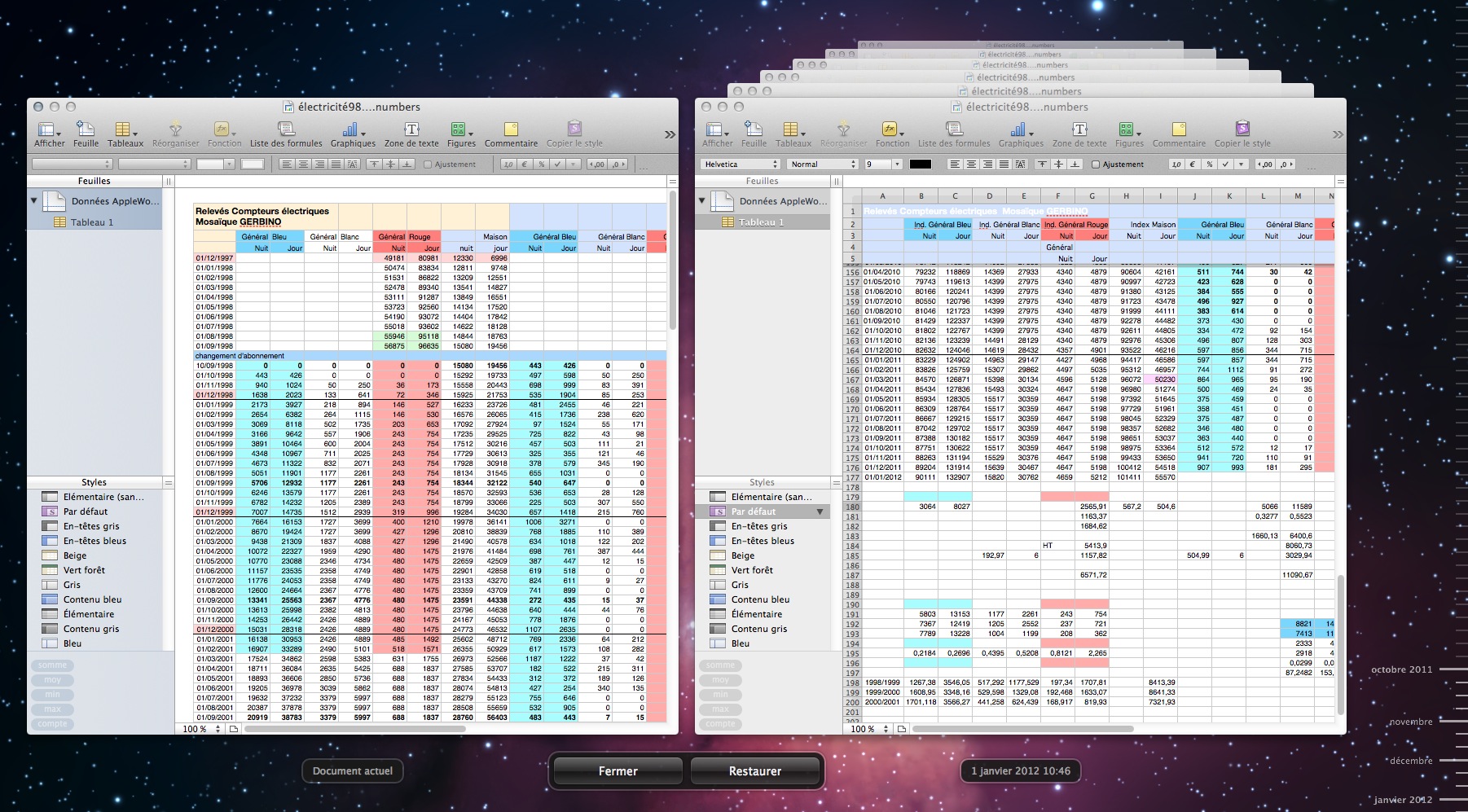
Open the screenshot to see the details.
On the left is the current state of the document.
On the right we have several chronological Versions of this document.
On the right bottom you may see that Versions stored from october 2011 to january 2012 are available.
It's what is saved when we trigger Save a Version.
This feature apply only on documents saved in the app's native format.
The described new process is not matching the designed one.
This one would be
Create/Name a document which means in fact that you Save it once.
Write
Duplicate
Export > Doc (you would spare a step). During this task you define the name and the location.
Close and confirm that you don't want to save the "duplicate" .pages file
Close the original which will be automatically saved.
I applied italics to three steps because they aren't part of the main application goal.
Pages is mainly designed to create Pages documents.
By definition, using it to create Word documents is wasting time.
Better do that with LibreOffice. The .doc result will be closer to the original than what you may get with Pages.
The Export to .doc feature isn’t designed to be a 'full time' one. It's just to give you a lift when, from time to time, you must open or you must write in this foreign format.
From my point of view, embedding the .doc option in Save As… was an error. This tool made sense to save in Pages '09 or in Pages '08 format.
We have already two scheme to create a .doc file :
File > Export > Word
or
Share > Export > Word
It's clearly sufficient.
Yvan KOENIG (VALLAURIS, France) mercredi 1 février 2012
iMac 21”5, i7, 2.8 GHz, 12 Gbytes, 1 Tbytes, mac OS X 10.6.8 and 10.7.2
My Box account is : http://www.box.com/s/00qnssoyeq2xvc22ra4k




