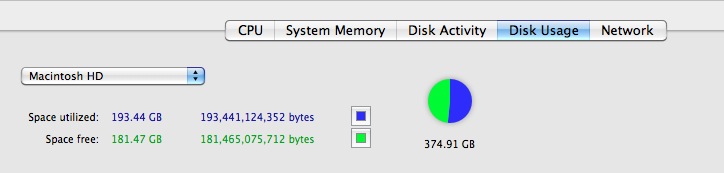
DanielDun wrote:
I'm getting a message that I'm running out of space om my drive but my Mac HD is showing that it's not full. How would I access (or even check to see if I have one) my SSD on my Macbook Pro?
Open your Disk Utility in your Utilities folder, on the left will likely something like this (but not exactly of course, each persons machine is different)
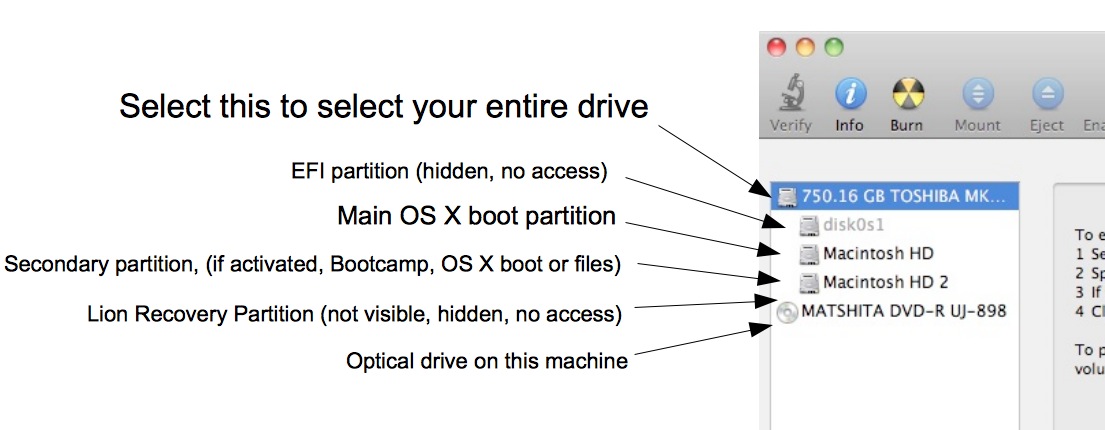
Your MacHD is a partition on the SSD which is your storage drive.
Click MacHD and First Aid > Repair Disk
If it gives a error and cant' fix it, please tell us. Backup your user files off the machine as soon as possible to a external storage drive if possible as a new TM drive can take a long time.
Now to determine where your space is, open Applications/Utilities folder > Activity Monitor and click on the Drive Usage