iPhone disabled connect to iTunes
i have connected my phone to the computer and nothing. phone still reads disabled connect to iTunes. frustrated!!!!!!!!!!!!!!!!!!!!!!!!!
[Re-Titled by Host]
iPhone 4
i have connected my phone to the computer and nothing. phone still reads disabled connect to iTunes. frustrated!!!!!!!!!!!!!!!!!!!!!!!!!
[Re-Titled by Host]
iPhone 4
Open iTunes on computer, connect iPhone to computer with USB cable. Hold both Home and Power buttons on iPhone until iTunes recognizes iPhone in Recovery Mode. This usually takes about 20 seconds of holding both buttons. Restore the iPhone Firmware.
Open iTunes on computer, connect iPhone to computer with USB cable. Hold both Home and Power buttons on iPhone until iTunes recognizes iPhone in Recovery Mode. This usually takes about 20 seconds of holding both buttons. Restore the iPhone Firmware.
Well, my iPhone 4S got fixed by itself after about 5 hours being disabled. A "friend" was trying to break into it. Here's what I did. I connected it to the iTunes computer I always connect it to. My only option was to restore it, but I had not backed it up for months, so I decided to at least copy my pictures. I was using iPhone Browser to copy all my pictures (about 10.5GB) so I left it alone and went to watch TV while copying. When I came back to my computer to check the copy progress I checked my iPhone as well and the DISABLED message was gone and I was able to login again! 🙂 YEAH! So I guess it's just a matter of time, from the moment it got locked till' it was good again was about 5 hours. Anyone with the same experience please confirm so we know what the fix is. Thanks!
Follow the steps in this article from the "erase your device using recovery mode" section at the bottom
Connect to iTunes
Right Click on iPhone-on left pane
Click Backup
Its going to tell you"iphones is locked with passcode,please try again later"
That time you be able to enter your screen lock passcode.
Enter your passcode and then It will Unlock!
I just had this problem. There is no chance to recover anything which you didn't back up on itunes. Today 12th of July 2017 i contacted apple customer service. The only way to use my iphone again is first to erase all its content. So your finger prints as password before can't even help to disable the phone. So for mothers who might have small kids playing their iphone, be careful. You might locked out and never have the chance until today to access your data specially photos if you had your iphone in flight mode. No iclouds back up for it either. I hope Apple should improve in this case if it is really the owner who was locked out anyway.
I am happy my idea worked. Unlike someone else messaged me saying "There is No way my instructions will work.. I have to restore the phone".
Just for everyone else here..try what I wrote before before making assumptions..lol
I know it’s pretty awful to have to wipe your phone if you don’t have a iCloud backup... in order to avoid this type of situation next time there is a setting that you can change so that it won’t wipe your phone after 10 failed attempts. If you go into settings > Touch ID and passcode > scroll to the very bottom you’ll see “erase data”, next to it has a button you can switch on/off... if you switch it off (should be gray if off) it will not erase if the passcode is entered incorrectly too many times. It would still be helpfull to have your phone backup automatically every night because even with that setting switched off there are still situations where you would have to restore your phone or maybe need to use the backup like if your phone breaks or you lose it and you have to get a new one.
HEY WHEN I CONNECT MY IPHONE TO ITUNES IT STILL WONT LET ME DISABLE MY PHONE. CAN YOU PLEASE HELP ME.
Iphone is disabled connect to iTunes
Show on iPhone is disabled connet to iTunes on screen
my iphone 4S is disabled and locked. here are my history/ backsteps taken prior to posting for help:
there isnt any content on here that needs to be saved, as far as i know its empty from the erasing when it was stolen. I just want this to work again so i can have it play music in the iboo i have.
Well my daughter locked up phone pretty good! "Disabled Connect to Itunes" so I did but it was only giving me the option to restore. I tried right clicking and then backing up and it still did not let me enter the password. Then I decided to see if it would let me Sync it, WOOHOO it worked. All my text messages starting coming in and it was allowing me to re-enter my password. So your hint did help some, it certainly got me on the right path. Thank you!
This will erase the device and its passcode.
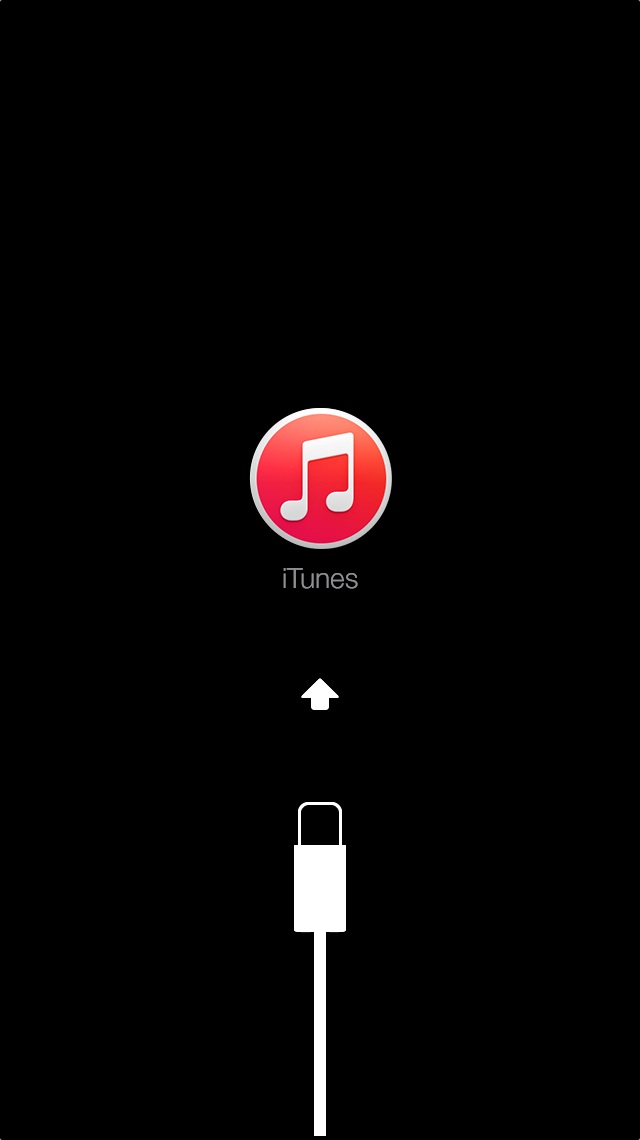
If your device doesn't go into recovery mode, try steps 1–4 again.
On my iPhone 5 screen all there is "iPhone is disabled, connect to iTunes". I tried connecting to iTunes but on iTunes it says cannot connect to your iPhone because it is not unlocked. Someone please help!! :/
I am frustrated. My son is autistic. The iphone is critical for him. He has been trying for two weeks to get past the "iphone is disabled, connect to itunes." All he gets is the emergency phone number pad. He has asked for help from apple and others. He turned the problem over to me today. Though I am a mac person from way back, I have never used an iphone. I went on itunes, put in the information he gave me re: user name and password. Apparently this isn't right, but this is all he remembers. I've read the instructions for going into the DFU mode, but how would I get to the "home" button, thanks, budinsky.
iPhone disabled connect to iTunes