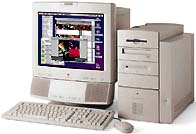
What is the 8 pin din plug on the middle back (not the pass through ABD connectors on the base) of a 17" Apple multi-sync monitor?
I do not know for certain, but I have a theory. I think it is a calibration/adjustment serial port that talks to the display's Analog board.
On the 5500, there is a two-pin connector on the Analog board. You are instructed in the service documents to reach past some moderately high voltage stuff and connect a special Apple cable to this connector, and connect the other end to the modem serial port on the computer section. This allow the adjustment of quite a lot of stuff, but the place where you have to plug in the connector is inside the shield, on a board known to generate over 200 Volts.
In the All-In-One G3, this is carried to a pleasant conclusion with an automatic connection, without user intervention, that allows adjustment of almost any adjustable screen parameter (except extra-coarse brightness and extra-coarse focus which are done with trimpots on the flyback transformer). The tool used is "Display Adjustment Utility" [all adjustments for the All-In-One G3], not to be confused with "Display Service Utility" [colorbars for any Mac].
I think this was carried further on certain Macs that passed an ADB connection through their base, and possibly picked it up for use in internal calibration assistance, but I have not had much opportunity to get my hands on those "modern" displays.