problems with amd gpu on early 2011 macbook pro

hey


been having problems for the last couple of weeks on lion os and now mountain lion and need some advice

i'm guessing its the graphics card a amd 6750m as when it swithches to the gpu the screen glitches and freezes, ive tried the apple hardware test and it passed that

then i did a gpu test with a novatech bench test and crashed nearly straight away

User uploaded file

it's nearly 2 years old and out of apple warranty but i'm sure under EU law it should be 2 years

whats my options

cheers

MacBook Pro, OS X Mountain Lion (10.8.2)

Posted on Dec 27, 2012 1:58 PM

Reply
571 replies

Dec 19, 2013 9:57 PM in response to djanderz

MacBook Model : Late 2011, 15”

Serial Number : C02GY4X2DV7M

Country or Region: Hong Kong

Graphic card: AMD Radeon HD 6770M


I bought my mbp in early 2012, therefore it’s not even two years old yet.

Details: In Nov. 12,2013 when I turn on my mbp, I got problem with gray lines over the whole screen.So I turned off the mbp and tried to press command+option+r but I got a blue screen with some gray lines. Sometimes I was able to successfully boot, but sometime I was unable to boot. Even if sometimes I was able to successfully boot the mbp, but if I visit a video website or open a video file, the computer will screen blurring or freeze.I bought my mbp in early 2012, therefore it’s not even two years old yet.

Dec 20, 2013 1:29 AM in response to djanderz

MacBookPro Model : Early 2011, 15"

i7 2Ghz , AMD 6490

Country : Indonesia

Purchase : Apr 2012


Mine have been have some lock up with no reason and I will have to force to restart starting early this year . Since I thought it was still acceptable I did not do any thing with the MBP. Last Friday , it suddently freeze within 3 to 4 hours of using / restart . Then some bending coming in and discolouration , etc just like what you guys have been describing. The next day it won't boot properly and only showing a greenish starting logo then freeze on a gray screen. I search up the web and found many complain regarding the graphics switching issue on the same model as mine. I got lucky twice the MBP start and I install the GFX , and it can work for 2 times , after the last shut down , it will not boot again , only showing me the greenish apple logo and gray screen .

I went to apple service center and they offer me a $650 logic board replacement with 90 days warranty .


Mine was working only for 19 months . What a waste

Dec 21, 2013 6:17 PM in response to Troglodytes00

By way of an update.....


I delivered my Macbook Pro 15" with the apparent GPU defect to the local Apple store.


I described the issue as having red-lines across the screen during boot and the machine not starting up properly. The Apple employee (I refuse to call them 'Geniuses') immediately responded with "Oh, GPU problem".


Roughly three days and $337US later (about half of the $600 I was expecting) I have a new logic board.


Apple employees confirmed that I had 90-days to work the new logic board to confirm there wasn't a defect with it.

Dec 22, 2013 5:38 AM in response to djanderz

Hello everyone!


I have experienced simillar problem yesterday. Since its Christmas time and there is no way I can have my MBP fixed any time soon by giving it to specialists I decided to dig a little bit and here are my thougst about this well known GPU failure case and also a possible fix.


Heres what I have seen yesterday (as I played around with my mac):

  • screen missalignement (offset)
  • thick vertical black lines on the screen (with parts of the screen between them rendering correctly)
  • overal discoloration and artifacts
  • vertical blue lines all over the screen
  • horizontal line artifacts
  • mouse hanging


Following that was unability to boot my mac as it either hang on the apple logo (spinner stopped spinning) or it went gray, fans kiced in and the reboot was required. For most of the time the sceen was greenish with strange horizontal missalignemnt, looking a little bit like low-res even though it really wasnt.


I did what you guys suggested to do which was to enter the command line single-user while booting and to delete all AMD drivers. After doing so I was able to boot my mac but whats strange it wasn't using my integrated GPU (it didn't even see it) it used my AMD 6490 and I was unable to switch to GPU using gfxCardStatus because my mac was thinkink I'm on an external display. The graphics and performance were very poor but usable to play with. After trying to delete or add certain drivers I have figured out that its an AMDSupport.kext file that stops my mac from booting.


What still bothered me was this "being on external display" thing even though I really wasn't. In Preferences I could only see some external display instead of my mac but I have not used any of those (especially recently). This can be an issue why it didn't boot, because the moment you press the power button some external display is being detected and amd gpu is being used, which has some issues, obviously.


I also found out that turning my mac on without AMDSupport.kext and dropping that file later into /System/Library/Extensios (using Finder) allowed me to boot my mac next time with the correct visuals (performance was still laggy but everything looked beautifull). I started to experience artiffacts and eventualy my os hanged after the some time. But still, if my GPU was broken how could it be able to render everything so well? I had started to investigate this and came out with a conclusion - it's a software issue (or hardware + software, but not entirely hardware).


To prove my theory I have deleted AMDSupport.kext again and booted up with and AMD GPU that didn't have any drivers (this external display forced it to use this one insted of Intels). Screen was awfull but it worked so I took the screenshow (shift + cmd + 3) that I have later emailed to my iPhone. It turned out that all of the artifacts are there, on that screenshot, meaning its the problem with how Mac OS renders things and not how GPU displays it. If it was a hardware issue than the screen would be properly renderd by Mac OS and its software whould catch the screen as it should look like, but it would be the GPU that adds those artifacts later on when delivering this screen to my eyes.
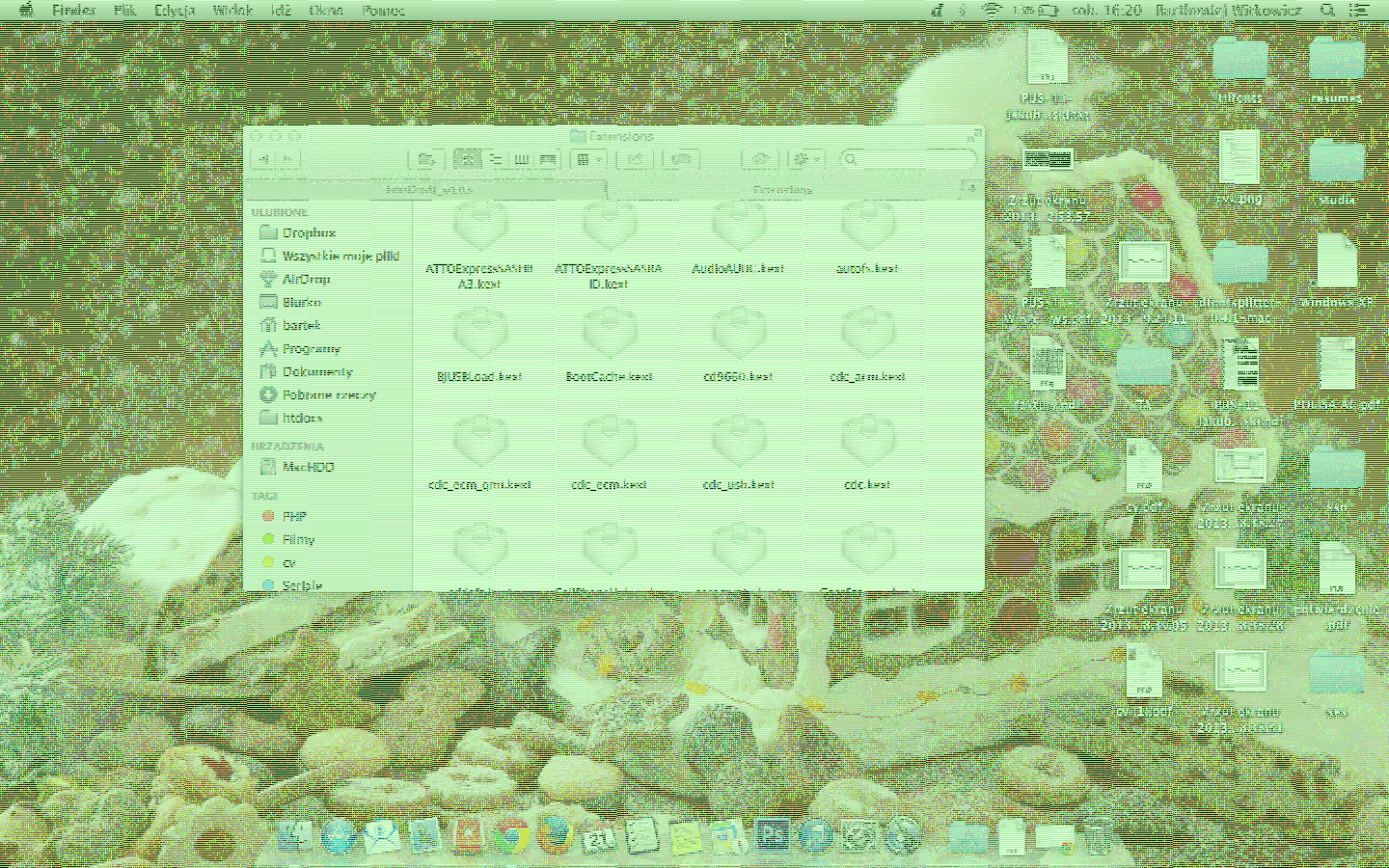
User uploaded file

I went to /System/Library/Displays/Overrides and deleted everything except Contents. After doing so and cleaning NVRAM/PRAM and adding AMDSupport.kext back in I was able to boot my mac without externall display being detected, but still, no Intel card was detected either. Overally it worked and lookd well, but it was all very laggy. Since it was late already I decided to continue on my software-issue theory and tried restoring my Mac using internet installation. I booted up using cmd + R and waited several hours for the process to complete and once my new MacOS was installed everything is working like a charm like it used to be for the last months. And it still does (for one day so far).


What I'm trying to say is that this can indeed be a software issue. And this may have something to do with Mac OS incorectlly detecting our internal display as some externall one which than leads to some problems with communiaction with Mac OS and this false externall display which causes all sorts of troubles. This would also explain why for mose of the people who decide to change their logic bord the problem eventually reappears - becouse it's on their harddrive, and not on a logic board. This would also explain why those logic boards pass the hardware test.


I would like you all to combine your experiences with mine and if you have any thoughts - please, share them as they may be usefull.


For those of you who are still having this issue here is what you can try to do:


1) press the power button and than press and hold shift + cmd + s. Once the command line is loaded (even if its barely readable) do this:

2) mount -uw / (may need to do this twice) - this gives us permission to modify system files

3) cd /System/Library/Extensions - heres where are AMDFiles are

4) rm -rf AMDSupport.kext - this will remove an AMD driver, you can also move it elswere for backup using mv, google that

5) try cd AMDSupport.kext - if it shows 'No such directory" than you have sucesfully got rid of it

6) shutdown -h now - reboots the system


System should boot now (if not try holding shift while booting). If it boots using Intel GPU that you can use it and lock using it using gfxCardStatus, but I suggest trying to:


7) turn your macbook off

8) hook it up to externall display to force using dedicated GPU (intels gpu is not even physically connceted to display port thats why amd has to be used)

9) boot your mac and expect some strange visuals (your on AMD now that has no driver).

10) go to /System/Library/Displays/Overrides and remove everything but the 'Contents'

11) powrer off, boot up with cmd + r and do the internet restore


Everything should be working fine from now on just as it was before. This worked for me.


And here is my current AMDSupport.kext file in case someone needs it.

http://speedy.sh/wpchm/AMDSupport.kext


Dec 25, 2013 9:32 PM in response to djanderz

+1 here having the exact same problem Macbook Pro early 2011 started getting pink vertical lines showing on screen when using Chrom to view videos and sometimes in Adobe applications. Started happening about a month ago.


This is my second Macbook pro to bum out on me. It's absolutely necessary for me to be on OSX for work, but having 2 mbp's that have defects, I'm prepared to buy a PC laptop and mount it as a hackintosh next time just to avoid these hardware issues with Apple.


It's just too expensive to be lashing out $2-3k every 2 years on a laptop.

Dec 25, 2013 10:40 PM in response to djanderz

I would never buy a MacBook Pro or any other laptop without an extended warranty. Unlike desktops, Laptops are subject to much abuse. I'm not saying that Apple isn't culpable when it comes to the specific problem we're discuissing here, which I believe should be covered under a "Repair Extension." But still, Applecare is relatively cheap insurance if you are planning on keeping the machine for 3 years.

Dec 26, 2013 12:45 AM in response to djanderz

OK, I am cancelling what I said before - this is indeed a hardware only issue. After succesfully making it work it stopped the day after without a chance for it to start working again (and I tried everything including replacing drivers for the older ones).


I have contacted a company that would do the fix for me and they said about $350. Well, thats a lot for a 3 years old laptop and what is more - it is very likely that this problem will come back (as it did for many of you).


So I decided to try and fix it myself. I used the "baking" method, dismounted everything to get my logic bord out (that was actually easier than I thought, I used iFixit guid for this), cleaned everything up and put it in my oven for 8 minutes at 190-200 celsius. Took it out, let it cool down for ten minutes, mounted it all back again and there we go - everything works better than it did, both Intel and AMD GPUs are working well and since I have applied new thermal paste and cleaned everything properly the temperatures are now about 25% better than they vere before (my CPU at idle runs about 40*C, GPU also much much lower than it was but I try not to stress it without a good reason :).


Basically, problem is not all on Apple, it is due to UE agreement that solder must be led-free and that makes it less elastic and durable that in was before. That makes all Apple's dedicated GPUs in danger of eventually breaking - especially those one that demand on dedicated GPU a lot (like first 15'' Retina MBP). This may be one of the reasons why they are no more relying on those GPU in their new macbooks. And yes, that will happen after some time, thats why our 2011 models started to break recently and not in 2011 when we were all under AppleCare.


What ours laptop don't like and the reason why this GPU soldier starts to crack (and solder micro cracks is what stops them from working) is a quick temperature change. I realized that this is exactlly what caused my problems - I left my macbook pro in the car (and it was very cold outside, it's winter time here where I leave) and than I brought it back home, it was very cold so I waited for a while for it to get some temperature but since this process was very slow I eventually turned it on still cold, and once it was on it started to heat up pretty quickly (as all laptops do). Thats the perfect scenario where those micro cracks are starting to show app and eventually cause what we call GPU failure. Be aware of that.


And for those of you who are going to replace their logic boards - try baking your old one first - you have nothing to loose (except already broken logic board and 2-3h of time) and you can save a lot of money. Sure, it can break again, maybe in a month, maybe in a year, but even your new logic board can, because you never know what they will put in and how long will it last (and your warranty will be probably very short). After you succeed, install a fan speed controll app (I use FanControll) and increase defualt speed from 2000 to 2500 RPMs (its still silent, battery life goes down only about 5 minutes) and set upper threshold to lets say 70*C so once temp starts to go above that it will try to make the fans cool it down below that level. And, of course, use gfxCardStatus to always make sure that dedicated GPU is not on when its not really needed (and sometimes apps like third-party mail client or programming IDE can force the use of dedicated GPU, and why is that? It all runs perfectly fine on HD 3000).


Also, if you consider selling your Mac, think if you really need a dedicated GPU in your next one. If you do - extend your warranty, if you don't - go with the Iris or Iris Pro only and you will sleep safely (at least I will 😉).

Dec 29, 2013 4:16 PM in response to billaddison

billaddison wrote:


This is the first answer that seems to reasonably explain the issue, thank you! Can you please point me to the "baking" method used to fix the logic board? Is there a link somewhere that explains this approach?


Be carefull with baking !!!.

If you're not really technically experienced, know about soldering, reflowing, temperatures, profiles etc...

You CAN destroy things.

Yes, some had success, some haven't, making it unfixable.


Also, it's most likely only a temporary fix, not really controlled like it should.

If it goes wrong, might destroy things.

Repair shops might not take it in for repairs anymore.


Received a few DIY repair tries myself that turned out out to be unfixable as the logic boards were ruined.

Most repair shops charge a much lower, very fair price compared to Apple to fix it.

Often lasting longer then a "logic board" replacement.


Up to you to risk destroying a rather expensive machine that might become unrepairable if you try to DIY on it.

Jan 3, 2014 3:54 PM in response to djanderz

I guess i lucky one, i bought macbook pro 17inch, and my graphic card runs smootly for more than 2 and half years.


Especialy i feel lucky becouse i cam from Croatia, and if my graphic card goes to ****, i would not be able to buy new one, and dont know abouth warranty after 2 and half years 😟. WEll, newer know with apple.


P.s.- all troubles i ve seen has reported on macbook pro early 2011 15 inch. Dont see reported problems on 13, and 17 inch. I have same graphic- "radeonHD 6750m" and i do not have problems. Ehm, im not a gamer. Just 3d and generaly after efeccts,video rendering composing etc.


So i gues, maibe it is doomed in 15 inch machines.


Put fan to max 😉 moves moust of the troubles, cool hardware is a good hardware. And dont buy macbook pro for games. It is a ****** snobish.


This is a great video gpu just dont know why goes to heck in 15 inch. Does anyone has this problem on 17inch?

This thread has been closed by the system or the community team. You may vote for any posts you find helpful, or search the Community for additional answers.

problems with amd gpu on early 2011 macbook pro

Welcome to Apple Support Community
A forum where Apple customers help each other with their products. Get started with your Apple Account.
