Actualy, Jeff's suggestion is pretty simple and straightforward. Here's how it looks in practice.
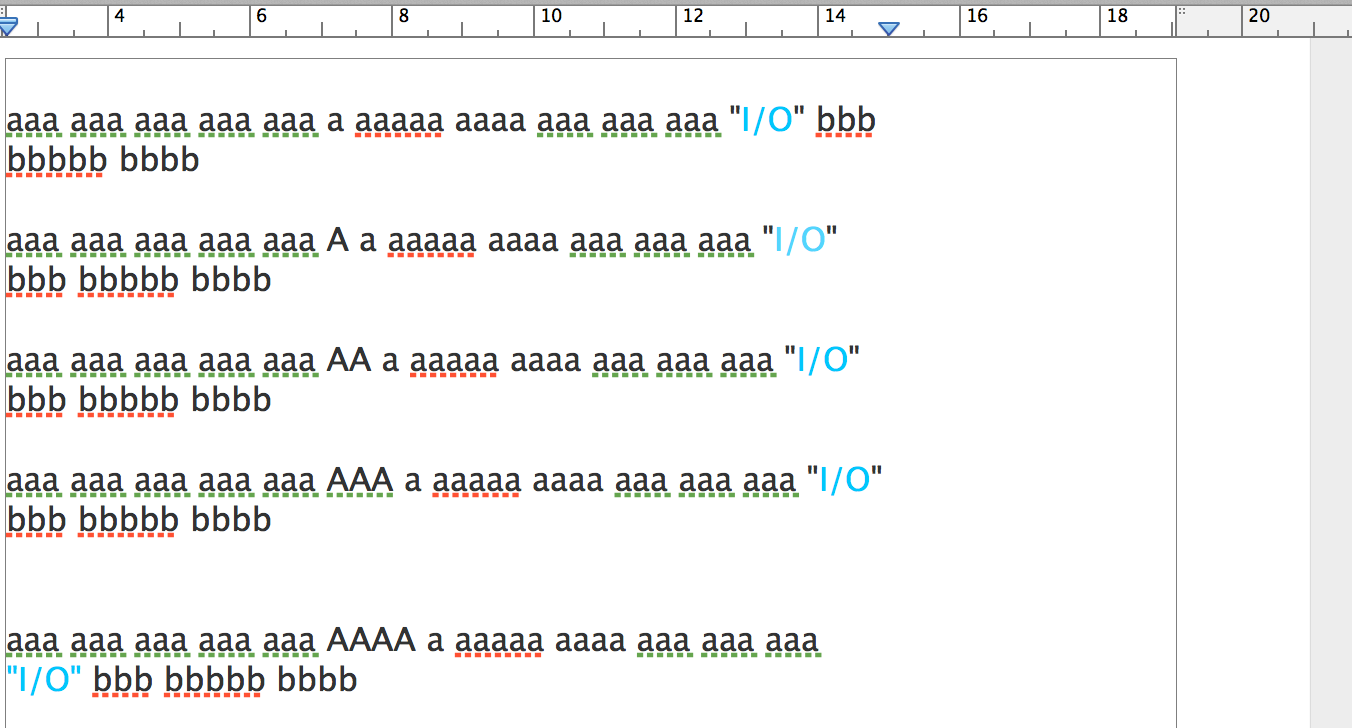
I've coloured the I/O sets to make them trackable. They have a narrow no-break space before and after the slash (solidus), which prevents the 'word' from breaking at either of these positions.
The narrow no-break space was dragged from the Character Viewer window to the document, and dropped between the I and / characters in sentence 1. The drag was repeated,and the character dropped between the / and the O in the same sentence.
The whole sentence was copied, then pasted back into the document four times. Then an increasing number of A characters were typed into the copies. Note that the I/O group of characters, now 'glued together with the narrow no break spaces, moves as a whole word when the text before it expands. The 'word' drops as a single entity.
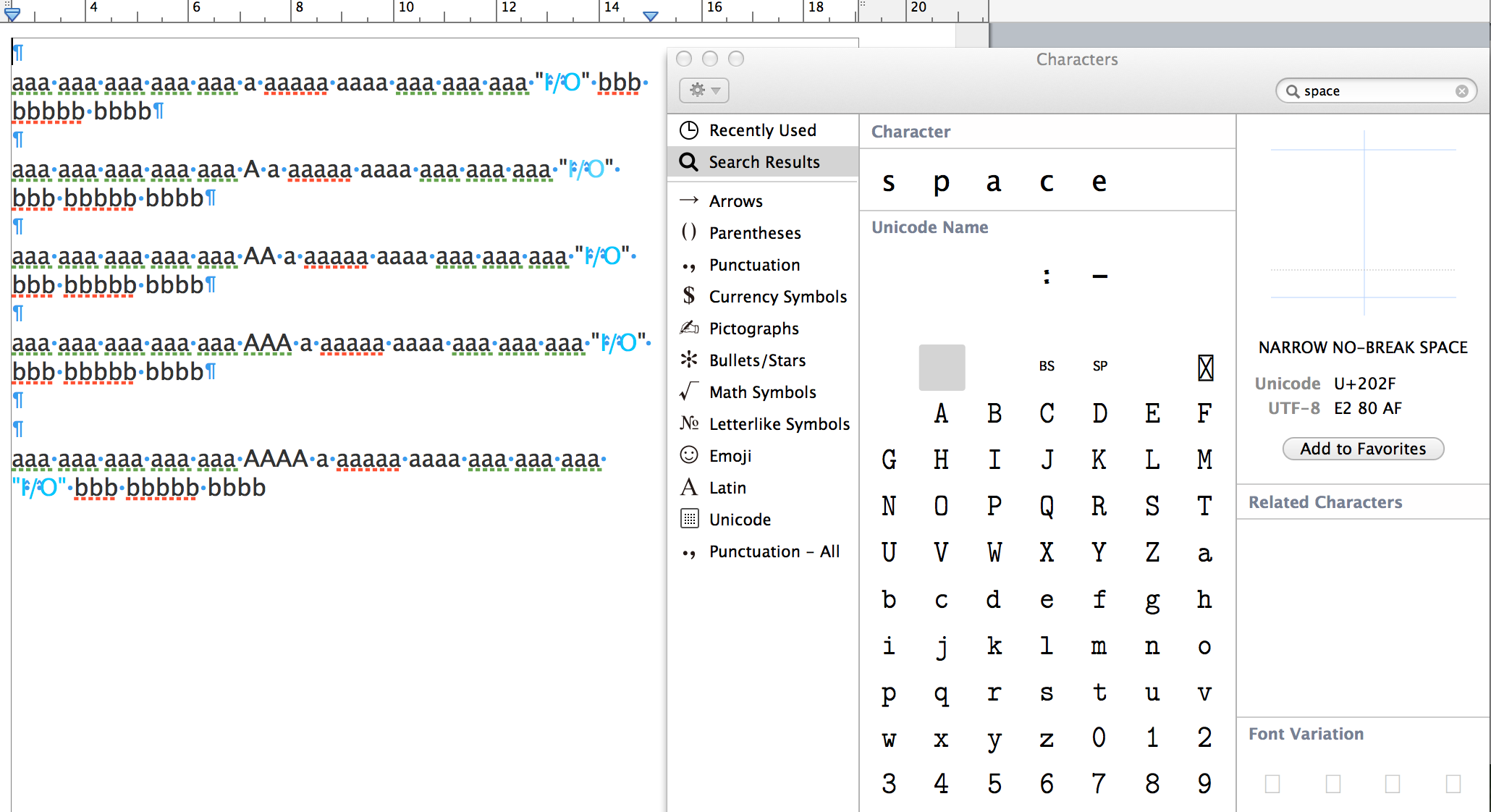
To the right, you can see the Character Viewer. The grey square marks the place where the narrow no break space is found. To insert this character in the document, select the character with the mouse, then drag it to the document and drop it where you want it. I have Show Invisibles turned on in this example, so if you examine each "O/I" closely, you should be able to see the token indicating the presence of this character.

Once in the document, the character (or the full string) can be copied an pasted as needed..
Regards,
Barry



