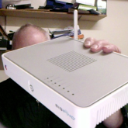
My Airport Extreme intermittently shuts down completely.

My Airport Extreme (newest model) will shut down completely, all by itself, with the green light completely off. When I unplug and replug the device, it starts again and the green light comes back on after it boots. It's as if a "circuit breaker" cuts off the power. No other equipment shuts off, so it's not the electric outlet.

iOS 7.0.6

Posted on Feb 24, 2014 8:21 AM

Reply
77 replies

May 6, 2015 10:21 AM in response to mrcutter1

Having the same issue, also with my 2nd, latest model AEBS. It is inconceivable that Apple engineering is unaware of this problem and why it is occurring. I've run electronics, including an Airport Express, off the same surge protector for 5 years. Something is wrong with the power supply within the AEBS. Apple should man up, recall ALL these units and give loyal users a full refund.

May 8, 2015 6:14 PM in response to mrcutter1

He said that maybe it's the AT&T router connected to it via ethernet cable...Does that even make sense?


What do I do?

No, the ethernet connection to the ATT router is totally irrelevant.. you cannot blame an ethernet connection which is totally isolated from power in both units.


Plug and unplug the WAN ethernet a million times.. it should never shut down the power supply in the router.. that is nonsense.


And I would say the store may well put it on a UPS and find it works fine.. are they searching for a way to blame you for the problems.. or are they searching for engineering problems.. in neither case do you want to comply.. your problem is clear.. it shuts down when the modem and computers don't.. it is faulty and should be replaced.. this time ask for replacement and sell it unopened on ebay etc.. and buy another brand.. or perhaps a Gen5 AE which has none of these problems and hope the next AC model has made some dramatic improvements to the design.

May 10, 2015 1:11 PM in response to Steebie1044

Just wanted to let it be known that I'm having the same seemingly random shutdowns/crashes where the unit is plugged in to good power, shared by other devices that don't fail even, and the tiny indicator led is off. If unplugged and plugged back in it boots up and works normally, until it does it again. I don't know if it is actually powered off or just crashed as I have had (rarely) iPhones of various models through out the years seem off but holding power button doesn't power up plugging into power as tho it was just dead would do nothing, but a reset of holding power and home button would after a little bit reboot the device indicating it was up and running just ... crashed and frozen. The AExt could be doing the same and for some reason just crashed in same way. Kernel panic type thing I do not know.


THis came as a surprise as I had the previous gen AExt and it worked flawlessly where other routers would even fail and need power cycled if used heavily. This newer, tall AExt (6thG) worked flawlessly for several months and then all of a sudden I started having no wifi and finding its led off and needing power cycled. The only difference recently was an addition to a canon printer wirelessly. A wireless client device shouldnt crash a router though. Nothing should other than getting hot or something. This new AExt never gets very warm, runs cooler even than the previous faultless AExt and the new one has a fan that is not obstructed (on hard flat surface and raised up for even better air flow.)


I don't like hearing from people having the same problem, of which did not have problems with earlier AExt devices or (any of?) the AExp devices (I added extra characters as AE could be taken as AirPort Extreme or AirPort Express maybe AX is Express but that could be taken as Extreme too) Also equally if not more disturbing is that there are quite a few who returned and got a replacement with same results, several times and from different "stocks" assuming mea I got difterent lots.


Im running 7.7.3 (77300.1) firmware. Something is wrong and it's something only Apple can address correctly. Seems Apple Store personnel are not even aware of the issue and many times that there even could be any issue with any Apple product lol.

May 12, 2015 10:15 AM in response to Steebie1044

On my second Airport Express. Purchased the first at the beginning of March 2015 and immediately had the same problem reported on this thread. Unit randomly shut off multiple times a week, sometimes a day. Had to unplug and plug back so that it reboots.


Followed the advise of several on this thread and took it back after two weeks and got a new one. Same issue with the new one as well.


Sorry... Can't agree with the "bad batch" as this issues seems to have persisted for multiple months for multiple people. Simply replacing the unit is not working for us.


Anyone finding a solution that works?


My set up is as follows...


Airport Extreme 802.11ac version 7.7.3


The WAN port is connected to Arris CM 820A/SL Modem from Sudden link

Two network ports are connected to

1 Airport Express 892.11n (2nd gen) version 7.6.4 by cat 5

1 Actiontec ecb2500C to provide a MoCa connection to two Tivos


I had a USB harddrive plugged in to the Extreme for Time Machine, but disconnected a day ago to see if that was the problem. Rebooted twice since then.

May 12, 2015 2:00 PM in response to danielknorris

I agree, the 'bad batch' theory makes no sense. I bought my first in April 2014, worked perfectly for 1 year. Moved to new apartment. Unit has been replaced twice now.


Setup:


Airport Extreme 802.11ac version 7.7.3

Comcast/Xfinity service

Connected to Motorolla Surfboard SB6141

1 network port connected to Xbox 360

1 network port connected to Phillips Hue bridge


Random shutdowns persist on two outlets, with & without power strip.

Current model has only been connected to wall outlet directly.

Haven't tried different room or different cable hookup yet.

There has been no lightning or power outages.

My building was built in 2013.


My dad is an electrician and is going to measure the voltage from the outlets, because now I am just curious.

May 12, 2015 3:40 PM in response to Steebie1044

This past weekend I had a couple of shut downs...I called Apple and the tech had me reset the unit and suggested again I bring it to the local Apple store for diagnostics. I had two more incidents after that and was getting pretty annoyed. I decided to move the AE to the other side of the room and plug it into an outlet that has a surge protector...It's been about three days now with no issues. Hmmm...

May 12, 2015 4:46 PM in response to mrcutter1

Good luck. I did the same thing (actually, my first site had a surge protector, the new one doesn't) and ran into the same problem after a few days.


Am I naive, or does Apple really not have any idea this issue is happening? If so, what's going on with their internal communications? It would be very, very unfortunate if it comes out that they are purposefully hiding this issue, but I'm coming to that conclusion, given the number of "Gee whiz, ain't seen nothin' like that before" comments from the Genius Bar...

May 21, 2015 6:12 AM in response to Steebie1044

I have the same issue.

1) 16 months ago I bought 2 AE one for my house and one for the office, the office one star turnning off, the first time a week from purchase, repeat the behavior for several times until take it to apple and change it, and solve the problem until a month ago that the unit on the office shut down again

2) Take the unit to apple store to fix and bring the unit from my home to the office

3) The unit in the repair shop do not repeat the fault, they said, the unit it's Ok

4) Suddenly the unit from my home that never shut down, start to shut down !!!

5) Looks like the problem is at the office, change the the ups for a new one, and the problem repeats, do not know what is happening?

This thread has been closed by the system or the community team. You may vote for any posts you find helpful, or search the Community for additional answers.

My Airport Extreme intermittently shuts down completely.

Welcome to Apple Support Community
A forum where Apple customers help each other with their products. Get started with your Apple Account.