My macbook pro I7 does not have 802.11n compability

Hello you all.

My macbok pro I7 was bought since 8 months ago and is this:


Macbook Pro Information

Nombre del modelo: MacBook Pro

Identificador del modelo: MacBookPro9,2

Nombre del procesador: Intel Core i7

Velocidad del procesador: 2,9 GHz

Cantidad de procesadores: 1

Cantidad total de núcleos: 2

Caché de nivel 2 (por núcleo): 256 KB

Caché de nivel 3: 4 MB

Memoria: 8 GB

the problems is that my WIFI network adapter only support 802.11a/b/g. and doesn't support 802.11 /n or /ac


Do you know if this problems could solve updating firmware or my hardware wifi adapter doesn't support 802.11n or /ac

Thank you all

Best regards


MacBook Pro WIFI Adapter Information

Interfaces:

en1:

Tipo de tarjeta: AirPort Extreme (0x14E4, 0xF5)

Versión del firmware: Broadcom BCM43xx 1.0 (5.106.98.100.22)

Dirección MAC: a8:bb:cf:03:d2:10

Configuración regional: FCC

Código del país: LA

Modos PHY compatibles: 802.11 a/b/g

Canales admitidos: 1, 2, 3, 4, 5, 6, 7, 8, 9, 10, 11, 12, 13, 36, 40, 44, 48, 52, 56, 60, 64, 100, 104, 108, 112, 116, 120, 124, 128, 132, 136, 140

Wake on Wireless: Compatible

AirDrop: Compatible

Estado: No asociado


No

Estado: N

Posted on Jul 13, 2014 7:00 PM

Reply
31 replies

Jul 14, 2014 7:41 PM in response to TuricaT

Hello you all...

I tried many things to change my router country code without results


i found in other forum people with same problems. some guy post a script to change the country code but i don't know how run it.


Anyone can explain me step to step to run it?

The script must to run in "sudo".


Thank you


this is the script

#!/bin/bash


# This script will turn the AirPort on and off

# until the country code is different from "SY"

#

# author: Martin Bartos (f1lth@msn.com)

# modified: Szilveszter Molnar (mail@moszi.net)


if [[ $EUID -ne 0 ]]; then

echo " This script must be run as root" 1>&2

exit 1

fi


cont=1


while [[ $cont -ge 1 ]]; do

echo

log=`system_profiler SPAirPortDataType | grep "a/b/g" | cut -d ":" -f 2`


if [[ $log != " 802.11 a/b/g/n" ]]; then

echo $log

echo -n " Restarting AirPort [$cont] ... "

sudo networksetup -setairportpower en1 off

sleep 6

sudo networksetup -setairportpower en1 on

sleep 2

let "cont+=1"

echo " DONE"

else

echo $log

echo " Happy Networking 😉"

echo

cont=0

fi

done

exit 0

Jul 14, 2014 8:04 PM in response to Linc Davis

Linc, once again you are right

The router DLINK is the problem.i forgot to try a basic test:

Turn off Dlink router, turn off Wifi airport and turn on airport then connect to my neighbur wifi hotspot. ( i asked him for key 🙂)


Now /n is supported. and Country is X0... this is default while determinate the country. but my friend with MacBook Pro has X0 every time and works perfect.


So my problem is the router....

now i will try to change firmware ....then ..... i will buy another one...


Thank you!

Jul 14, 2014 8:46 PM in response to Loner T

Dear all

Problem Solved


If you have a D-link router DIR 868L and MACBOOK PRO never try to update to the last firmware.


I have to downgrade de firmware from 1.07 to 1.01 and works fine.

Problem: 1.07 firmware default broadcast a factory country code so your MacBook Pro takes this as location and power down the airport due to legal frequency issues.


Solution: 1. Try to keep factory firmware.

2. Buy another router.


Thank you Linc for your support!

Jul 26, 2014 6:29 AM in response to TuricaT

Hello Linc and All


Well, when i posted that i solved the problem, really works until i turn off and on my MacBook Pro.

Then, taking the recommendation from Linc, i went directly to DLINK support located at my country to inform and looking for help about how to change the country code broadcasting from DIR868L router.

They quickly change this support ticket to a high level and resent all the info to factory in order to make test with this.

The test results was very disappointed for me. Using the same router and a MacBook Pro they can connect to the router and even when the country code broadcasting is LA(Laos) the WIFI airport card didn't change the PHY supported modes like my MacBook Pro do it.

They recommend to update the OS and WIFI driver, but my MBP is updated since 8th july to 10.9.4 version (last) and as far as i know when you update your OS, all adapters drivers including the WIFI card will will be updated if a lasted version is available.

Do you know any other way to update WIFIcard drivers or firmware?

Thank you...


PD: By the way, i wrongly turn this ticket to "solved". I have to start another post? Thanks.


Here is the mail that i receive from DLINK SUPPORT


Please see my test result following. I think that the problem may caused by customer MacBook O.S version and Airport WiFi driver version.

Please ask customer to upgrade his OS and Airport WiFi driver.

I used for MacBook pro with latest O.S version also latest Airport WiFi version, I do not see the issue at all.

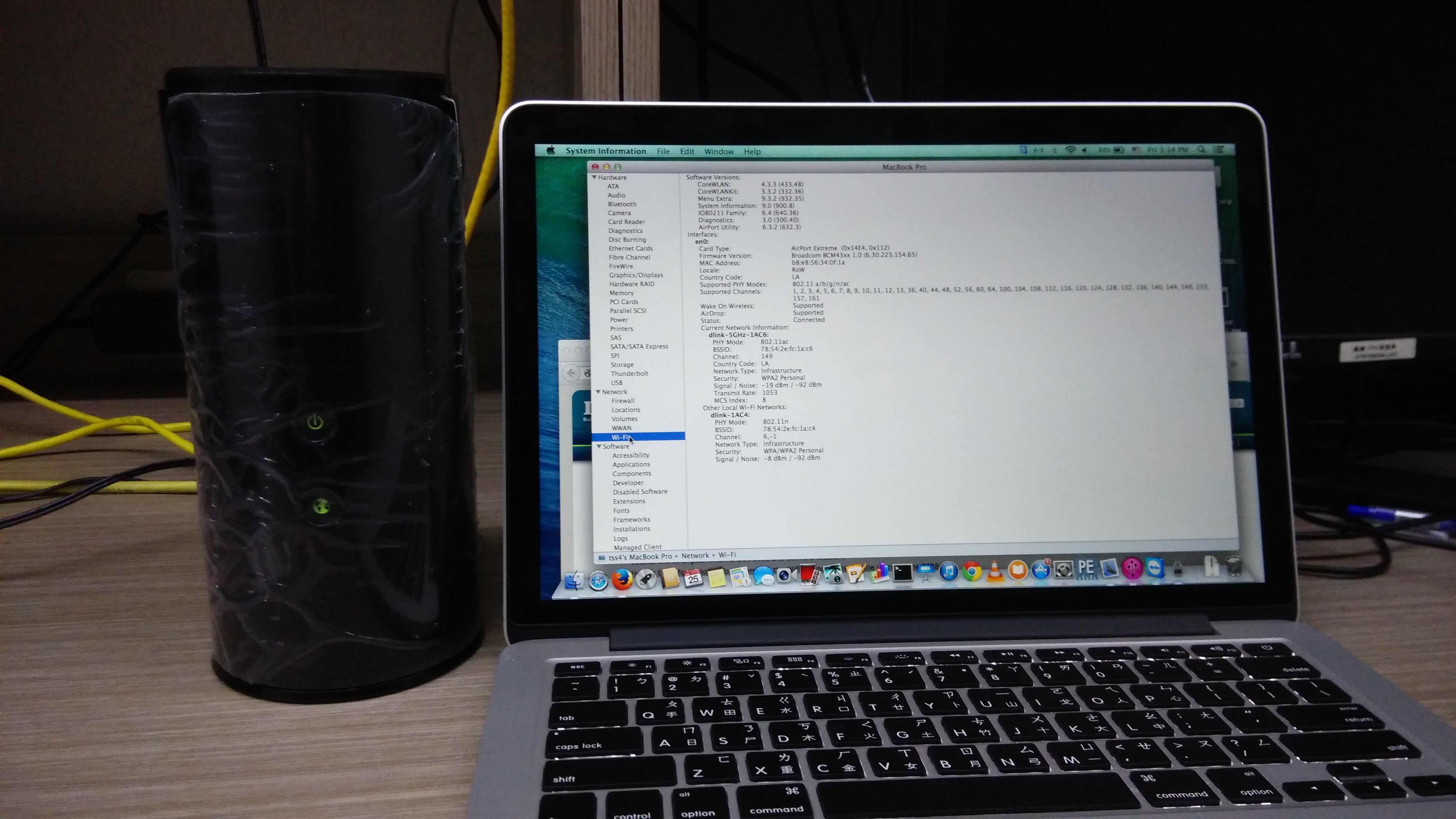
Test Topology.
User uploaded file

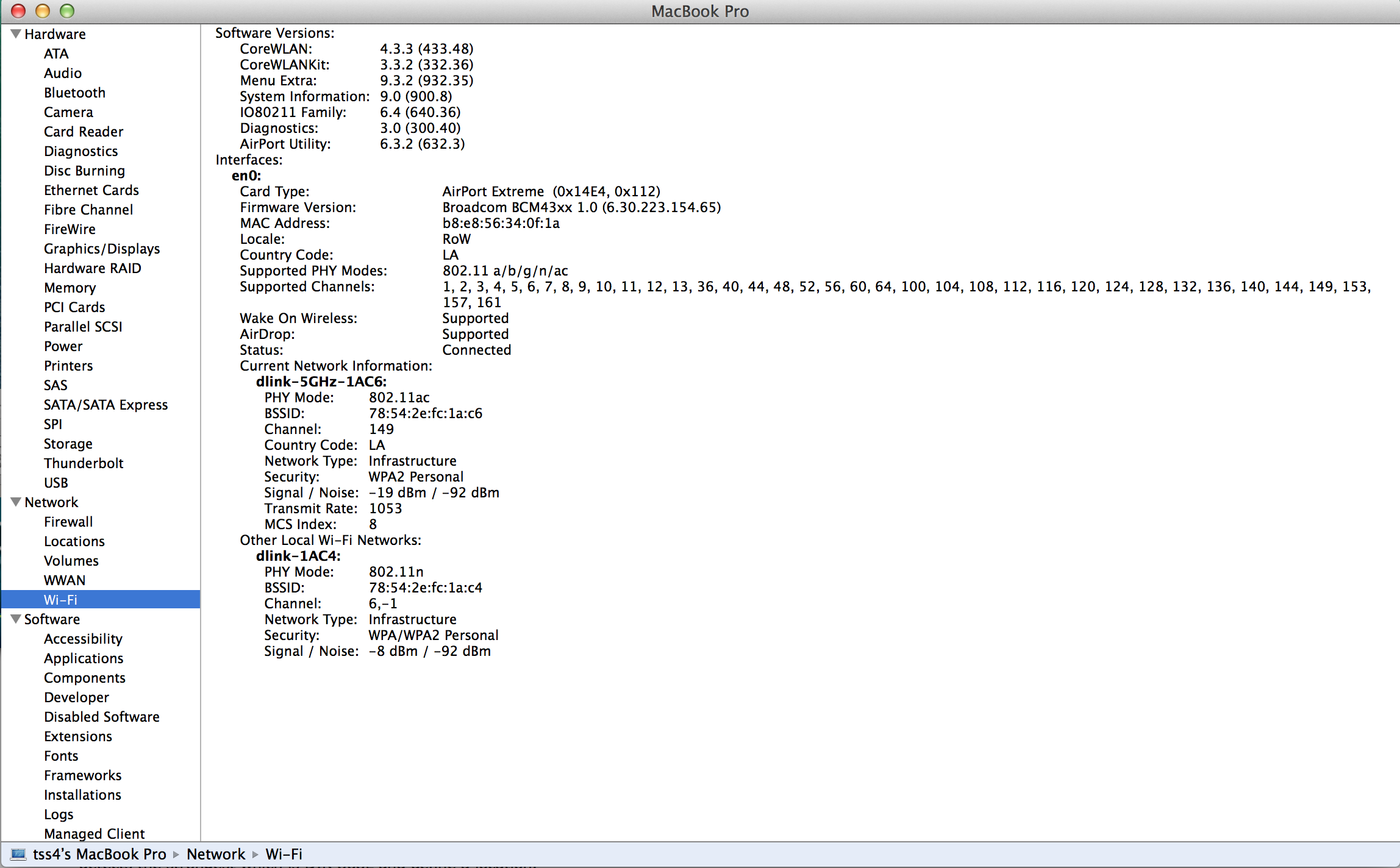
MacBook Wifi information.

User uploaded file

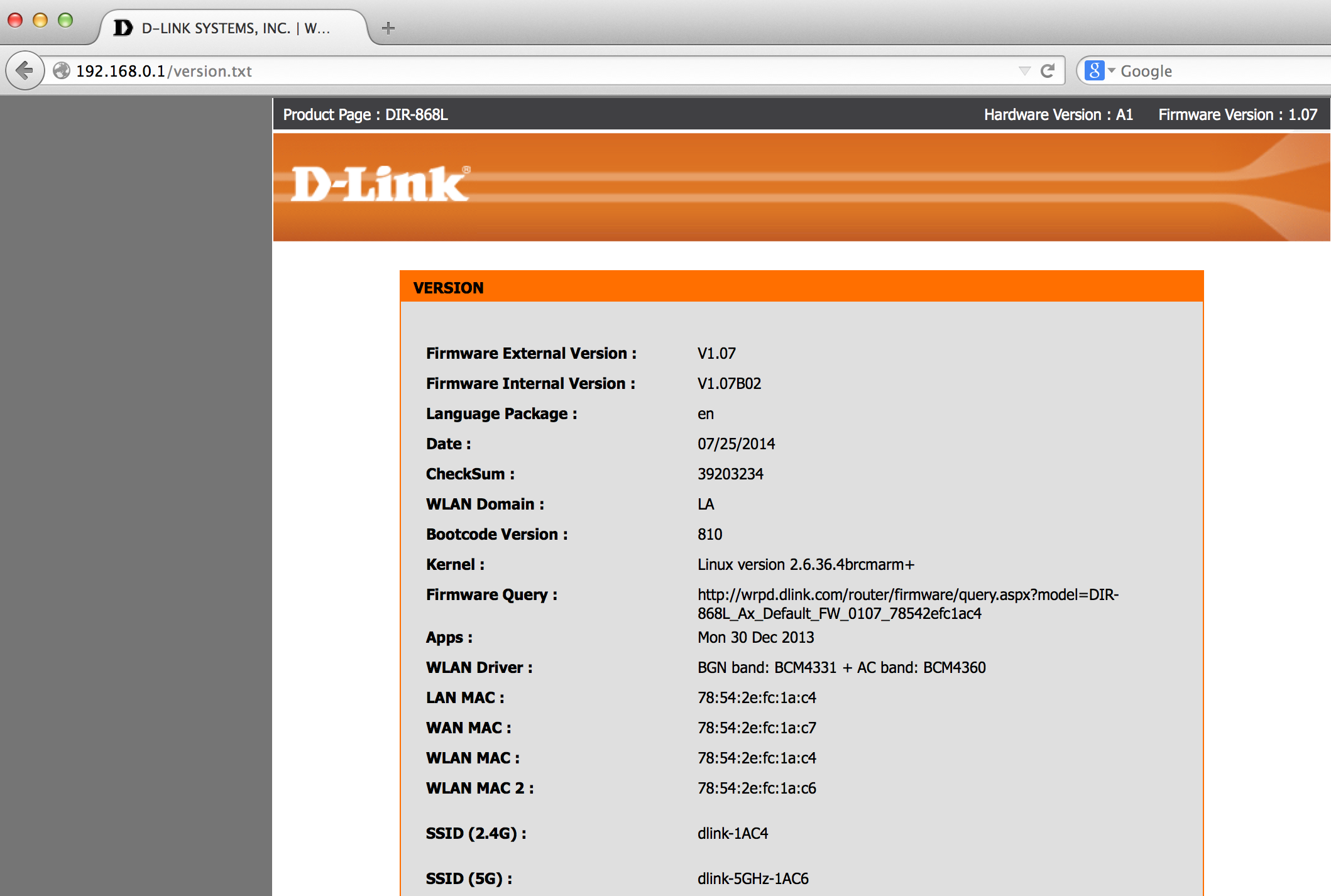
DIR-868L complete firmware version.

User uploaded file

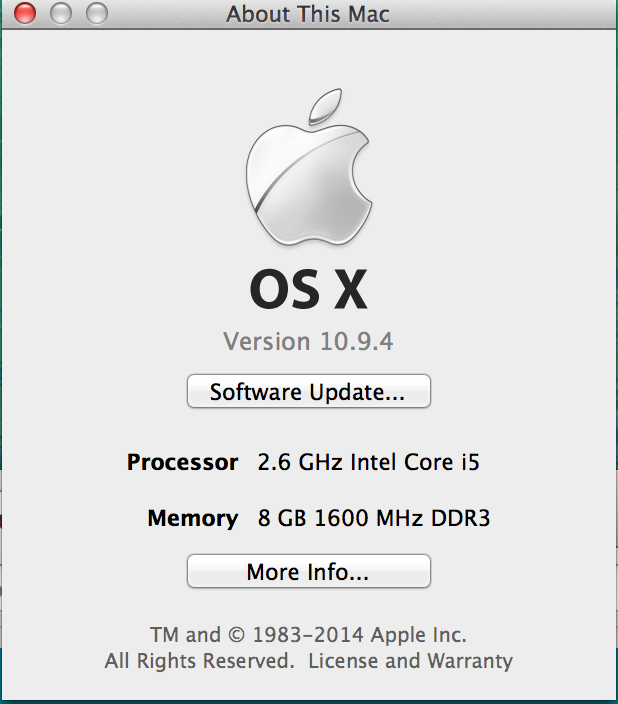
MacBook Pro OS Version.

User uploaded file

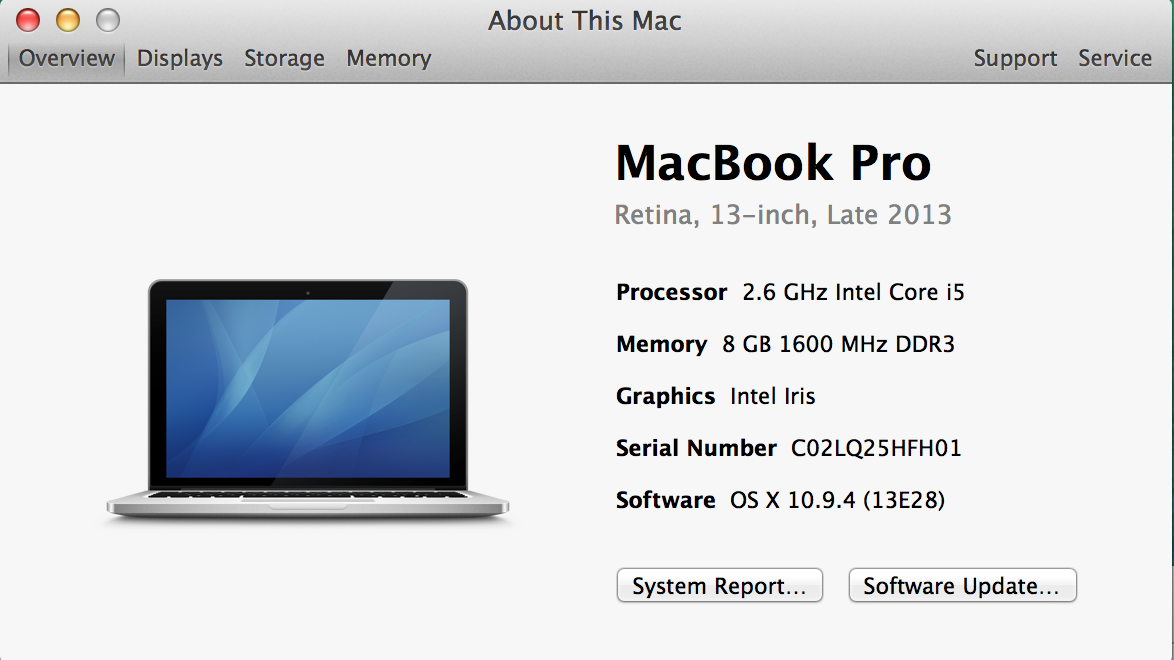
MacBook Pro infomation.

User uploaded file

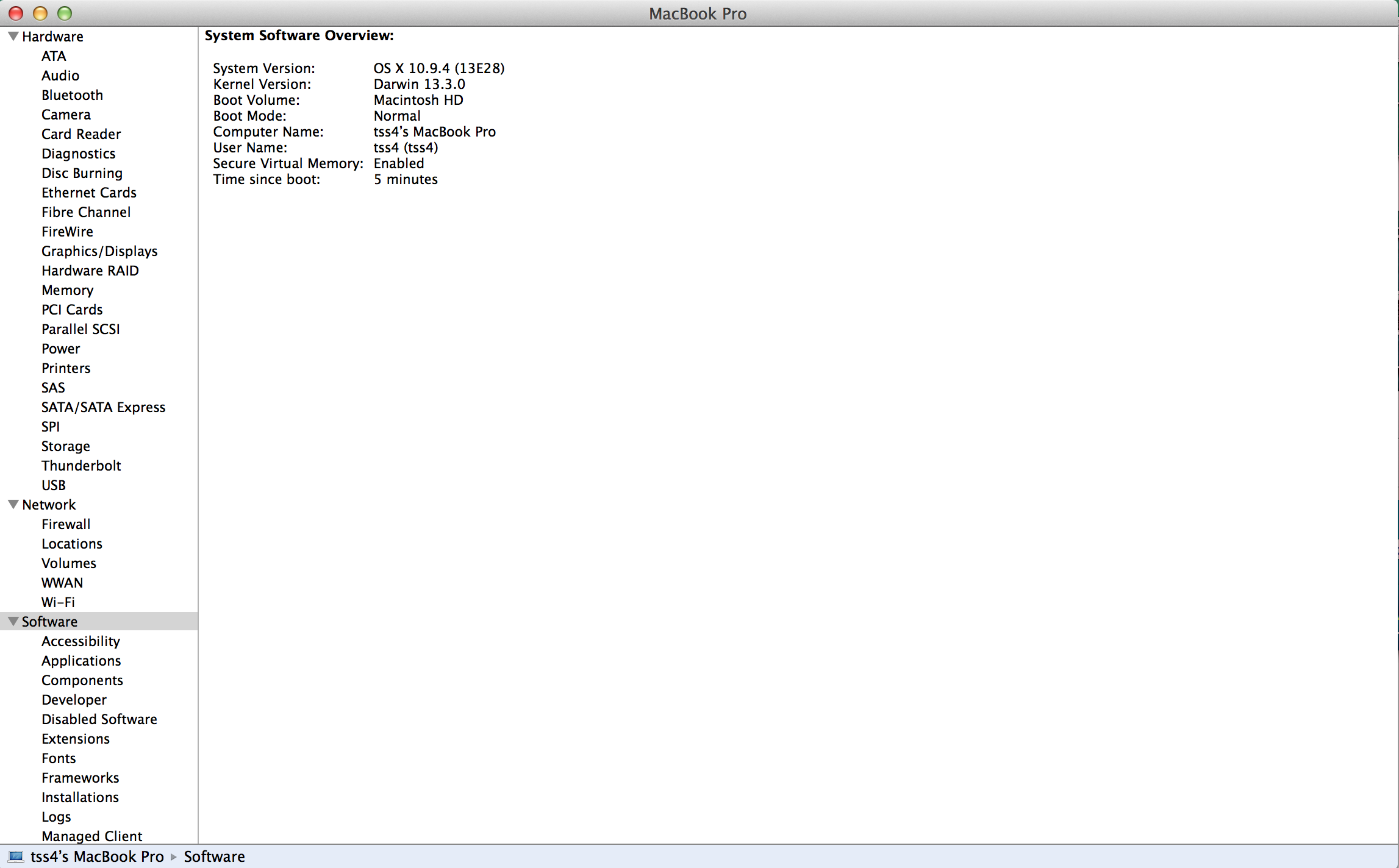
MacBook software overview.

User uploaded file

Jul 26, 2014 6:47 AM in response to Linc Davis

Hello Linc and All


Well, when i posted that i solved the problem, really works until i turn off and on my MacBook Pro.

Then, taking the recommendation from Linc, i went directly to DLINK support located at my country to inform and looking for help about how to change the country code broadcasting from DIR868L router.

They quickly change this support ticket to a high level and resent all the info to factory in order to make test with this.

The test results was very disappointed for me. Using the same router and a MacBook Pro they can connect to the router and even when the country code broadcasting is LA(Laos) the WIFI airport card didn't change the PHY supported modes like my MacBook Pro do it.

They recommend to update the OS and WIFI driver, but my MBP is updated since 8th july to 10.9.4 version (last) and as far as i know when you update your OS, all adapters drivers including the WIFI card will will be updated if a lasted version is available.

Do you know any other way to update WIFIcard drivers or firmware?

Thank you...


PD: By the way, i wrongly turn this ticket to "solved". I have to start another post? Thanks.


Here is the mail that i receive from DLINK SUPPORT


Please see my test result following. I think that the problem may caused by customer MacBook O.S version and Airport WiFi driver version.

Please ask customer to upgrade his OS and Airport WiFi driver.

I used for MacBook pro with latest O.S version also latest Airport WiFi version, I do not see the issue at all.

Test Topology.
User uploaded file

MacBook Wifi information.

User uploaded file

DIR-868L complete firmware version.

User uploaded file

MacBook Pro OS Version.

User uploaded file

MacBook Pro infomation.

User uploaded file

MacBook software overview.

User uploaded file

Jul 26, 2014 10:49 AM in response to TuricaT

On an 802.11ac capable system, this is what I get (15" rMBP Late 2013). Your Mac is capable of 802.11n but not 802.11ac. The Country Code further complicates what you can and cannot connect to. Do you have the ability and access to an Apple Store and get the newer 802.11ac Extreme/Time Capsule and run some tests (there is a 14-day return window) or you can buy a refurbished Airport Extreme? The Dlink testing is not very helpful. 😟 Dlink may not have access to the exact model that you have.


User uploaded file

This thread has been closed by the system or the community team. You may vote for any posts you find helpful, or search the Community for additional answers.

My macbook pro I7 does not have 802.11n compability

Welcome to Apple Support Community
A forum where Apple customers help each other with their products. Get started with your Apple Account.