stop screen from jumping
Screen jumps horizontally to mission control when I move my mouse horizontally.
iMac, Mac OS X (10.7.5)
Screen jumps horizontally to mission control when I move my mouse horizontally.
iMac, Mac OS X (10.7.5)
Hi nancyhwdrew,
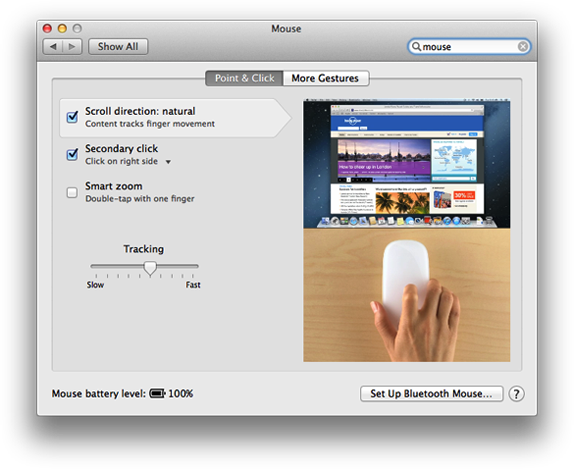
Welcome to the Support Communities! To change the mouse behaviour, you may need to go to the System Preferences in OS X Lion and remove the checkmark that enables swiping with the mouse. There are also specific settings for Mission Control that you can access from System Preferences as well.
Mac Basics: Set your preferences - Apple Support
http://support.apple.com/en-us/HT201726
Customize your mouse
The Mouse preferences pane looks different depending on what kind of mouse you use. These settings let you set the sensitivity of the mouse to control how fast the pointer moves across your screen when you move your mouse, and adjust for your double-click reflexes. Other controls may be available, depending on the type of mouse you're using.
- Open System Preferences.
- Choose View > Mouse, or click the Mouse icon.
- To control how fast the pointer (cursor) moves across your screen when you move the mouse, click Point & Click and use the Tracking slider to adjust speed.
- If Double-Click Speed appears, you can use the Double-Click slider to adjust speed.
- If your mouse has a scroll wheel, you can use the Scrolling slider to adjust speed.
- To change gesture settings, click the More Gestures tab. You can enable and disable gestures for swipe and Mission Control.
I hope this information helps ....
- Judy
stop screen from jumping