Hello bigjoecat,
Here's how to download your movies, if they still exist in the iTunes Store. If they no longer exist in the iTunes Store, you would need to have a backup of your iTunes Library to access them.
Download past purchases - Apple Support
http://support.apple.com/en-us/HT2519
- Sign in with the Apple ID that you used for the original purchase. Use these steps to see which Apple ID you used to download an item.
- See if the content is available for redownload. Previously purchased items might not be available if they're no longer on the iTunes Store. If you changed your Apple ID from one country to another, you can’t download items you purchased in a previous country.
Make sure your Mac or PC meets these system requirements:
- iTunes 10.3 or later
You need iTunes 10.6 or later to download previously purchased movies and TV shows.
- iTunes account in a country where iTunes in the Cloud is available
- Open iTunes and go to the iTunes Store.
- Click Purchased in the Quick Links section.
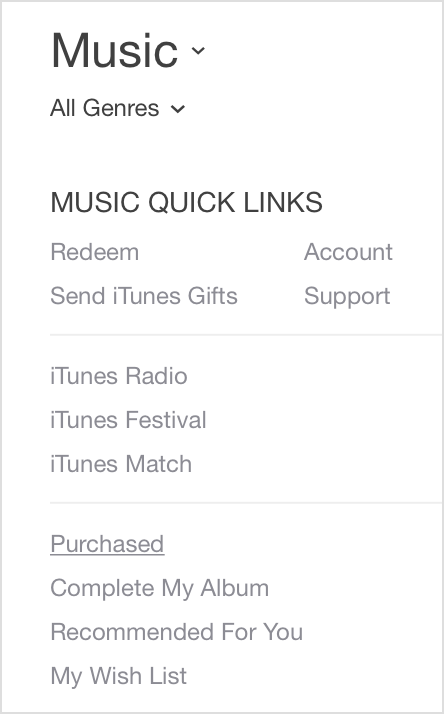
- Select the content type that you want to download (Music, Movies, TV Shows, Apps, or Books).
- Select Not in My Library to view purchased content that isn't on your computer.

- Find the item that you want to download. You can browse using the menu to the left. If you have more than 2,000 songs, you'll see Recent Purchases instead of All Songs or Albums.
- Click the Download
 icon next to the item you want to download.
If an item is already in your library, the Download icon won't appear.
Regards,
Judy


