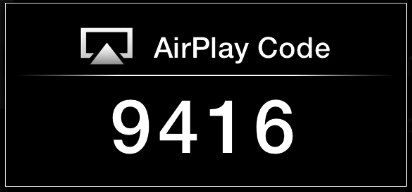
Air Play Code
I'm now being asked for my AirPlay code (in trying to view my Mac on my Apple TV). This is a first. How do I set up or figure out my Air Play code?
MacBook Pro with Retina display, OS X Yosemite (10.10.2)
I'm now being asked for my AirPlay code (in trying to view my Mac on my Apple TV). This is a first. How do I set up or figure out my Air Play code?
MacBook Pro with Retina display, OS X Yosemite (10.10.2)
Hello druefromsugarhill,
After reviewing your post, it sounds like you need some information about the onscreen code. I would recommend that you read this article, it may be able to help the issue.
Apple TV (2nd and 3rd generation): Understanding AirPlay settings - Apple Support
Set an onscreen code
Go to Settings > AirPlay > Security > Onscreen Code > On.
Use this setting to require a specific code to AirPlay to your Apple TV. When Onscreen Code is on and an AirPlay-enabled devices tries to connect to your Apple TV, you must enter the passcode shown on the TV into the device.
Thanks for using Apple Support Communities.
Have a nice day,
Mario
You can turn this off in the ATV AirPlay settings. It's meant to prevent hackers (students) from co-opting the ATV and is not much use in a home environment. It might have been enabled after a software update. Also, power cycling ATV is a good first step when strage stuff happens.
This started on my Macbook/Gen 4 Apple TV this evening. After reviewing all the non answers I simply rebooted the Apple TV then the Macbook. Problem went way.
Air Play Code