Songs skipping in itunes
Recently, the last few seconds of songs are skipping to the end and the next song begins. Any ideas on why this is and/or a solution?
Windows 7
Recently, the last few seconds of songs are skipping to the end and the next song begins. Any ideas on why this is and/or a solution?
Windows 7
Hello todd1527,
Thanks for using Apple Support Communities.
If you're not hearing the end of a song in iTunes, then the crossfade option might be enabled in your preferences. Please follow the steps below to check your settings, and disable crossfade if needed.
Fade between songs
You can set iTunes to fade each song in (increase it in volume) while the previous song is fading out, so there are no gaps of silence between songs. This feature is called crossfading.
Choose Edit > Preferences, and click Playback.
Select Crossfade Songs.
To change the amount of time it takes for the current song to fade out at the end and the new song to fade in, drag the Seconds slider.
When iTunes plays consecutive tracks from the same album, crossfading is automatically turned off, with no fading between the songs (or tracks).
To play songs without fading, deselect Crossfade Songs.
iTunes 12 for Windows: Play songs
Take care,
Alex H.
I checked the Crossfade option. It is turned off, along with the Sound Enhancer and Sound Check.
When the songs skip, it's not always at the same point in the songs. Sometimes it will be anywhere between 18 sec left or 4 sec left. The progress bar doesn't continue along at the normal play speed. It jumps to the last second of the song and then it continues to the next song.
Hey there todd1527,
If the affected songs have been downloaded from the iTunes Store, then I recommend you delete the songs from iTunes, and then download them again. To do this, please follow the directions below.
Before you begin
- Sign in with the Apple ID that you used for the original purchase. Use these steps to see which Apple ID you used to download an item.
- Check to see if the purchases you're looking for are hidden. If your purchases are hidden, you might not see them even after you follow the steps below. Learn how to unhide purchases.
- See if the content is available for redownload. Previously purchased items might not be available if they're no longer on the iTunes Store. Also, make sure that you’re in a country where iTunes in the Cloud is available. If you changed your Apple ID from one country to another, you can’t download items you purchased in a previous country.
On a Mac or PC
- Open iTunes.
- Click Music
in the upper-left corner.
- Click iTunes Store.
- If prompted, sign in with your Apple ID and password.
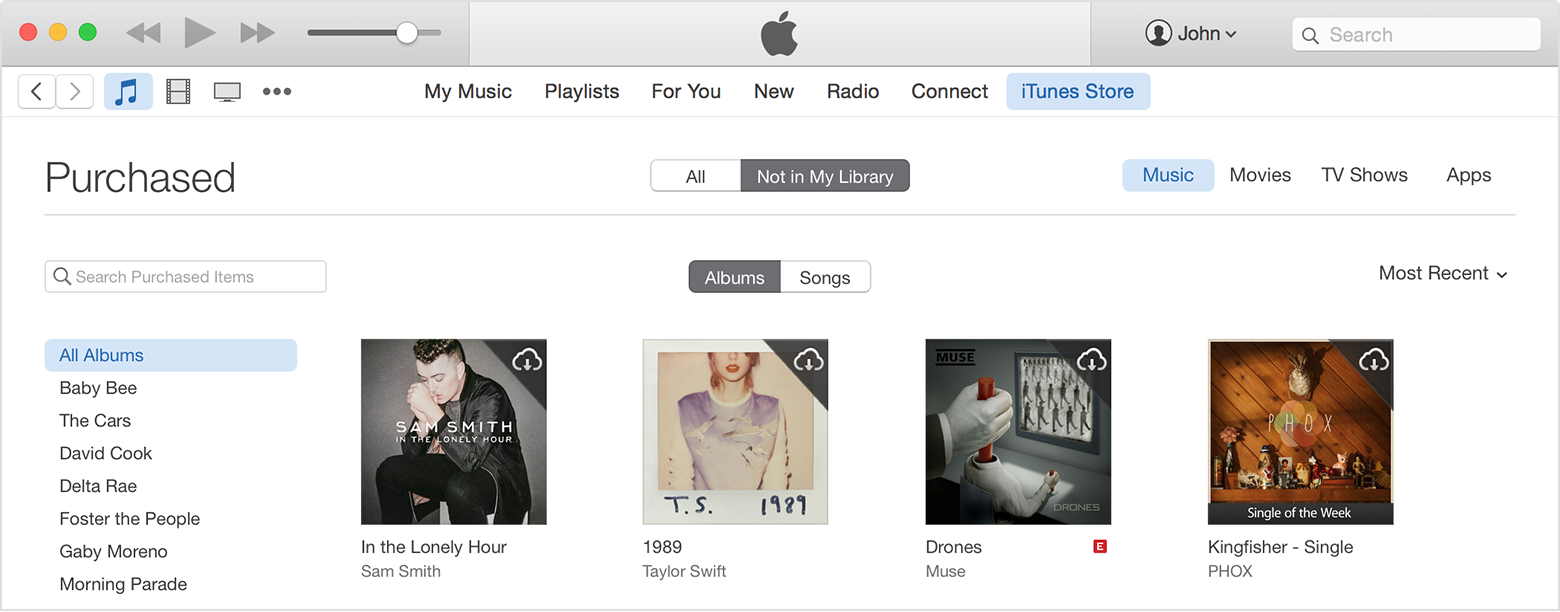
- Under Quick Links on the right side of the iTunes Store, click Purchased.
- Select Not in My Library to view purchased content that isn't on your computer.
- Scroll to find the item that you want to download. You can browse using the menu on the left-hand side of iTunes.
If you have more than 2,000 songs, you'll see Recent Purchases instead of All Songs or Albums.- Click the Download
icon in the upper-right corner of the item you want to download. Your app downloads to your library.
If an item is already in your library, the Download icon won't appear.
Download past purchases from iTunes in the Cloud - Apple Support
Have a good one,
Alex H.
My songs are still skipping the last few seconds and not playing all of the song. I have re-downloaded files and have downloaded additional files since my last post.
This skipping just started recently, like in the past 2-3 months with ONLY the files downloaded during this time. Any files before this time are fine. These current files I'm having problems with play fine in other programs, such as windows media player. I believe the problem is with iTunes and a update 2-3 months ago.
Hello todd1527, check out this thread to see if it might help - Music skips on Windows 8.1 64-bit with iTunes 12.1.
Hi,
I had a similar issue and tried a lot of workarounds but think I finally found one that works. See my most recent posts in this thread: Song playback cut off early
Songs skipping in itunes