Good Morning unclesnax,
If I understand your question, you have purchased two movies, (not rentals) on your iPhone but it sounds like they were not downloaded to the device. You want to see these purchases on your iMac and Apple TV. Below are some resources to check the settings in iTunes on the iMac so that purchased content is automatically downloaded to it. Also, you can redownload these two movies to your iMac and your Apple TV.
Turn on Automatic Downloads - Apple Support
https://support.apple.com/en-us/HT202180
- Open iTunes.
- If you haven't authorized your computer, choose Store > Authorize This Computer.
- Mac: From the menu bar at the top of your computer screen, choose iTunes > Preferences. Then click the Store tab.
Windows: Press the Control and B keys on your keyboard to open the iTunes menu bar. Choose Edit > Preferences. Then click the Store tab. Learn more about menus in iTunes for Windows.
- Select the content that you want to automatically download. If you can't select anything, sign in to the iTunes Store with your Apple ID.
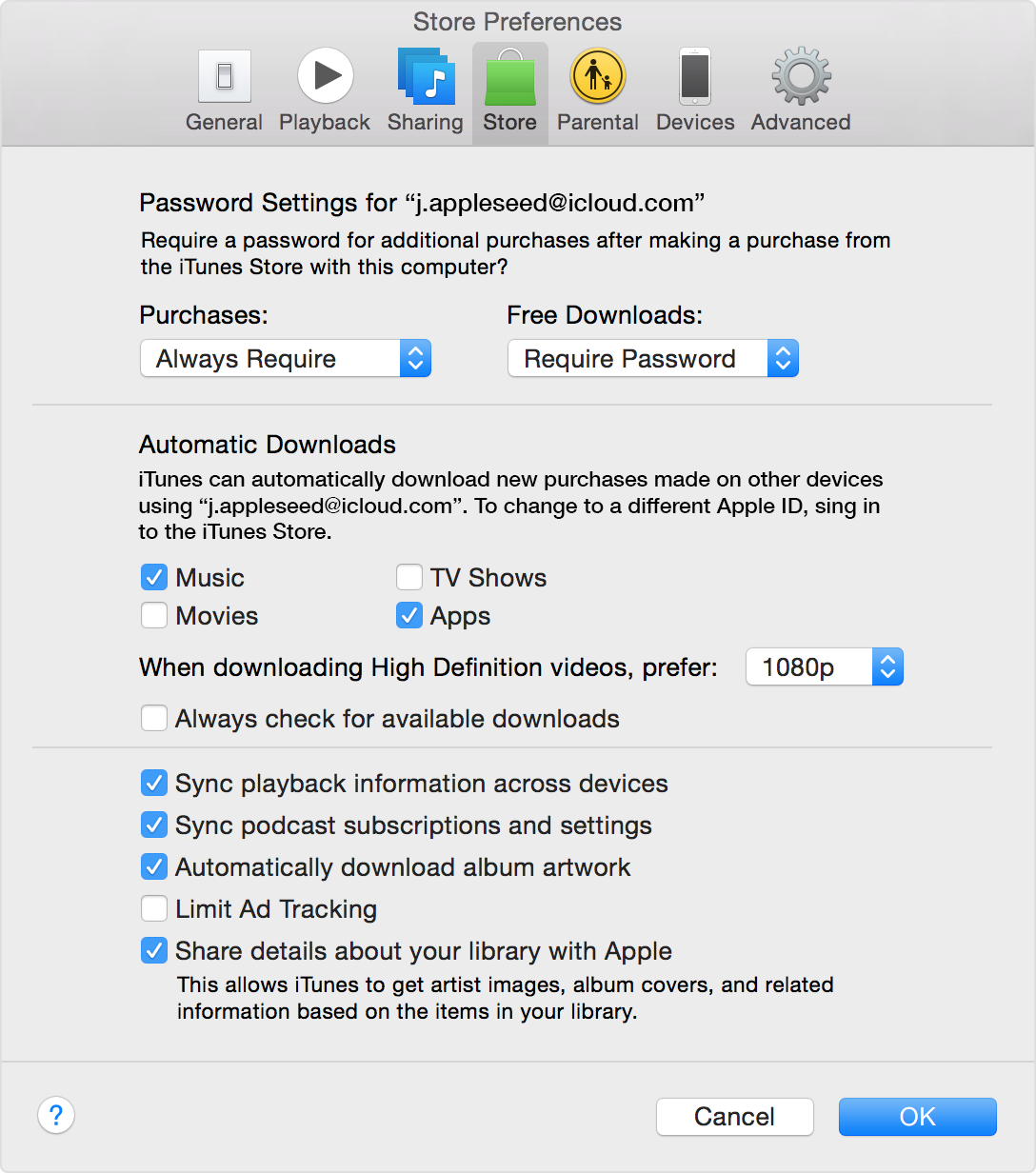
- Click OK.
Download past purchases from iTunes - Apple Support
https://support.apple.com/en-us/HT201272
Redownload a movie, TV show, or music video
You can only redownload a movie, TV show, or music video that you bought from the iTunes Store. Rented movies are not available for redownload.
On a Mac or PC
- Open iTunes.
- Click More
 in the upper-left corner.
- Click Movies
 or TV Shows
  from the pop-up menu.
- Click iTunes Store.
- If prompted, sign in with your Apple ID and password.
- Under Movie Quick Links or TV Show Quick Links on the right side of the iTunes Store, click Purchased.
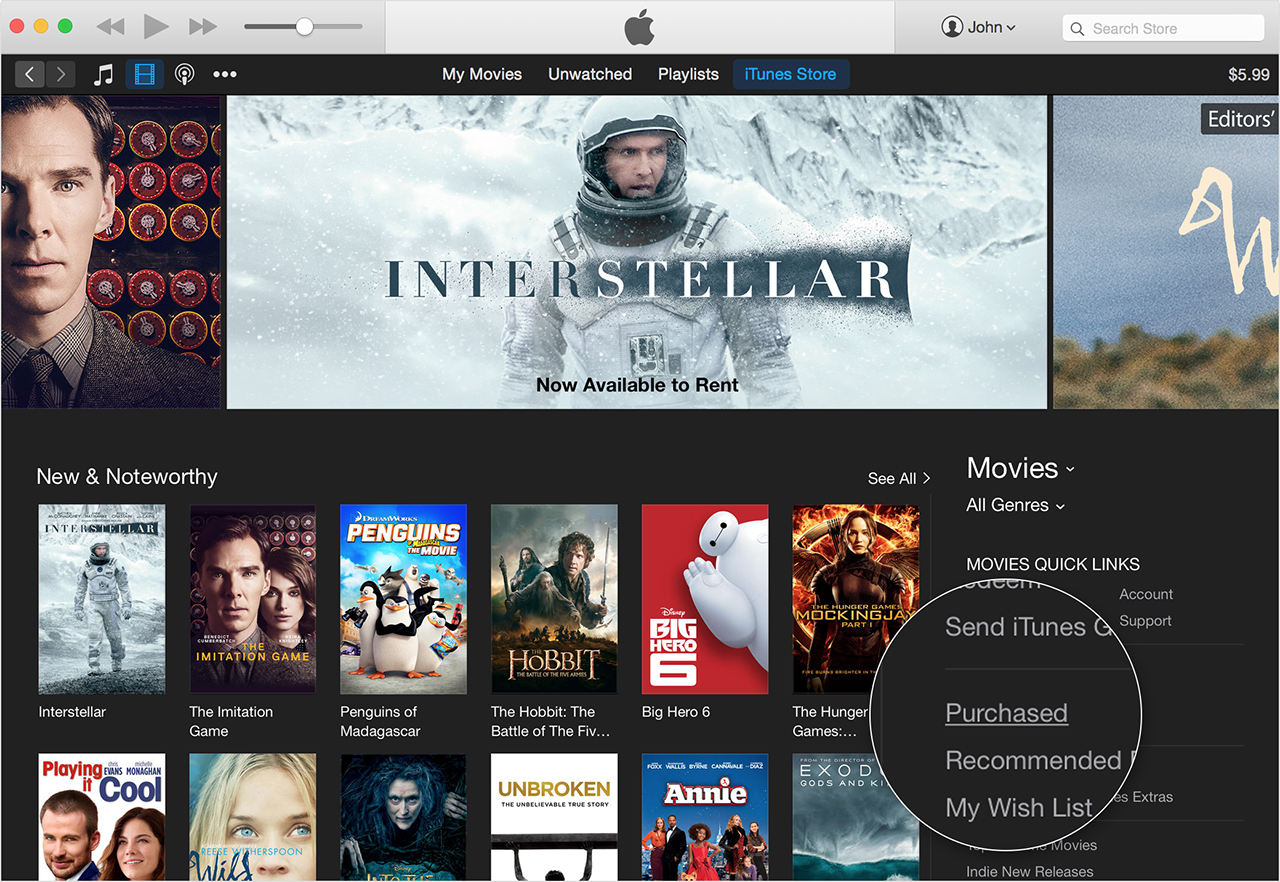
- Select Not in My Library to view purchased content that isn't on your computer.
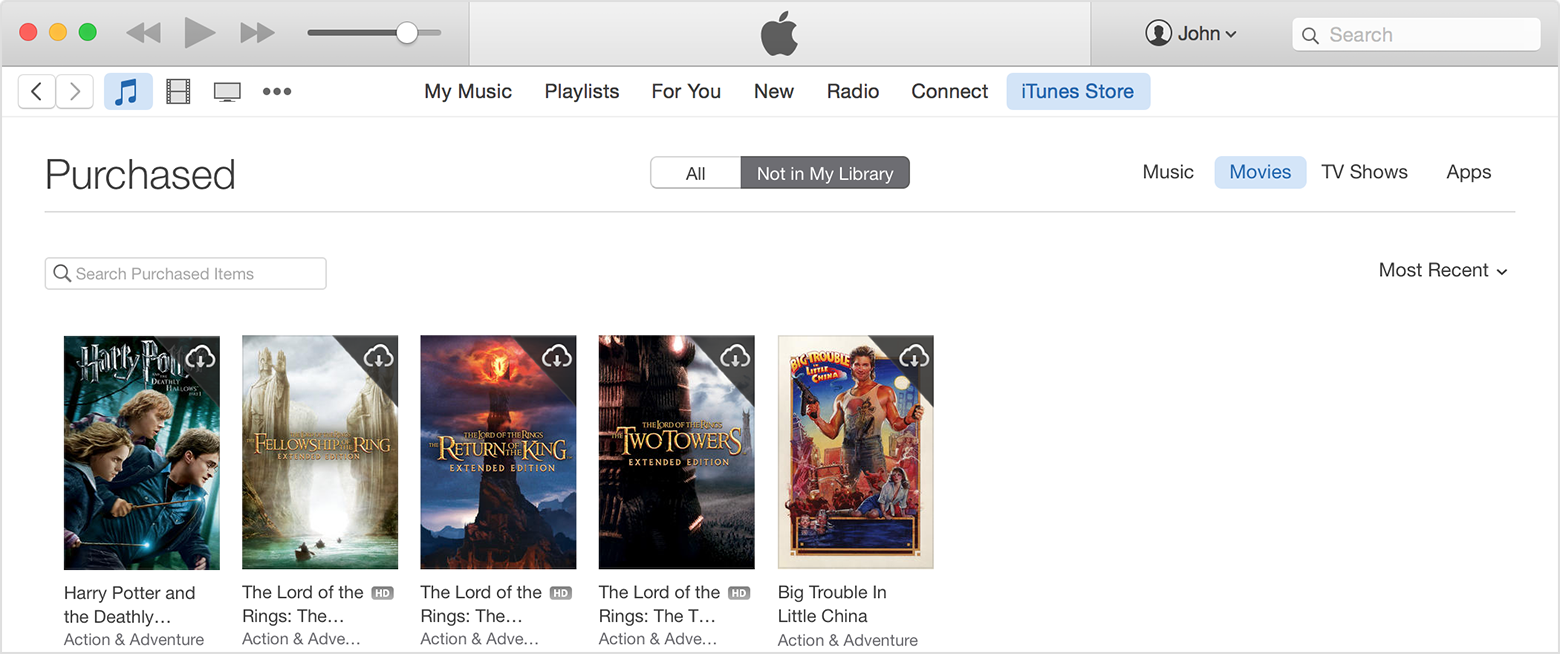
- Scroll to find the item that you want to download.
- Click the Download icon
 in the upper-right corner of the item that you want to download. Your item downloads to your library.
If an item is already in your library, the Download icon won't appear.
On an Apple TV
- On the Apple TV main menu, choose Movies > Purchased or TV Shows > Purchased.
- Select the item you want to view.
- Choose Play.
To redownload a music video:
- From the Apple TV main menu, choose Music.
- Select the video that you want to watch.
unclesnax, if you have an issue with a purchase from the iTunes Store, here is how to report it:
Report a problem with an item purchased from the iTunes Store, App Store, Mac App Store, or iBooks Store - Apple Support
https://support.apple.com/en-us/HT204084
Here is some additional information about viewing and syncing videos:
iTunes: Frequently asked questions about viewing and syncing videos - Apple Support
https://support.apple.com/en-us/HT201784
Enjoy!



