ios9 - can't add yahoo password

I can't complete the dialogue for re-adding my yahoo password for email and contacts. The setting screen for mail passwords has changed in ios9. Yahoo sucessfully validates the password, but it never seems to get stored in ios9.

Any ideas? Thanks.

Posted on Sep 16, 2015 11:32 AM

Reply
56 replies

Sep 18, 2015 11:49 AM in response to DCMiller

A few people are having problems having their Yahoo mail account set up so heres the fastest way to fix the problem.

1. Go to Settings

2. Then select "Mails, Contacts,and Calenders"

3. Add account

4. Select "Other" and select "Add Mail Account"

5. add your Email and password

To set up Internet Message Access Protocol (IMAP) on your mobile device, please use the following settings:

Incoming Server -

Host Name: imap.mail.yahoo.com

User name: ("your Email" @yahoo.com )

Password: (Your email password)


Outgoing Server -

Host Name: smtp.mail.yahoo.com

User Name: ( "your Email" @yahoo.com )

Password: (Your email password)

Oct 9, 2016 2:29 PM in response to DCMiller

SOLUTION

i have tried all possible steps

step i have tried below but doesnot work

1. Delete the account but doesnot work

2.Reset the iphone network setting but doesnot work.

3. Manually add Yahoo Mail to iOS Mail ( ALL BELOW POINTS DOESNOT ALSO)

  • Remove your Yahoo Mail account.
  • Tap Settings | Mail, Contacts, Calendars.
  • Tap Add Account | Other | Add Mail Account.
  • Enter your name, email address, email password, and a description, then tap Next.
  • Select IMAP, enter the Yahoo Mail IMAP settings, then tap Next.

4. CONTACTED Iphone company, But did not provide any help.

SOLUTION

1.DELETED THE YAHOO ACCOUNT FROM MY MOBILE.

2.WENT IN TO CITY CENTER WHERE MOBILE SIGNALS WAS GOOD

3.WHEN THE MOBILE SIGNAL WAS GOOD ( DID NOT USE WIFI NETWORK) ONLY USE MOBILE INTERNET.

4. FROM IPHONE GO TO SETTINGS>>>THEN MAIL CONTACT CALENDERS OPITION THEN >>> USE ADD ACCOUNT >>>. THEN CLICK ON YAHOO! OPTION >>>>> THEN WRITE DOWN YOUR NAME _________ THEN WRITE DOWN YOUR COMPLETE EMAIL ID _____________________ THEN WRITE DOWN PASSWORD ___________ THEN CLICK NEXT >>>>> AFTER THAT IT WILL SAY WRONG ID OR PASSWORD >>>>>>>, THEN ENTER THE EMAIL AND PASSWORD AGAIN >>>>> AFTER THAT IT WILL SAY YOU WAN TO SAVE THE ACCOUNT AND IT WILL ALSO SAY YOU WILL NOT RECIEVE THE EMAIL JUST SAVE IT .

BEFORE DOING ALL THIS STEPS MAKE AN EMAIL ACCOUNT ON GOOGLE , IN THE GOOGLE SETTING AREA CHOOSE ALL THE EMAIL TRANSFER FROM GOOGLE TO YAHOO.

AFTER THAT ADD THE GOOGLE MAIL ACCOUNT . AFTER ONE DAY ALL YOUR EMAIL WILL BE TRANSFERED TO YOUR GOOGLE ACCOUNT. WHEN ALL YOUR EMAILS TRANSFERED TO GOOGLE EMAIL ACCOUNT.

AFTER THAT CHOOSE THAT AREA WHERE YOUR MOBILE PHONE SIGNALS ARE EXCELLENT MUST MAKE SURE YOUR WIFI ACCESS IT NOT NEAR TO YOUR PHONE.

AFTER THAT TRY TO OPEN YOUR YAHOO ACCOUNT . IT WILL ASK YOU PASSWORD , THE DO THIS 4 TO 5 TIMES. AFTER THAT WAIT FOR ABOUT AN HOUR. YOU WILL RECEIVE AN EMAIL FROM YAHOO IT WILL SAY BELOW

Hi OBIAIDEMUHAMMAD

User uploaded file

Someone attempted to sign in to your Yahoo account( ******************) from an app that doesn't meet Yahoo's security standards. We blocked this sign-in attempt, which was made on:

User uploaded file

Sun, 9 Oct 2016 19:04 BST from United Kingdom.

User uploaded file

If you were trying to sign in, please take one of these actions:

User uploaded file

Option 1 (recommended): Use mail.yahoo.com or the Yahoo Mail app for Android and iOS to access your account more securely.

User uploaded file

Option 2 (not recommended): If you still want to use an app that uses less secure sign-in to your Yahoo account:

User uploaded file
  • Click here:https://login.yahoo.com/account/security#other-apps
  • User uploaded file
  • Turn on ‘Allow apps that use less secure sign-in’
  • User uploaded file

    Go back to your existing email application and sign in to your Yahoo account again.

    User uploaded file

    Using apps that don't meet Yahoo's recommended security standards may leave your account more vulnerable or less secure.

    User uploaded file

    If you did not try to sign in, click herehttps://edit.yahoo.com/config/change_pw and change the password for your account.

    User uploaded file

    For more information, visit our help page at:https://help.yahoo.com/kb/sln26418.html.

    User uploaded file

    Regards,

    Yahoo


    NOW CLICK ON THIS STEP. PLEASE NOTE YOU WILL STARTING RECEIVING AN EMAIL TO YOUR GOOGLE ACCOUNT. THEREFORE WHEN YOU OPEN YOUR GOOGLE ACCOUNT YOU WILL SEE THE EMAIL COME TO YOUR FROM YAHOO. OPEN THE GOOGLE MAIL THEN OPEN THE YAHOO MAIL AND THEN CLICK THE BELOW LINK

    Click here:https://login.yahoo.com/account/security#other-apps


    FOLLOW THE INSTRUCTIONS , PLEASE DONOT CHOOSE THE MOBILE OPTION SECURITY OPTION JUST CHOOSE THE SECONED OPTION , AFTER IT WILL ASK YOU EMAIL AND PASSWORD , ENTER THAT YOU YAHOO MAIL WORK 100 %


    REGARDS,

    Obaid-e- Muhammad

    Sep 20, 2015 4:46 PM in response to lightsimage

    I found the solution on Yahoo! Help.

    Although it is for IOS 8 it works for IOS 9.

    Follow every step.

    Note: "App Password" is your email password

    IGNORE any "cannot connect" or other error messages and just continue.

    Hit SAVE every time that prompt is available.

    https://help.yahoo.com/kb/SLN17483.html


    Set up Business Mail on iOS 7 or 8 with IMAP

    1. Tap Settings.
      User uploaded file
    2. Tap Mail, Contacts, Calendars.
    3. Tap Add Account.
    4. Tap Other.
    5. Tap Add Mail Account.
    6. Enter the following:
      • Name - The name you want on your outgoing email.
      • Email - Your full Business Mail email address.
      • Password - Your app password.
      • Description - A descriptive name for your account.
    7. Tap Next.
    8. IMAP is the default option selected.
      User uploaded file
    9. Under "Incoming Mail Server", enter the following:
      • Host Name - imap.mail.yahoo.com
      • User Name - Your full Business Mail email address.
      • Password - Your app password.
    10. Under "Outgoing Mail Server", enter the following:
      • Host Name - smtp.bizmail.yahoo.com
      • User Name - Your full Business Mail email address.
      • Password - Your app password.
    11. Tap Next.
    12. Tap Save.
      - You'll be redirected back to the screen where you'll see your current email Accounts.
    13. Tap the one you just set up.
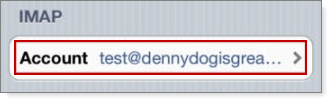
    14. Tap your account under the IMAP heading.
      User uploaded file
    15. Scroll down and tap Advanced.
    16. Under "Incoming Settings", use the following settings:
      • Use SSL - On
      • Authentication - Password
      • Server Port - 993
    17. Tap Account to go back to the "Advanced" screen.
    18. Under "Outgoing Mail Server," tap SMTP.
    19. Under "Primary Server," tap smtp.bizmail.yahoo.com.
    20. Under "Outgoing Mail Server," use the following settings:
      • Host Name - smtp.bizmail.yahoo.com
      • User Name - Your Business Mail email address
      • Password - Your app password
      • Use SSL - On
      • Authentication - Password
      • Server Port - 465
    21. Tap Done.
    22. Tap Account to go back to the "Advanced" screen.
    23. Tap Done.

    You can now send and receive emails with your Business Mail from the native mail app.

    Sep 25, 2015 11:46 AM in response to DCMiller

    When I added my Yahoo mail back this way, I lost access to my Yahoo Contacts. I had to add them separately by going to Settings > Mail, Contacts, Calendars > Add Account > Other > Contacts: Add CardDAV Accounts

    The settings are

    Server: carddav.address.yahoo.com

    User Name: (your Yahoo! login name. You don't need "@yahoo.com")

    Password: (your Yahoo! password)

    Description: (call it whatever you want. I call mine "Yahoo! Contacts")


    User uploaded file

    Sep 25, 2015 2:38 AM in response to lightsimage

    OK, this answer and help was very good for me in re establishing my business mail account but I only had to do this part below I did not have to change IMAP


    1. Tap Settings.
      User uploaded file
    2. Tap Mail, Contacts, Calendars.
    3. Tap Add Account.
    4. Tap Other.
    5. Tap Add Mail Account.
    6. Enter the following:
      • Name - The name you want on your outgoing email.
      • Email - Your full Business Mail email address.
      • Password - Your app password.
      • Description - A descriptive name for your account.
    7. Tap Next.

    Sep 18, 2015 5:23 PM in response to DCMiller

    The above might be good answers. But my 2 cents worth in case it helps someone, or Apple or Yahoo working on this, etc ...


    Sometime this morning my iPhone 6+ stopped being able to connect to Yahoo email. My iPad and "old" iPhone 4S are still fine. All are iOS9.

    The iPhone 6+ keeps prompting for my Yahoo email password, and on entering it, the dialog errors out saying "email address mismatch".


    Each time I try I get an email from Yahoo (on the other devices) saying that IOS is attempting to use "emailaddress.x.y", being the "real" email address, not the nice human alias - see next.


    For interest, I login and use a Yahoo alias email address for everything as the "real" or native address is a cryptic alpha+number string that is the ADSL login and not really much use for humans.


    I've logged into Yahoo and confirmed my account, login password, alias and all kinds of things are working fine.


    The iPhone in question still gets emails via my icloud address, but not Yahoo. The other two devices work fine. And my emails at yahoo.com are fine and still being received.


    I've found some Google hits from months ago saying to delete the account from the iPhone and re add it. I'm really not wanting to do that!

    Sep 19, 2015 1:00 AM in response to JimTowler

    You and thousands of others. Follow the instructions above and it will work again.


    Yahoo has been inundated with customers screaming at them over this – I have a business email account and have call-in support. They haven't a clue.


    I just called them back and suggested they go over and at least read the workaround.


    Yea, I'd like it fixed but, till then...

    Sep 20, 2015 7:39 AM in response to eurohop

    FFollow the above instructions with the following changes:


    imap.bizmail.yahoo.com


    smtp.bizmail.yahoo.com


    My regular account started working again this morning and I deleted the extra account. Apparently Yahoo fixed the problem that they swear I was having.


    I Still can't get POP bizmail working on my iMac. I'm looking for a new email host for my domain. I'm sick of Yahoo!

    Sep 20, 2015 11:22 AM in response to Lowbflat

    I tried this and it didn't work. When I use biz mail in incoming and outgoing servers, the server will not respond. So I switch incoming back to imap.mail.yahoo.com, and a new mail account gets added but the only mail that will load is my yahoo.com mail and not my proprietary domain name. I have tried all combinations of this and my changing my user names but nothing works. I agree that it makes sense to switch my domain registration away from Yahoo. Looking for recommendations...

    Sep 20, 2015 2:53 PM in response to eurohop

    Eurohop - please help out a less-than-tech-savy old guy please.


    Where is this found and where do you enter it?


    imap.mail.yahoo.com

    User name=name@privatedomaine.com

    Pasword: ******


    Regarding this:

    smtp.mail.yahoo.com (set this as primary server)

    add server: smtp.bizmail.yahoo.com

    click on Primary server

    Click on Authentication

    Click Password

    When I add the .bizmail server a message says it cannot connect.

    Also, cannot change any of the setting on the "primary" server. They are greyed out.


    Anyone else that can help I'd greatly appreciate it. My Yahoo business email account id my primary email. Without it I am doomed.

    This thread has been closed by the system or the community team. You may vote for any posts you find helpful, or search the Community for additional answers.

    ios9 - can't add yahoo password

    Welcome to Apple Support Community
    A forum where Apple customers help each other with their products. Get started with your Apple Account.