groundskeeperwilly

Q: cannot see any purchased apps in iTunes library

Just purchased an iMac and have set most things up.  However, for the life of me, i cannot get iTunes App library to show any content.


I open iTunes, open the App library and under 'My Apps' all it says is "Apps, Apps you download for your iPad, iPhone or iPod touch appear in your Apps library".  Each of the other choices 'My iPhone Apps', 'My iPad Apps' and 'Updates' show the same thing.


In addition to that, when i connect my iPhone to iTunes, there are no apps in the left hand column when the Apps selection is highlighted.


So far, i have sync'd my phone, backed up my phone to the iMac, signed out/in again and transfered purchases via 'File -> Devices -> transfer purchases from my phone' but nothing has worked.


The Mac is currently at OS X EI Capitan 10.11.2

iTunes version is 12.3.1.23.


any help/pointers would be greatly apprectiated.


Cheers

iMac with Retina 5K display

Posted on Dec 11, 2015 4:35 AM

Close

Q: cannot see any purchased apps in iTunes library

  • All replies
  • Helpful answers

  • by norm123,

    norm123 norm123 Dec 12, 2015 1:02 PM in response to groundskeeperwilly
    Community Specialists
    Dec 12, 2015 1:02 PM in response to groundskeeperwilly

    Hi Willy, 

    Congrats on your new iMac. I understand that you would like to see the apps from your iOS devices to show up in iTunes. That is something I can help you out with. 

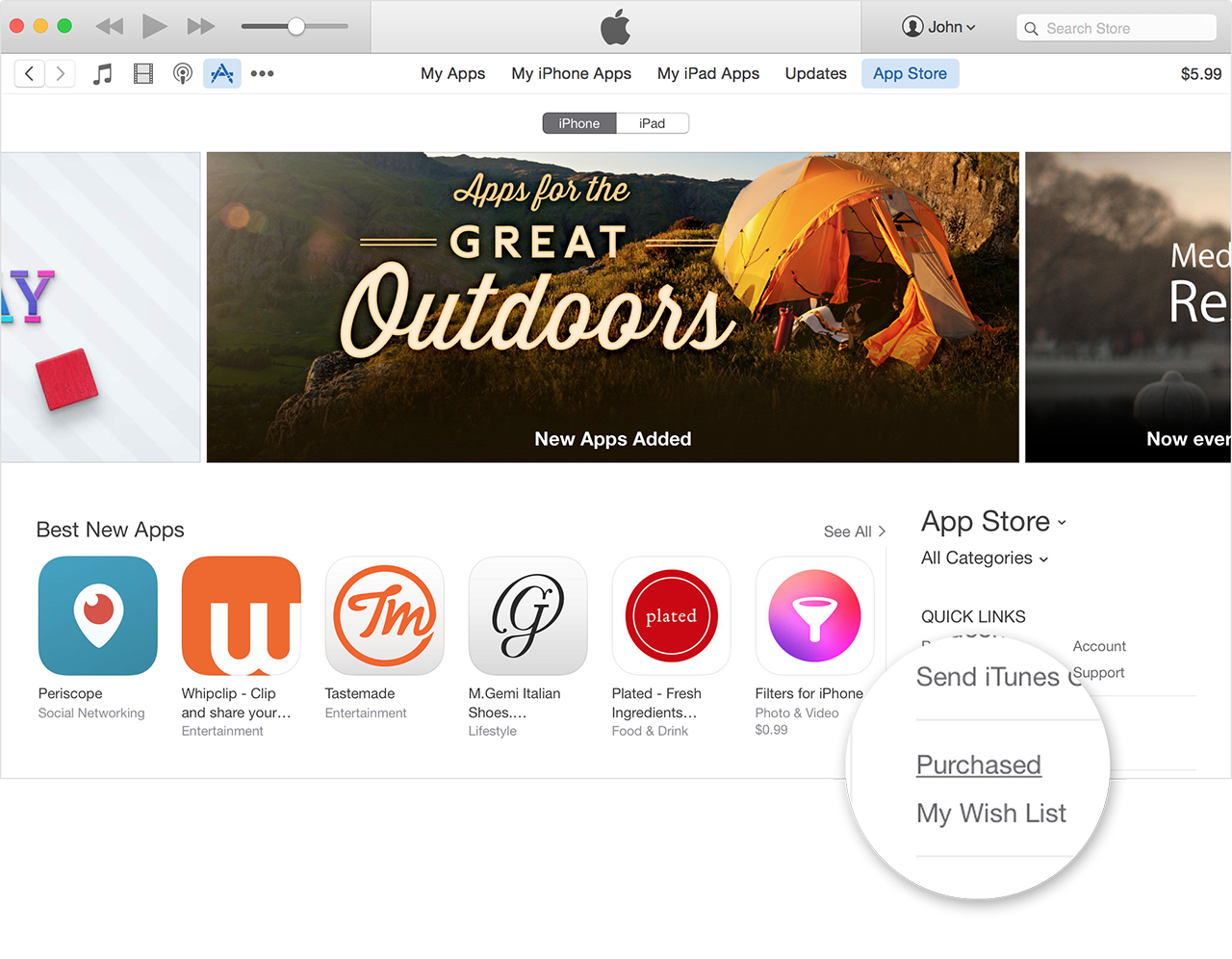
    To take care of this, you will actually need to download those from the iTunes Store. They will only show up in the areas that you are looking once they have been downloaded to your iMac. Take a look at the quotes section below to walk you through how to download your previous purchases. 

    Download your past purchases
    https://support.apple.com/en-us/HT201272


    On a Mac or PC

    You can redownload apps for iOS devices in iTunes and apps for you computer in the Mac App Store.

    From iTunes:

    1. Open iTunes.
    2. Click More   in the upper-left corner.
    3. Choose Apps   from the menu.
    4. If prompted, sign in with your Apple ID and password.
    5. Under Quick Links on the right side of the App Store, click Purchased.
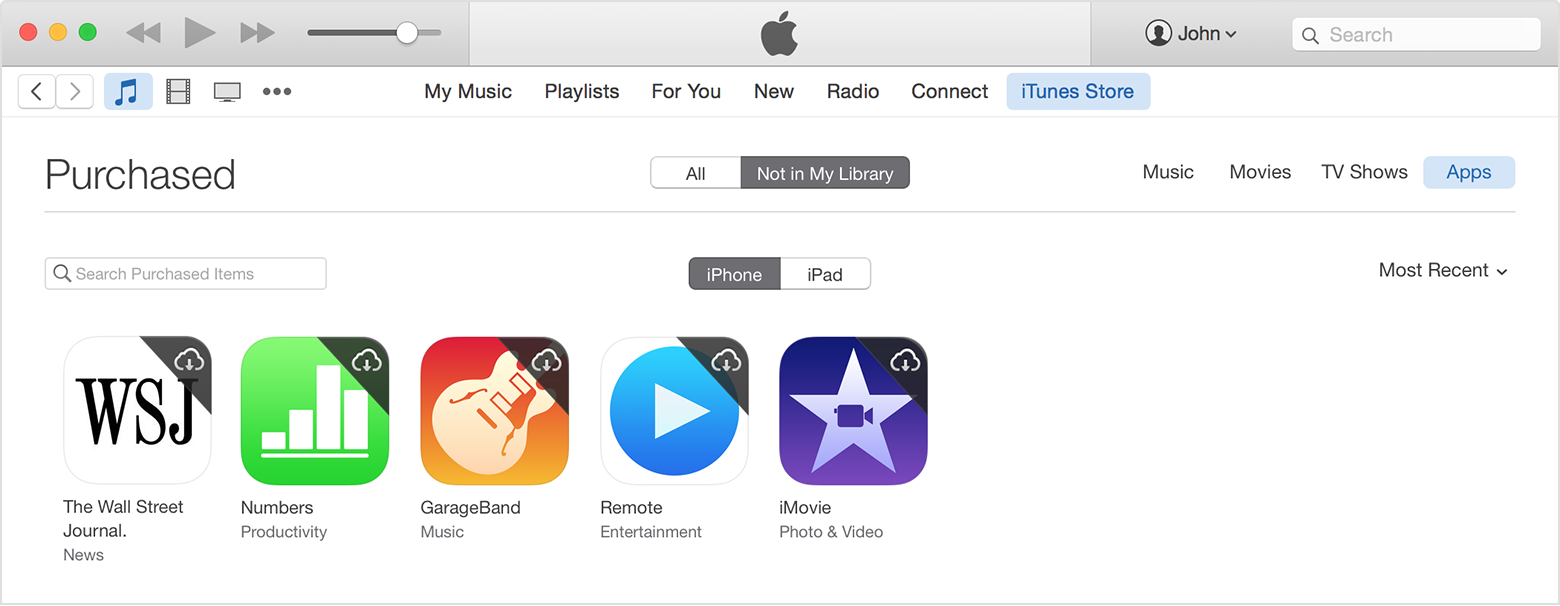
    6. Select Not in My Library to view purchased content that isn't on your computer.
    7. Scroll to find the item that you want to download.
    8. Click the Download icon   in the upper-right corner of the item you want to download. Your app downloads to your library. If an app is already in your library, the Download icon won't appear.

     
    Have a good day

  • by Chummm,

    Chummm Chummm Feb 24, 2016 12:14 PM in response to norm123
    Level 1 (0 points)
    Feb 24, 2016 12:14 PM in response to norm123

    Thanks! I spent a long time chatting with an Apple person who didn't know this. They kept talking about slimming but giving me no answer. I appreciate it!

  • by Limnos,

    Limnos Limnos Feb 24, 2016 1:00 PM in response to Chummm
    Level 9 (53,981 points)
    Mac OS X
    Feb 24, 2016 1:00 PM in response to Chummm

    Slimming is why apps didn't appear when you tried syncing.