Hello there, Ethanity.
It sounds like you're not receiving your emails when expected when using the Mail application in OS X El Capitan. The following Knowledge Base article provides some great information in regards to the behavior you are describing:
If you can’t send or receive email on your Mac
Incoming or outgoing email might take longer to arrive than you expect, or it might arrive on one device before arriving on another device.
Email delivery is scheduled by your email provider, and delivery time could also be affected by your Internet provider. If you often experience significant email delays, contact your email provider or Internet provider. If the delays occur only when communicating with a particular person, that person may need to contact their email provider or Internet provider.
- Make sure that you installed the latest Mac software updates, especially if the issue occured immediately after installing a previous update.
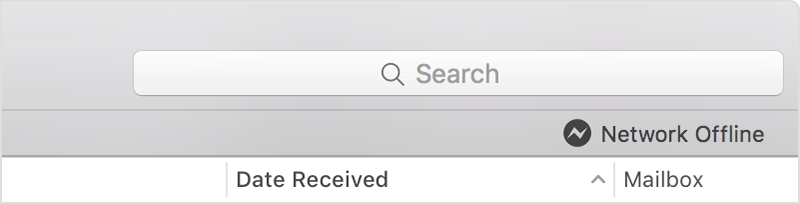
- In OS X El Capitan, you might see a status icon and brief error message in the upper-right corner of the Mail window, beneath the Search field. The message might say “Network Offline” or “Login Failed,” for example. Click the message to see more details about the issue.
- Check your connection in Mail Connection Doctor. It might be able to tell you more about the issue.
Thanks for reaching out to Apple Support Communities.
Kind Regards.


