Sounds don't work except for ringtones on 6s
Randomly my sounds stop working except for my ringtones. I need to do a hard reset to fix the sounds. Vibrate always works. I have a 6s. Has anyone else seen this problem?
iPhone 6s, iOS 9.3.2
Randomly my sounds stop working except for my ringtones. I need to do a hard reset to fix the sounds. Vibrate always works. I have a 6s. Has anyone else seen this problem?
iPhone 6s, iOS 9.3.2
If you have an Apple Watch activate the corresponding app player controller on the watch. This sometimes happens when I try to play music from my iPhone.: I then listen further with no problems.
couple of things to check
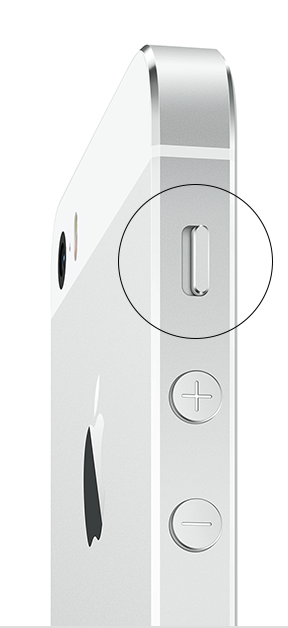
1. The mute button being turned on
2. Do not disturb being turned on
However both of these would not leave your ringtones working
Try this
Backup to iTunes
Then restore as NEW using iTunes
Do not restore the backup
See if the problem resolves
If it does - restore backup
Hello bnads,
Thank you for your post! My understanding of the issue you're experiencing is that your iPhone will unexpectedly stop playing sounds other than your ringtones. It's important to be able to hear sound from your iPhone. You're in the right place for answers.
Sometimes, the behavior that you're describing can be caused by your iPhone detecting a wireless speaker or wired headphone connection. If your iPhone is directing audio to a wireless speaker source, you'll be able to turn that off within your Settings menu. Tap Settings > Bluetooth, then select the device you'd like to disconnect. Tap "Forget This Device".
You can check if your iPhone is directing audio to a headphone source by adjusting the volume using the side volume buttons: does your iPhone display "Headphones" in this box? If it does, check out this article: If your headphones don't work with your iPhone, iPad, or iPod touch
Additionally, check out these steps to ensure your iPhone is set to play sound correctly:
Follow these steps and test the sound after each one.
- Go to Settings > Sounds and drag the Ringer And Alerts slider to turn the volume up.
- If you can hear sound from the speaker, then the speaker works. Continue with these steps to find the setting or switch that's affecting the sound. If you can't hear sound from the speaker, contact Apple Support.
- If your device has a Ring/Silent switch, make sure it's set to ring. If you can see orange, it's set to silent.
- Restart your device.
- Open an app that has music or sound effects. Adjust the volume with the volume buttons or the slider in Control Center.
- Go to Settings > Bluetooth and turn off Bluetooth.
- If there's still no sound, connect a headset. If you can hear sound through the headset, remove it and clear any dust or debris from the headset jack of your device.
- If the device is in a case, make sure that the case doesn't block the speaker.
- Use a brush to gently clear any debris from the speaker and Lightning connector (or 30-pin dock connector). The brush should be clean and dry and have soft bristles.
- Update your device to the latest version of iOS.
If you follow these steps and still hear no sound or distorted sound, contact us.
If you hear no sound or distorted sound from your iPhone, iPad, or iPod touch speaker
Take care!
After checking again I found out that I do get some sound but it is very very faint. I can only hear it if I hold the iPhone speaker right to my ear.
Did you try the backup solution I suggested - please try it and let us know what happens
Backup did not fix the problem. Hard reset works for a few hours then sounds go very low.
Sounds don't work except for ringtones on 6s