G'day amartnez,
Thanks for trying that. I have a few other things that I would like you to check.
First, please make sure the USB external drive is connected to your iMac, and then open the System Profiler. You can access the System Profiler by holding down the Option key while choosing System Information or System Profiler from the Apple menu. Once you are there, check the USB section and see if your external drive is recognized. Use OS X: About System Information and System Profiler, specifically, this section:
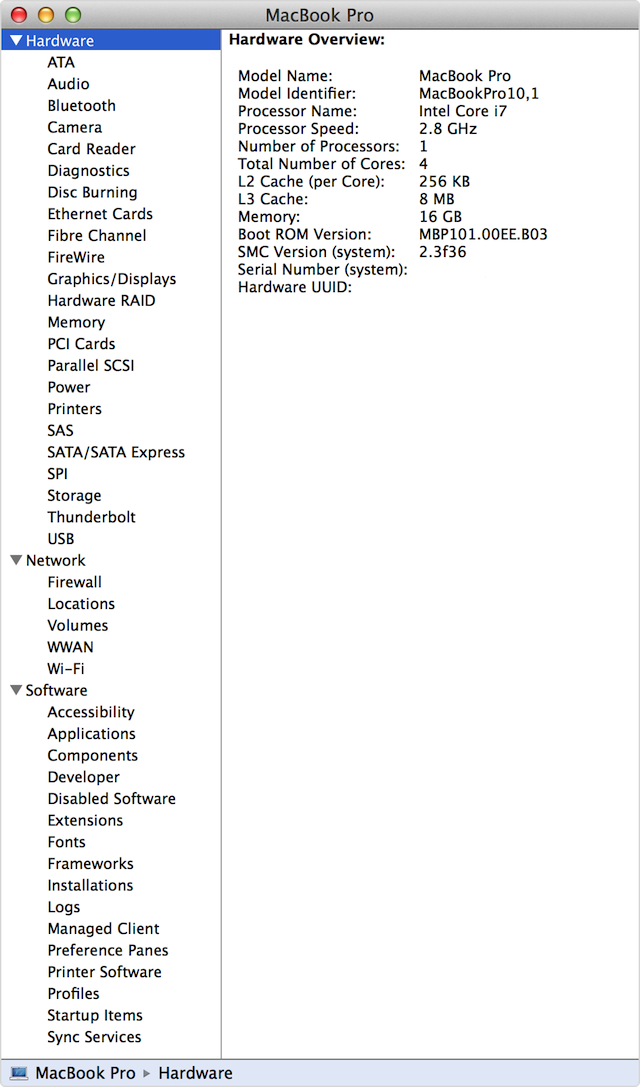
System Information is an app included with OS X. It tells you which Mac model you have, the version of OS X you’re using, what devices you have connected, and more. In some versions of OS X this app is referred to as "System Profiler".
Open the System Information or System Profiler app from the Utilities folder of your Applications folder. Or just hold down the Option key while choosing System Information or System Profiler from the Apple menu.
When you open this app, a system report appears. This report contains detailed information about your Mac.
Next, if you still don't see the external drive, try to test in safe mode and a new user. Starting in safe mode may help diagnose this issue you're having. Safe mode (sometimes called safe boot) is a way to start up your Mac so that it performs certain checks, and prevents some software from automatically loading or opening. Testing in a new user can isolate the issue between your current user and the system.
Once you are in safe mode and a new user, reconnect the external USB drive and see if it is recognized. These articles will help:
OS X Mavericks: Start up in safe mode
How to test an issue in another user account on your Mac
If you still cannot see the external drive after testing in safe mode and a new user, I advise to Reset the System Management Controller (SMC) on your Mac. Then, test again, and see if the external drive is recognized.
If you need additional help after that, please contact Apple Support using the link below:
Contact Apple Support
Best Regards.



