Good Morning asanjuan456,
I understand you purchased some music from the iTunes store last night and the songs were downloaded to your iPhone. But this morning, the music is missing from your device. Have you had issues in the past purchasing music directly on your iPhone?
The first thing I would suggest is to sign out of the iTunes Store, then restart your iPhone. When you sign back into the iTunes Store, try downloading the purchased content again. Another option would be to turn on Automatic downloads on your iPhone.
If you are still unable to download the purchased content directly to your iPhone, try downloading the 6 songs to your computer and syncing your computer to your iPhone.
asanjuan456, I'll include some resources here that provide more detailed information regarding the suggestions above. Give these troubleshooting steps a try, and let us know the results.
Sign in with a different Apple ID on your iPhone, iPad, or iPod touch
- Tap Settings > iTunes & App Store.
- Tap your Apple ID. If you see the option to Sign In, you can change your Apple ID now.
- Tap Sign Out.
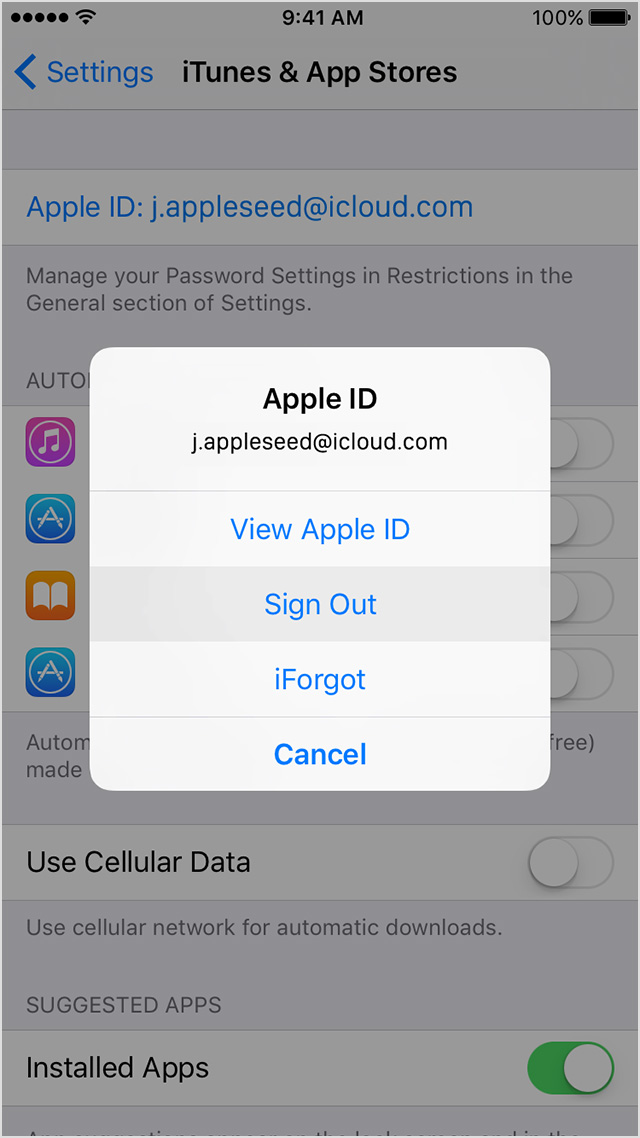
- Go to Settings > iTunes & App Store.
- Tap Sign In, then enter your Apple ID and password.
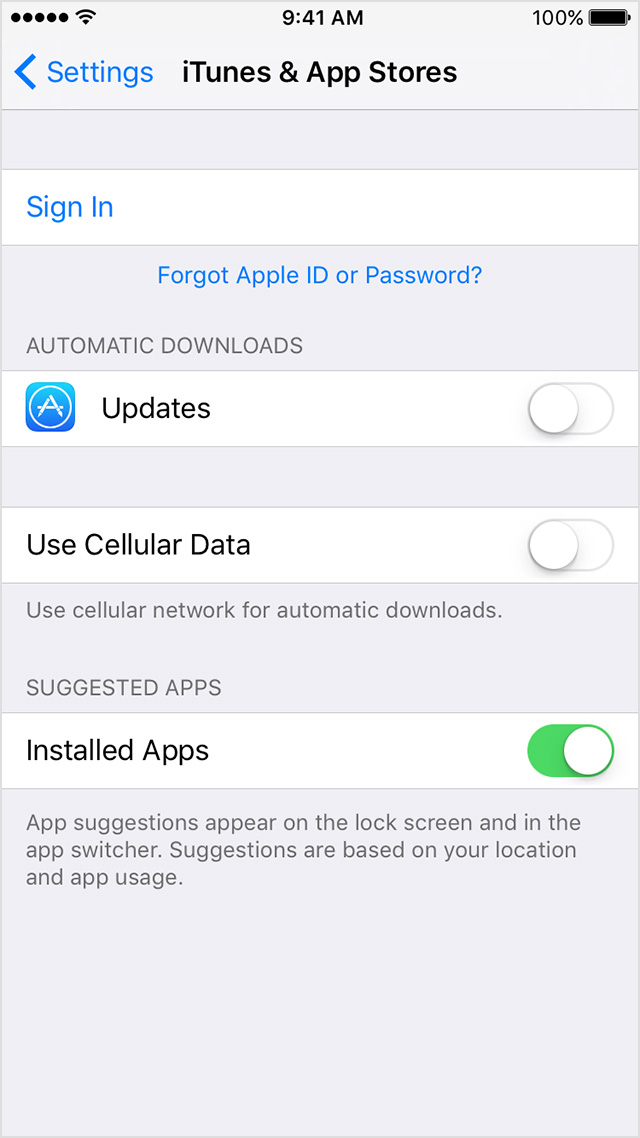
Turn on Automatic Downloads
Stay in sync across your devices, and automatically download purchases from the iTunes Store, App Store, and iBooks Store to your computer, iPhone, iPad, and iPod touch with Automatic Downloads.
All new content that you buy after you turn on Automatic Downloads automatically downloads to all of your devices. When you turn on Automatic Downloads, your device also associates with your Apple ID.
Redownload or transfer your iTunes Store purchases from an iPhone, iPad, or iPod to a computer
Redownload your purchases
Sign in to iTunes on your computer with the Apple ID that you used when you bought the items on your iPhone, iPad, or iPod and download your past purchases.
iTunes 12 for Mac: Sync iPod, iPhone, or iPad
Take care,