How can I see the photo albums from my computer on a new phone?
I Got a new phone. The old phone could access my photos downloaded on my PC. I don't know how to set this up for my new phone.
iPhone 6s, iOS 9.3.3
I Got a new phone. The old phone could access my photos downloaded on my PC. I don't know how to set this up for my new phone.
iPhone 6s, iOS 9.3.3
Hello there, Byrdflock!
Thanks for reaching out to the Apple Support Communities! It sounds like you are wanting to sync your photos from the computer to the new phone. I know how important it is to be sure all you information is syncing properly to your iPhone. Check out this article that talks about how to Keep your photos safely stored and up to date on all your devices. Specifically,
Sync your photos manually with iTunes
You can set up iTunes to sync photos to your iPhone, iPad, or iPod touch from the Photos app, or from a folder on your computer. Each time that you sync your iOS device with iTunes, the photos and videos on your iOS device will update to match the albums on your computer. If you have photos on your iPhone, iPad, or iPod touch that aren't on your computer, follow these steps to import them.
- Make sure that you have the latest version of iTunes.
- Open iTunes on your computer.
- Use the included USB cable to connect your iPhone, iPad, or iPod touch to your computer.
- Click on the device icon in iTunes.
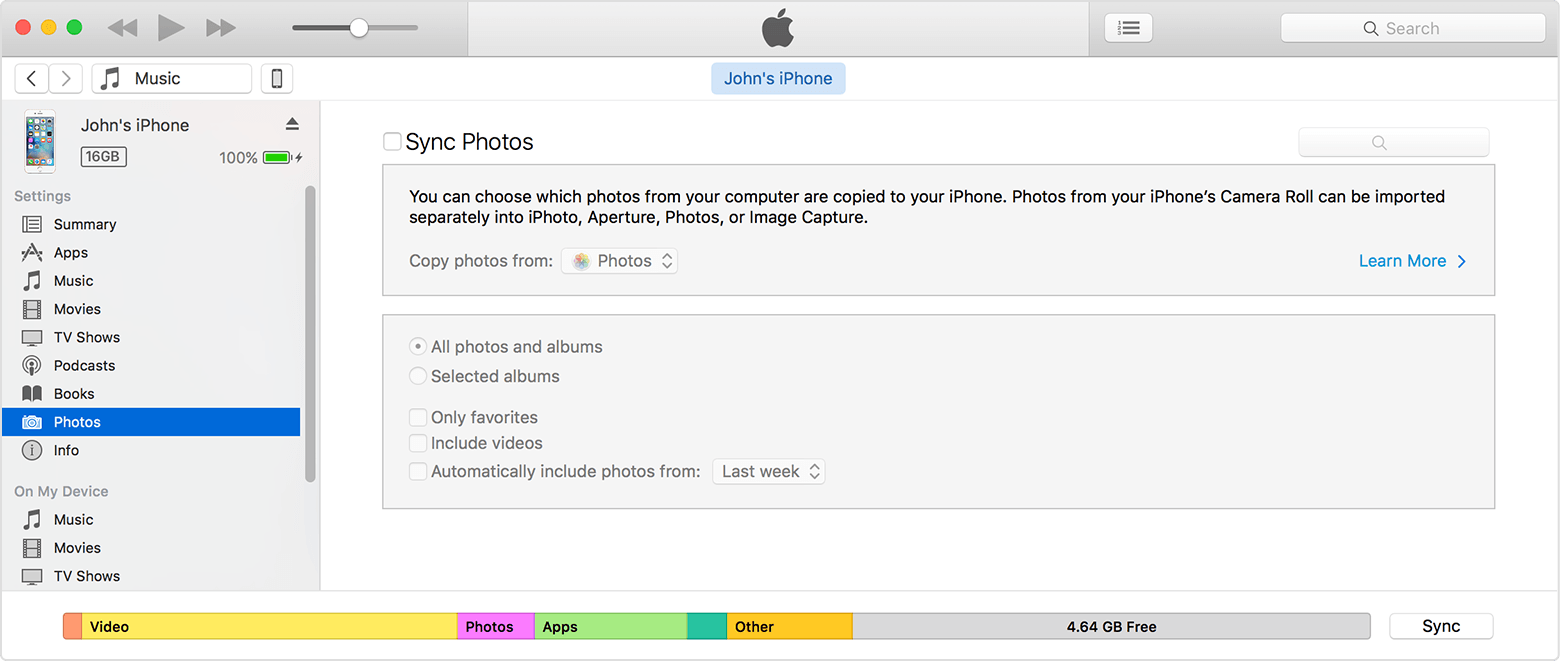
- Click Photos in the sidebar.
- Click the box next to "Sync Photos." If instead you see "iCloud Photos is On," all your photos and videos are already on all of your devices that use iCloud Photo Library. You don't need to sync them through iTunes.
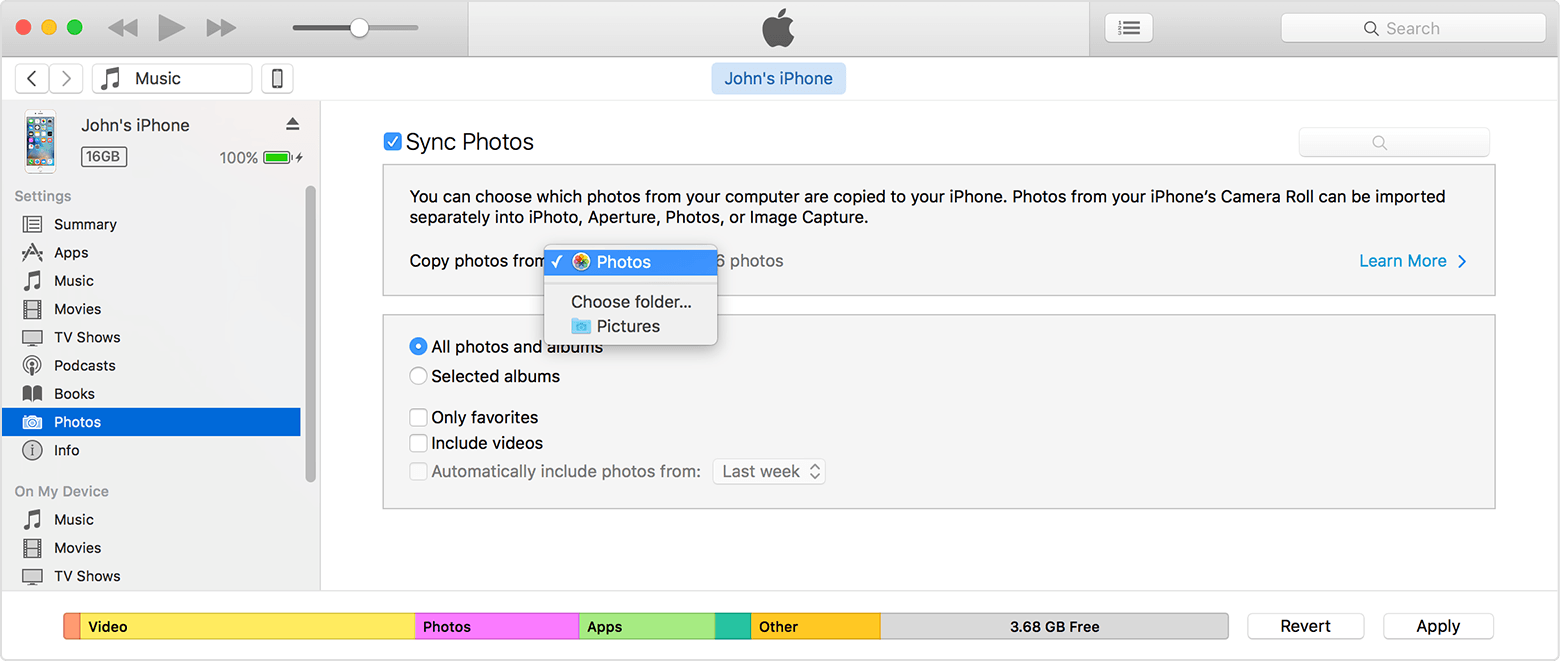
- In the drop-down menu, choose the app or folder that you want to sync from.
- Choose to sync all photos or selected albums.
- Select "Include videos" to sync the videos from your app or folder too.
- Click Apply.
You must import Slo-Mo and Time-Lapse videos through the Photos app or Image Capture in OS X Yosemite or later for their effect to be synced via iTunes. You can also sync Slo-Mo and Time-Lapse videos when you use iCloud Photo Library.
If you're syncing from Photos, only your System Photo Library is available in iTunes.
Also, check out this article with steps on how to Sync your iPhone, iPad, or iPod touch with iTunes on your computer using USB. Both articles will help you sync the photos to be on the new phone. Just be sure iTunes on the computer is up to date. If it's not, you can go to this link to update: Get the latest version of iTunes.
Cheers and enjoy your new iPhone!
That syncs over all the selected photos into the Photos tab "bucket" on the iPhone. But the chronological arrangement and abundant whitespace in that tab makes it crappy for actually viewing all my beautiful photos. How can I view the albums I sync'd, still arranged by album, on my iPhone?
How can I see the photo albums from my computer on a new phone?