iPhone 7 Plus Phone Call Sound Quality

So we just got 2 new iPhone 7 Plus' and I am noticing that the incoming call audio quality on both sounds strange. I have the Apple leather case on the phone and incoming audio sounds distant. Like it is coming from behind the phone or something. It almost sounds like the phone is on speaker phone but it isn't. Turning the volume down helps a bit but it seems off. Previous I had an iPhone 6 so I don't know how this compares to the 6 Plus.


Any help is appreciated!


Thanks!

MacBook Pro with Retina display, OS X El Capitan (10.11)

Posted on Sep 16, 2016 11:36 AM

Reply
Question marked as Top-ranking reply

Posted on Sep 7, 2017 11:58 PM

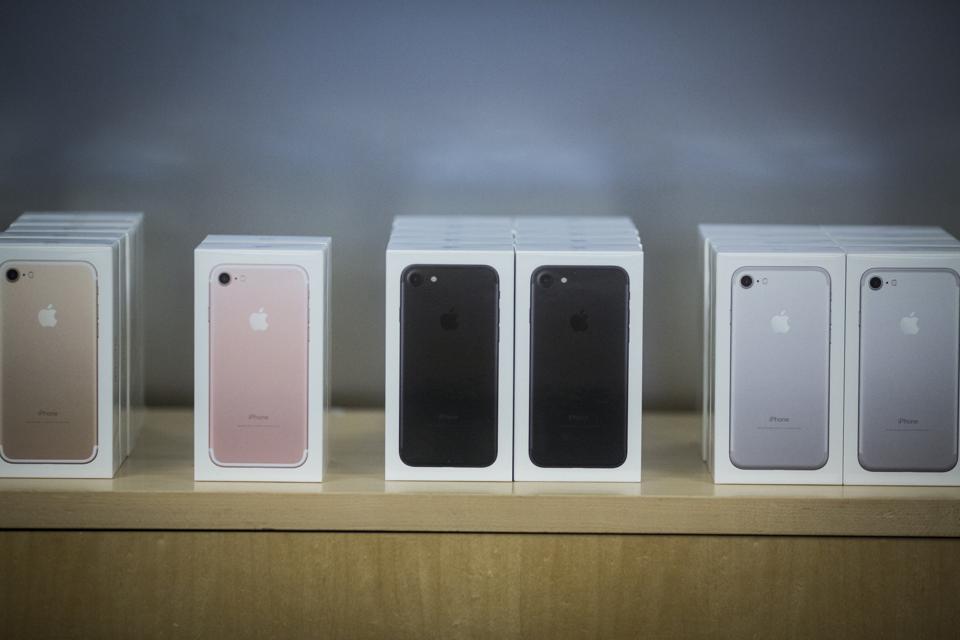
I found the solution: The phone was still wrapped up in the original plastic it came in, and that plastic was making the phone sound echo in a strange way. Hope it helps you too! The sound difference without that plastic wrap is massive.

504 replies

Nov 28, 2017 4:14 AM in response to Lawrence Finch

I have the same issue with iPhone X: I turned off noise cancellation and this sis not improve issue. I have also performed all of the following isolation steps along side Apple at the McArthur Center Apple Store.


iPhone x - People constantly complaining the voice quality is muffled or very low when using phone to ear without bluetooth


People tell me they cannot hear me on my new iPhone X. I've performed so many isolation steps and even exchanged my phone, and nothing seems to help. I've tried so many things to isolate the issue.


Initial steps performed:

1) Erase and reset phone to factory software

2) Reset Network settings

3) Noise Cancellation Off

4) Restored iPhone as new without any previous restore from iCloud

5) Taken phone to Apple McArthur store and have them perform all of the above steps again and also install new software from iTunes

6) Tried phone with Apple Folio cover and then without Folio cover

7) Carrier = AT&T

- Asked carrier to reconfigure phone to network

- Replaced SIM card and had carrier reconfigure to network

- Turned off AT&T features

- Cellular Data set to data only

- Cellular Data set to Voice and Data

- Typical signal is 5-6 bars LTE when this occurs

8) Replaced iPhone X, Same issue with new phone


Additional steps performed:


7) Performed Voice Memo Recording

1) Recorded voice with Apple Folio Case - Result Clear Sound

2) Recorded voice without Apple Folio Case - Result Clear Sound


My Conclusion: There must be a serious bug in the new IOS 11 software causing this issue. I've been reading that a number of iPhone 7, 8 and X users are complaining about the same issue. The muffled voice is so bad that IVR systems and even people on the other end of the phone simply can’t understand what we're saying. If you change the phone to communicate through Bluetooth or simply put on the speakerphone everything is fine.


Please fix this issue. The battery on blue tooth doesn’t last long enough and often times we must use the phone up to our ear and mouth.


Dec 9, 2017 1:11 PM in response to obradns

There is another solution if you are correct about the modem. Apple sells unlocked GSM/CDMA versions of the iPhone that has the QUALCOMM modem, it will work on AT&T or Version/Sprint, etc., the downside is you cannot get one from your carrier that is multi-network usable. Or you could change to Verizon for your carrier because the intel modems will not run on a CDMA network, all iPhones on Verizon or Sprint must have the Qualcomm modem. Not an option for me, where I live only AT&T works, I’m thinking about buying the multi-network version from Apple.

Mar 2, 2017 5:26 AM in response to Ebulient

User uploaded file

The iPhone 7 (Photo credit: John Taggart/Bloomberg)

With the launch of the iPhone 7 and iPhone 7 Plus, Intel finally made its way into Apple's most important product. Good news for Intel, no doubt, but not for consumers.

Tests of LTE connectivity, released on Thursday by Cellular Insights, show a huge performance gap between the iPhone 7 equipped with an Intel modem and a Qualcomm modem. The difference in performance is a black eye not only for Intel, but also for Apple, which for the past five years had relied on Qualcomm exclusively for its iPhone modem chips. With the iPhone 7, Apple decided to make two versions -- one with an Intel modem and one with a Qualcomm modem. (Neither Intel nor Apple have commented on the performance gap so far.)

For consumers, the downside of owning an Intel version is significant. The tests revealed that Qualcomm-powered iPhone 7s are able to consistently establish stronger connections to LTE networks than Intel-powered iPhone 7s. Qualcomm modems outran Intel modems by 30% in overall performance, and 75% when the signal was at its weakest.

Since writing a story about these modem benchmarks, readers have asked FORBES -- directly and via Twitter -- how to make sure they're buying the better iPhone 7 with a Qualcomm modem. If you want to get the best bang for your buck, you probably should be careful which iPhone 7 you end up buying.

Here are some ways you can make sure you're not buying the inferior iPhone 7.

Model number

As this Apple spec page shows, Apple created two distinct versions of the iPhone 7 and iPhone 7 Plus to segment out devices with an Intel modem or a Qualcomm modem.

Recommended by Forbes

Study Shows Huge LTE Performance Differences Between Intel And Qualcomm Versions...

First Look Inside The iPhone 7: Teardown Shows Intel Inside

MOST POPULAR

Photos: Hip-Hop Cash Princes 2017

TRENDING ON FACEBOOK

Intuition Is The Highest Form Of Intelligence

MOST POPULAR

Photos: The Richest Person In Every State

By checking the model number on the back of the iPhone 7, you will be able to tell:

  • Model A1660 and Model A1661 means they have a Qualcomm modem.
  • Model A1778 and Model A1784 are equipped with an Intel modem.

Carriers

If you're a United States-based customer buying from a carrier, the best way to make sure which iPhone 7 you're getting is:

  • Verizon and Sprint sell the Qualcomm-powered iPhone.
  • AT&T and T-Mobile sell the Intel-equipped iPhone.

The Apple spec page indicates that the Intel-powered

A1778 and A1784 phones won't support CDMA (or code division multiple access), a cellular technology used on some LTE networks. That means an Intel-powered iPhone 7 simply won't work on CDMA networks, such as Verizon's and Sprint's.

Qualcomm's modem works on all the four big carrier networks in the US. And o

verall, Qualcomm's modem supports a much wider variety of cellular technology than Intel. Qualcomm hardware supports GSM/CDMA/WCDMA/TD-SCDMA/LTE, while Intel's only support GSM/WCDMA/LTE. That means that in addition to improved connectivity performance with a Qualcomm modem, Qualcomm can work on more networks.

Apple also sells unlocked versions of the iPhone 7 and iPhones 7 Plus that

come with a Qualcomm modem.

The relationship between modem makers and carriers is a close one. Supporting various cellular technologies is extraordinarily complex. Each carrier has their own unique network demands and features. Qualcomm has been in this game a lot longer than Intel, and as a result, it has a lot more to offer the consumer, according to experts.

“Building modems for today’s cellphones is an extremely daunting task,” said Sundeep Rangan, an engineering professor at New York University who specializes in wireless technologies. “It has to support a dizzying array of features and get the chips down to a form factor and low power performance.”

Follow me on Twitter @aatilley or send me an email: atilley@forbes.com

Dec 7, 2017 10:07 AM in response to horseladyy

From the uk.


Having spent £1149 on the super shiny, super slippy iPhone X it deserves to be protected and what better than a case from the phone manufacturer, so let’s throw another £39 at protecting it and get the silicon case in white, there we go - lovely.

The case does not obstruct the mic hole on the back between the two camera lens but as people are reporting and as I have now tested and proved for myself, covering it with my finger while using the phone in normal set to ear mode does actually improve things for the person on the receiving end however the silicon case is also not without issues where pressing the single side button does not respond, a second press takes you straight to Apple Pay and that is why the first iPhone X was replaced, my friends iPhone X exhibits the same issue with his silicon case too. Five items with issues - we’ll done mr cook.

Feb 22, 2017 5:54 AM in response to Steven Fisher1

First, make sure the plastic covering on the display to protect it during shipment has been removed. If you have your iPhone in a case, try removing it and making a call. If you still notice the volume isn't quite where it should be, use the steps in the article linked below for further assistance.


If you can‘t hear a person on a call or voicemail or if the sound isn‘t clear on your iPhone

This thread has been closed by the system or the community team. You may vote for any posts you find helpful, or search the Community for additional answers.

iPhone 7 Plus Phone Call Sound Quality

Welcome to Apple Support Community
A forum where Apple customers help each other with their products. Get started with your Apple Account.