
What does solid white light on airpods mean? When pressing setup button? It will not flash and connect.
I have tried all the other t-shooting steps posted online. The light never flashes white, only stays solid white.
Problem solved. Press and hold the button at the back and keep holding. The white light starts flashing less than 2 minutes.
Problem solved. Press and hold the button at the back and keep holding. The white light starts flashing less than 2 minutes.
Hello,
Have you tried all of these steps:
If you can't set up your AirPods
If you don't see the setup animation when you try to set up your AirPods with your iPhone, follow these steps. After each step, try to set up your AirPods again.
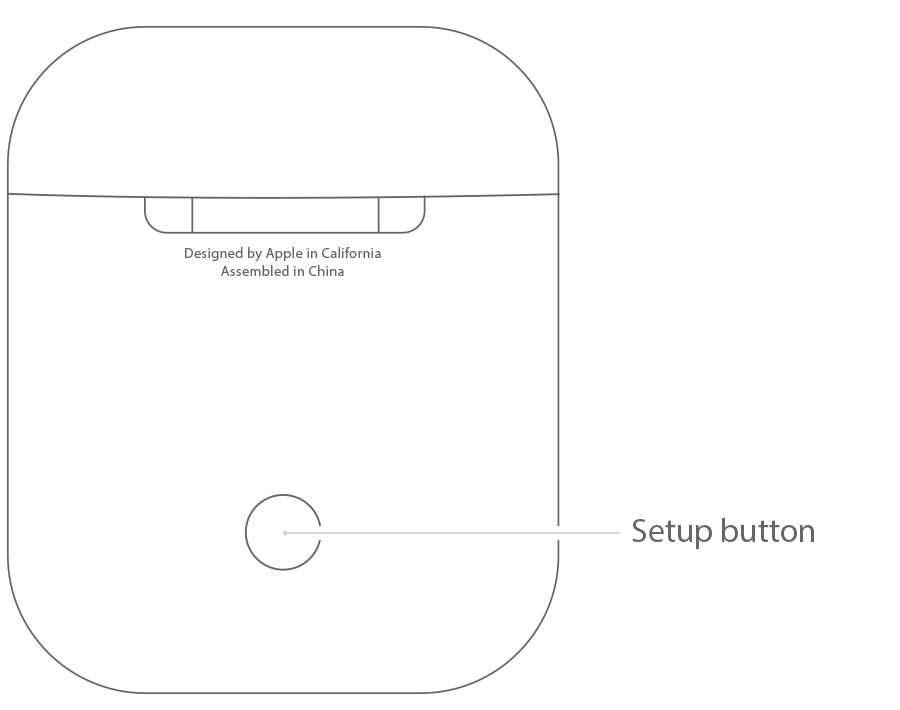
If this doesn't work contact Apple Support
Okay, try the steps above. If that doesn't work it will be best to contact Apple Support as they have the tools to try to diagnose what the problem is.
Thank you, I have read through that twice. It flashes green when I open the case and never flashes white near iPhone or IPad running 10.2. So I have to manually press the setup button on the AirPods case. When I do, it is only a solid white light...never flashes or attempts to connect.
Any luck with this problem?
Same thing for me.
A brand new airpods, never been paired with iphone before.
Anyone has fixed this issue ?
I have same issue. Anyone has solution for this?
Didn’t work n my finger hurts
Please read “Learn about the status light" in: Charge your AirPods with charging case and learn about battery life - Apple Support
What does solid white light on airpods mean? When pressing setup button? It will not flash and connect.

