Is storage an issue with a 16GB I phone as I'm not even a year into my contract and only have 500 mb left. I've just read that cached files and stuff are deleted automatically but I do not think this happens.

Imei: **** iPhone 5S 16GB

Been speaking to Apple support and your store in Cambridge UK. None of the apps downloaded appear to be taking up much space yet I have little memory left. Only had phone since August 2016

<Personal Information Removed by Host>

Posted on Mar 9, 2017 1:35 PM

Reply
8 replies

Mar 9, 2017 2:27 PM in response to mhb2804

Hello,

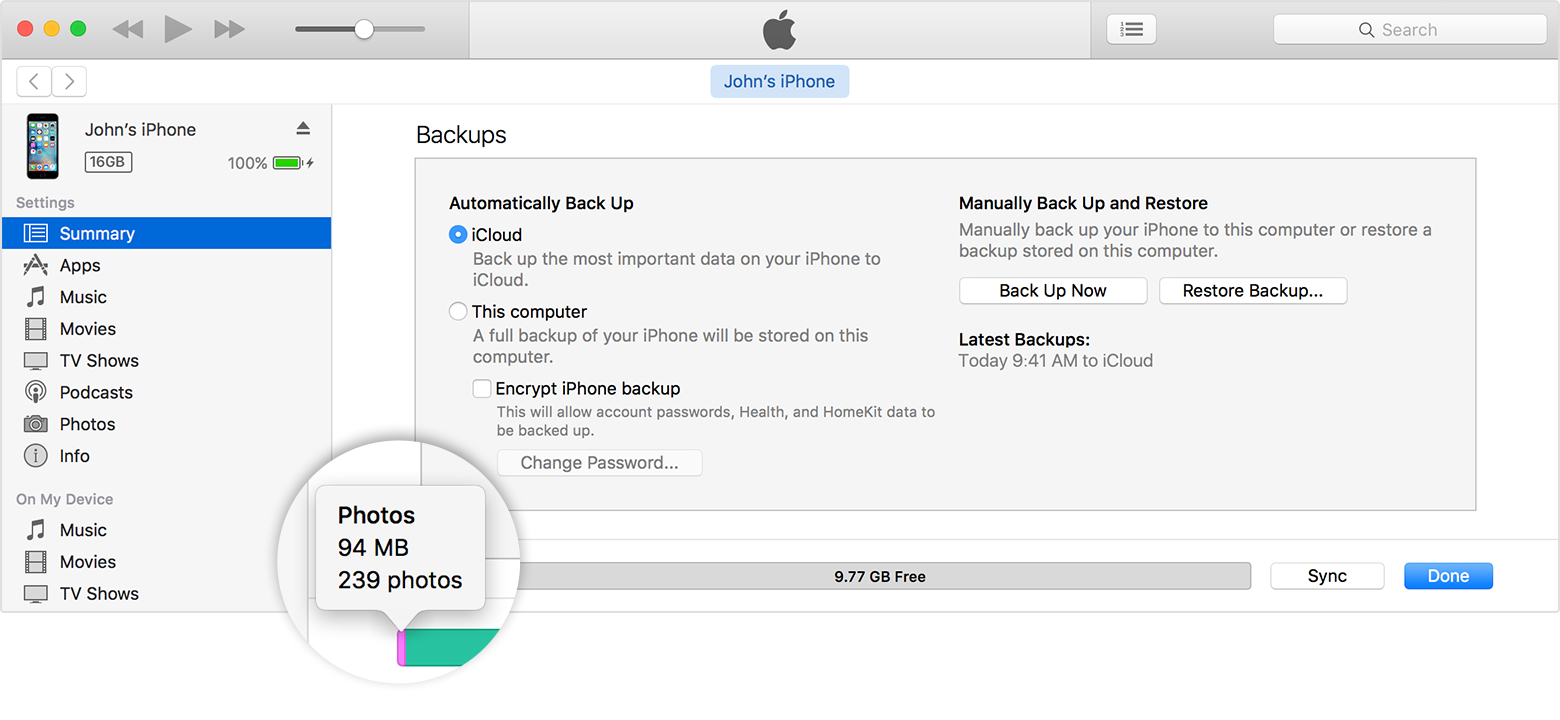
Use iTunes to check the storage on your iOS device

  1. Open iTunes on your computer.
  2. Connect your device to your computer.
  3. In iTunes, select your device. You'll see a bar that shows how much storage your iOS content uses, divided by content type.
  4. Move your mouse over a content type, like Other or Apps, to find more information:
    User uploaded file


More info here:

Check the storage on your iPhone, iPad, and iPod touch - Apple Support

Mar 9, 2017 2:36 PM in response to gadgetvirtuoso

gadgetvirtuoso wrote:


If you have a lot of photos you can save a bunch of space by using iCloud.


Not true. iCloud Photos mirrors what is on your phone. So if you have 1,000 photos in iCloud photos, you will have 1,000 photos on the iPhone. You can turn on the "optimize" feature, which will slightly reduce the size of the images on the phone, but not enough to free up much space. If you think you can save space by deleting photos from the iPhone and leave them in iCloud you will be disappointed, because whenever you delete a photo from the phone it is also deleted from iCloud.

Mar 9, 2017 3:14 PM in response to Lawrence Finch

This is definitely one of those your mileage may vary situations. If you have a lot of originals on your device and then turn on optimizations you will see a lot of space recovered. I know when I turned it on I recovered a lot of space, several GB. Someone with only a few pictures wouldn't see much difference.


If you really want to recover space you can offload them to your computer or use a third party service to upload your phones. A lot of people post their photos on social media so do you really need to keep a copy on your phone too? Keep in mind the photos uploaded to Facebook are highly compressed once you upload or even sync them to their site. If you plan to ever print or need the originals this wouldn't be the way to go.


If you want to backup your photos I can definitely recommend Amazon Photo, Flickr or BitTorrentSync (for those will a little more technical known-how). All of these services will retain the original uncompressed images. Google Photos is also good but again they compress photos unless you turn that feature off.


This thread has been closed by the system or the community team. You may vote for any posts you find helpful, or search the Community for additional answers.

Is storage an issue with a 16GB I phone as I'm not even a year into my contract and only have 500 mb left. I've just read that cached files and stuff are deleted automatically but I do not think this happens.

Welcome to Apple Support Community
A forum where Apple customers help each other with their products. Get started with your Apple Account.