iPad Mini 2 Battery Problem
Hi,
My mother's iPad Mini 2 has been having an issue for the past few months that I think is hardware related and I wanted to confirm that.
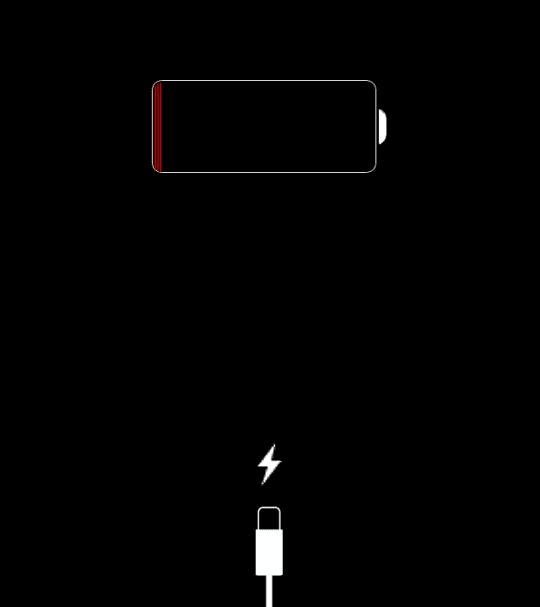
Basically it will randomly after a night of charging display the following screen:
http://appletoolbox.com/wp-content/uploads/2014/12/connect_to_power-540x607.png
..which I am aware is the usual "your battery is low, connect it to power" screen. Here's the thing, though. When we do this, it stays like that. The first time it happened I messed around with it for a few minutes because my mom had said she had just charged it and it should not be dead. After holding down the home and power buttons for a few seconds (which I had to do several times), it finally booted flawlessly and the battery level in the status bar was 100%. So while the battery is fully charged, it still displays the dead battery screen until I randomly mash the buttons on it before it finally comes back on and she can use it all day without needing to plug it in again.
Before you ask:
Yes, I have reinstalled the software on it. It is running the latest version.
No, the battery level indicator is NOT stuck at 100, it goes down as the battery does drain.
The iPad Mini 2 is fairly new. Only had it for about 1 and a half years.
It is the 16GB model with no cellular.
We DID take it to the Apple store, and the guy at the door didn't believe us and he thought we just didn't understand how a dead battery works and shooed us away saying to plug it in and it would work. Evidently not.
So do I need to replace the iPad? I am not taking it apart myself.
Also I am not sure if it is under Applecare, but that's not a major issue if it isn't.
Thanks in advance.
iPad Air Wi-Fi, iOS 10.3.1, iPad Air 2