Feedback in GarageBand
I am getting a lot of feedback when using my electric guitar with GarageBand, even with headphones.
GarageBand 10
I am getting a lot of feedback when using my electric guitar with GarageBand, even with headphones.
GarageBand 10
Adjust the input volume level for the sound source
Select the track you want to use, then click the Smart Controls button
in the control bar.
Click the Inspector button
in the Smart Controls menu bar to open the Smart Control inspector.
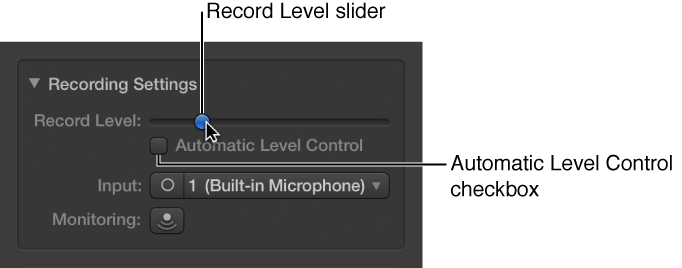
In the Recording Settings section, adjust the Record Level slider.
You can also select the Automatic Level Control checkbox to have the recording level adjusted automatically. It lowers the level to prevent feedback, and raises the level if too low.
Hear your microphone or instrument as you play and record (monitoring)
Do one of the following:
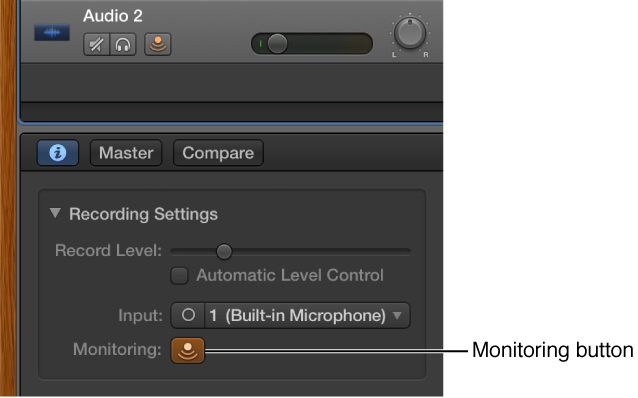
Click the Monitoring button
in the track header of the track you want to use.
Select the track you want to use, then click the Monitoring button
You can also select the Feedback Protection checkbox to avoid feedback while you play.
Feedback in GarageBand