hotspot activation from another ios device

I use two phones ( iPhone 6S & iPhone 5S ) ... and ,previously, I was able to activate the hotspot on the other device, without not even unlocking the other phone. I've , simply, go into the wi-fi menu , on the phone that I was using ... and there it was ... "iPhone of P*** C******* " - 3G (because was enabled on 3G and not LTE) and the level of the battery symbol .

All I've had to do was to select my other 📱 from the list and the connection was enabled ( even if hotspot was disabled on the other phone)

Now ... I can't do it anymore... it doesn't show my other on the wifi list ( which was separate, by the way, from all those other wi-fi networks )

Same version of iOS 10.3.2 ... same Apple ID on both... same configurations as it use to work.

So what's seems to be wrong?

Thank you !

Posted on Jul 12, 2017 5:51 PM

Reply
1 reply

Jul 13, 2017 8:17 AM in response to Paul Cristian

Hello Paul,

Thank you for using Apple Support Communities!

I understand from your post that you are no longer able to connect to your devices via hotspot. Continuity offers an Instant Hotspot feature which may have been enabled previously. The following article has the requirements for Instant Hotspot:

Use Continuity to connect your Mac, iPhone, iPad, iPod touch, and Apple Watch - Apple Support

Set up Instant Hotspot

Use Instant Hotspot with any Mac, iPhone, iPad, or iPod touch that meets the Continuity system requirements. It works when your devices are near each other and set up as follows:

  • Your iPhone or iPad (Wi-Fi + Cellular) has Personal Hotspot turned on in Settings > Cellular > Personal Hotspot.
    Your device must have an activated carrier plan providing Personal Hotspot service.
  • Each device is signed in to iCloud with the same Apple ID.
  • Each device has Bluetooth turned on.
  • Each device has Wi-Fi turned on.

Use Instant Hotspot

User uploaded file

To connect to your Personal Hotspot:

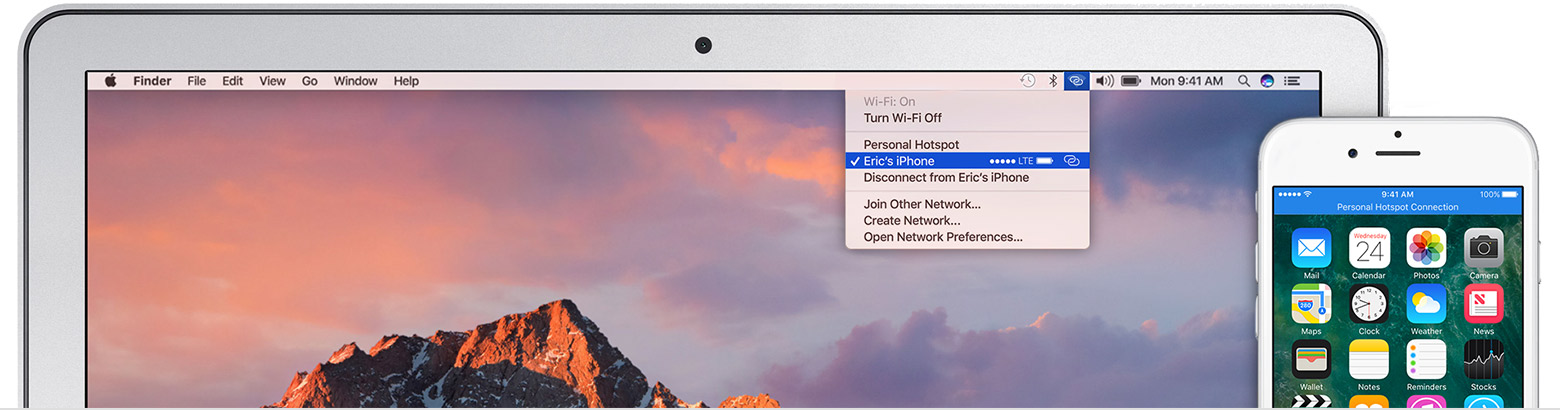
  • On Mac, use the Wi-Fi status menu User uploaded file in the menu bar to choose the name of the iPhone or iPad providing your Personal Hotspot User uploaded file.
  • On iPad, iPod touch, or even another iPhone, go to Settings > Wi-Fi, then tap the name of the iPhone or iPad providing your Personal Hotspot User uploaded file.

If you're asked for a password when connecting, make sure that your devices are set up as described above. The Wi-Fi status icon User uploaded file in the menu bar shows the Personal Hotspot icon User uploaded file as long as your device remains connected to your Personal Hotspot.

Best Regards.

This thread has been closed by the system or the community team. You may vote for any posts you find helpful, or search the Community for additional answers.

hotspot activation from another ios device

Welcome to Apple Support Community
A forum where Apple customers help each other with their products. Get started with your Apple Account.