
Outgoing calls at MAC through iPhone

Hello there.

I'm new at the community.

My name is Paulo, I'm 25 years old and I live in Porto, Portugal.

I've been an apple user since 2009.

I have an Mac and an iPhone 6s.

I'm trying to make calls through my mac using iPhone but it gives me an error saying "you have to use the same iCloud id and FaceTime to use".

I can receive calls, that's stranger.

I'm using the same cloud id on both devices and so as FaceTime.

What am I missing ?

Thanks.

iPhone 6s, iOS 10.3.2
Posted on Jul 13, 2017 11:16 AM

Reply
2 replies

Jul 14, 2017 12:14 PM in response to Paulopax

Are you using FaceTime to make the calls?


Use Continuity to connect your Mac, iPhone, iPad, iPod touch, and Apple Watch - Apple Support


With the iPhone Cellular Calls feature, you can make and receive calls from your Mac, iPad, or iPod touch when those devices are on the same network as your iPhone.

Set up iPhone Cellular Calls

Use iPhone Cellular Calls with any Mac, iPhone, iPad, or iPod touch that meets the Continuity system requirements. It works when your devices are near each other and set up as follows:

  • Each device is signed in to iCloud with the same Apple ID.
  • Each device is signed in to FaceTime with the same Apple ID.
  • Each device has Wi-Fi turned on.
  • Each device is connected to the same network using Wi-Fi or Ethernet.
  • On iPhone, go to Settings > Phone > Calls on Other Devices, then turn on Allow Calls on Other Devices.
  • On iPad or iPod touch, go to Settings > FaceTime, then turn on Calls from iPhone.
  • On Mac, open the FaceTime app, then choose FaceTime > Preferences. Click Settings, then select Calls From iPhone.

If your carrier supports Wi-Fi calling on other devices, you can set up those devices to make and receive calls even when your iPhone isn't turned on or nearby. Learn about Wi-Fi calling.

Use iPhone Cellular Calls

User uploaded fileMake a call on your iPad or iPod touch

  • Tap a phone number in Contacts, Calendar, Safari, or other app that automatically detects such data.
  • Or open the FaceTime app and enter the phone number in the search field. Tap the phone number in the search result, then tap Call.

Make a call on your Mac

  • Move the pointer over any phone number in Contacts, Calendar, Safari, or other app that automatically detects such data. Click the arrow in the box that outlines the phone number, then choose Call [phone number] Using iPhone.
  • Or open the FaceTime app and enter a phone number in the search field. Control-click the phone number in the search result, then choose the phone number from the pop-up menu.

Answer a call

  • On iPad or iPod touch, slide to answer the call.
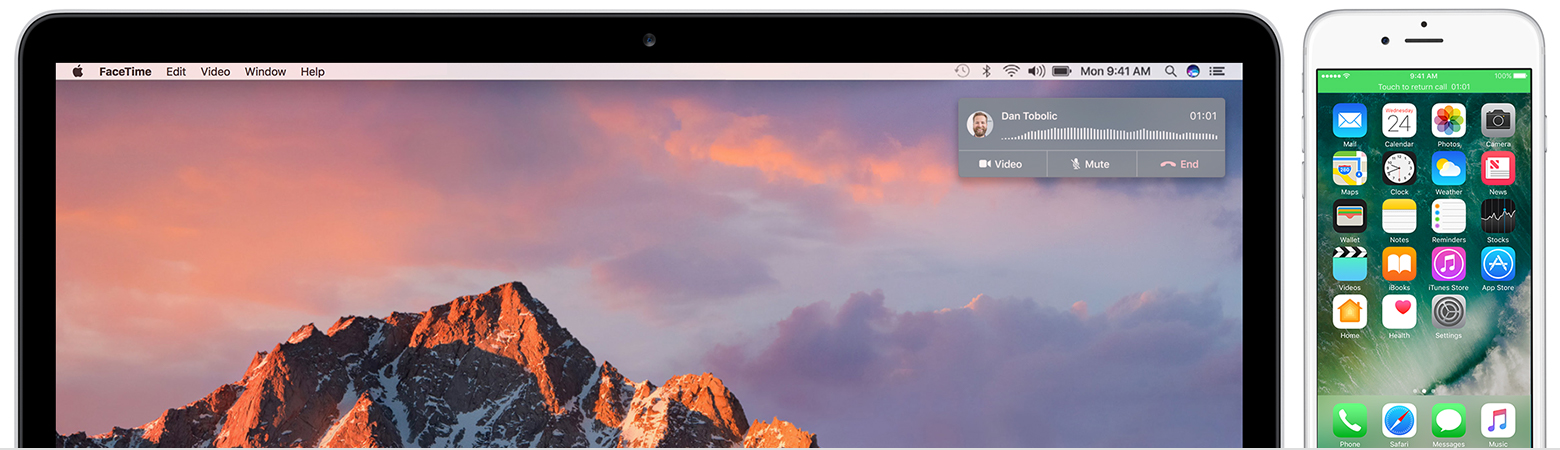
  • On Mac, a notification appears when someone calls your iPhone. From there you can answer the call, send it to voicemail, or send the caller a message.

To stop getting calls at one of your devices, just turn off the Calls from iPhone setting on that device. See the setup section above for details.


If you are signed in with matching iCloud information and following the proper steps here, sign out of your phone and Mac and then back into the phone and set up Continuity again

This thread has been closed by the system or the community team. You may vote for any posts you find helpful, or search the Community for additional answers.

Outgoing calls at MAC through iPhone

Welcome to Apple Support Community
A forum where Apple customers help each other with their products. Get started with your Apple Account.