Hello Basalem1,
Thanks for trying those steps, and for that additional information. If the issue still persists, it may help to reinstall the latest version of iOS to ensure there are no corrupt files or settings that are causing the battery to run down faster than expected.
If you have not already, it’s a good idea to make a backup of your phone using the steps below.
How to back up your iPhone, iPad, and iPod touch - Apple Support
Afterward, follow the steps in this excerpt from the article below to reinstall iOS 10 without deleting anything from your phone.
If your iPhone, iPad, or iPod touch won't turn on - Apple Support
- Connect your device to a computer and open iTunes. If you don't have a computer, try to borrow one, or go to an Apple Store or Apple Authorized Service Provider for help.
- While your device is connected, force it to restart.
- On an iPhone 7 or iPhone 7 Plus: Press and hold the Sleep/Wake and Volume Down buttons at the same time.
- On an iPhone 6s and earlier, iPad, or iPod touch: Press and hold the Sleep/Wake and Home buttons at the same time.
- Don't release the buttons when you see the Apple logo. Keep holding until you see the recovery mode screen.
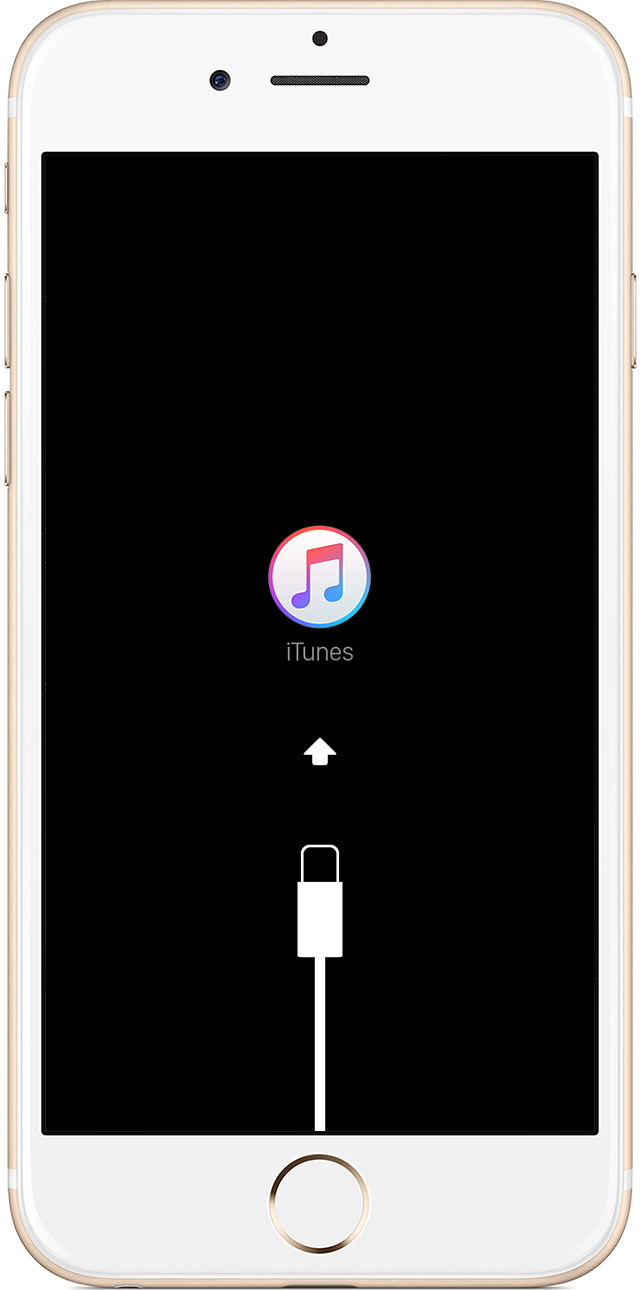
- When you get the option to restore or update, choose Update. iTunes will try to reinstall iOS without erasing your data.

iTunes will download the software for your device. If it takes more than 15 minutes, your device will exit recovery mode and you'll need to repeat steps 2 and 3.

Contact Apple Support to set up service if you have any of these issues:
- You still see a black screen after charging, force restarting, or following the steps in this article.
- You see a black screen, but you can hear alerts, sounds, and vibrations.
- Your screen is on, but it doesn't respond when you tap, slide, or try other gestures.
- You can't force your device to restart because your Home button or Sleep/Wake button is broken or stuck.
- Your device is stuck on the Apple logo, displays a solid color, or isn't recognized in iTunes;
If the behavior persists or you run into any trouble, please reach out again.
Best Regards.



