Mac OS X Lion installation won’t accept valid apple or
When Itry to reinstall Mac OS X Lion it asks for apple id but keeps saying apple id isnt valid or password was wrong when i know its right
Welcome to the Apple Support Communities!
I understand you are trying to install OS X Lion on your computer but you are getting an error message that the Apple ID isn't valid.
Is it possible that the software was originally downloaded under a different Apple ID?
The first thing I would suggest is to confirm your Apple ID and password are working at the Apple ID website.
If they are, then sign out of the Mac App Store on your MacBook and sign in with the Apple ID and password you just confirmed. Click on the Purchased tab and you should see the OS X Lion software if you downloaded it before.
Manage your Apple ID
Mac App Store: Sign in to the App Store
Redownload music, movies, TV shows, apps, and books from the iTunes Store, iBooks Store, and App Store
On a Mac
- Open App Store on your Mac.
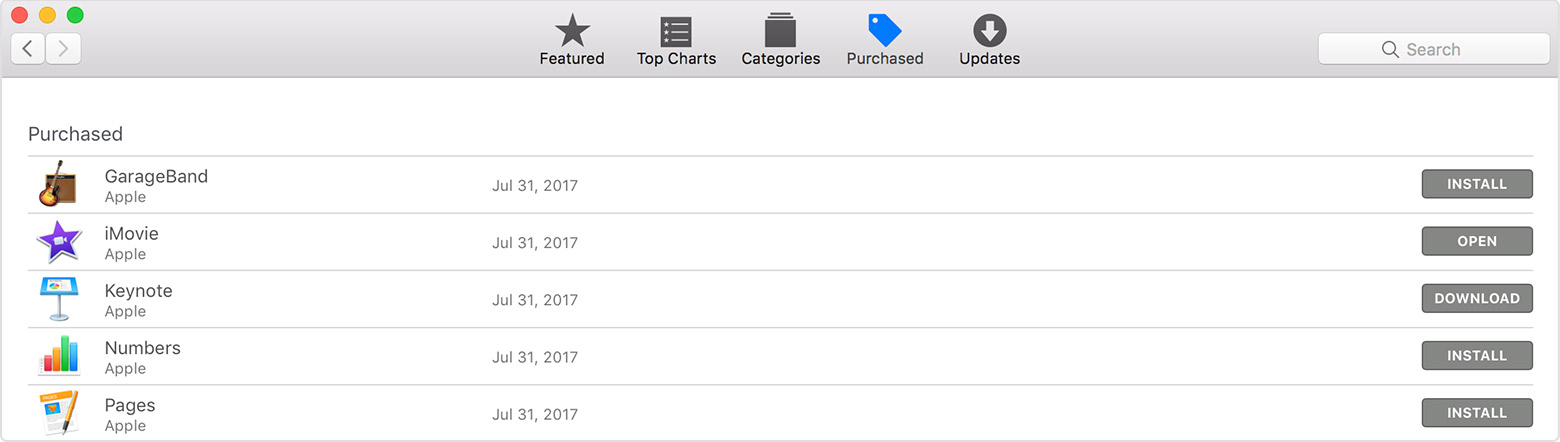
- At the top of the window, click Purchased.
- Find the app you want to download, then click Install or Download to the right of the app. The app downloads to your computer.
To reinstall Safari, Mail, the App Store, or other apps that are included with the Mac operating system, reinstall macOS. macOS Sierra or later doesn't appear in the Purchased tab. Instead, use the Search field in the upper-right corner to find and open the App Store page for that macOS.
To reinstall an app that is already installed, move the app to the Trash first. If the Purchased tab still shows an Open button instead of a Download or Install button, choose Store > Reload Page from the menu bar.
To install updates for apps that are already installed, use the Updates tab instead. Learn more about updating the software on your Mac.
Take care.
Welcome to the Apple Support Communities!
I understand you are trying to install OS X Lion on your computer but you are getting an error message that the Apple ID isn't valid.
Is it possible that the software was originally downloaded under a different Apple ID?
The first thing I would suggest is to confirm your Apple ID and password are working at the Apple ID website.
If they are, then sign out of the Mac App Store on your MacBook and sign in with the Apple ID and password you just confirmed. Click on the Purchased tab and you should see the OS X Lion software if you downloaded it before.
Manage your Apple ID
Mac App Store: Sign in to the App Store
Redownload music, movies, TV shows, apps, and books from the iTunes Store, iBooks Store, and App Store
On a Mac
- Open App Store on your Mac.
- At the top of the window, click Purchased.
- Find the app you want to download, then click Install or Download to the right of the app. The app downloads to your computer.
To reinstall Safari, Mail, the App Store, or other apps that are included with the Mac operating system, reinstall macOS. macOS Sierra or later doesn't appear in the Purchased tab. Instead, use the Search field in the upper-right corner to find and open the App Store page for that macOS.
To reinstall an app that is already installed, move the app to the Trash first. If the Purchased tab still shows an Open button instead of a Download or Install button, choose Store > Reload Page from the menu bar.
To install updates for apps that are already installed, use the Updates tab instead. Learn more about updating the software on your Mac.
Take care.
Mac OS X Lion installation won’t accept valid apple or