can’t find my subscriptions

I subscribed to an app which allowed me to use the premium version for 7 days (for free) and afterwards i would have to pay! since day 1 i am trying to cancel my subscription and also e-mailed them twice but they don’t reply. I can’t find ‘My Subscription’ in my Settings! It’s not there! I tried other things but it just doesn’t appear and I’m scared that I’ll have to pay! I changed my Paying Method and I wanted to e-mail apple but I canmt find their e-mail contact. I hope someone will help me!


User uploaded file

Posted on Sep 28, 2017 6:20 AM

Reply
3 replies

Sep 29, 2017 11:09 AM in response to stan077

Hey stan077!
I understand you're trying to cancel a subscription, and I'd be happy to help you out.


The first thing I'll need to know is which software version you're using. You can head to Settings > General > About to confirm, and if below iOS 11.0.1, I'd encourage you to update your iPhone before we proceed: Update the iOS on your iPhone, iPad, or iPod touch - Apple Support

Another great thing would be to restart your iPhone:

How to restart

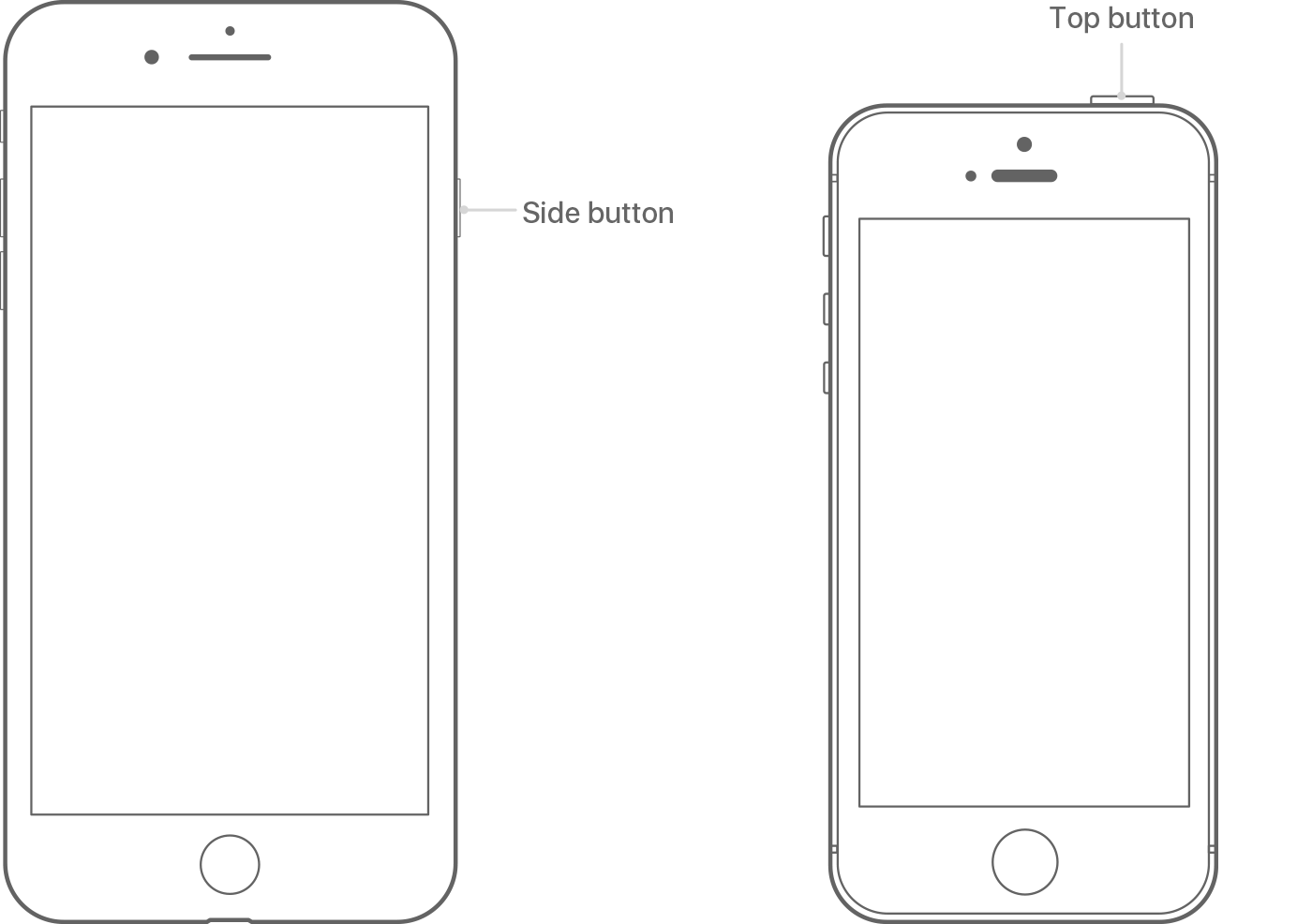
  1. Press and hold the Top (or Side) button until the slider appears.1
  2. Drag the slider to turn your device completely off.2
  3. After the device turns off, press and hold the Top (or Side) button again until you see the Apple logo.

User uploaded file

  1. Your iOS device has a Top button or a Side button. Either way, they do the same thing.
  2. With iOS 11 or later, you can turn off your device by going to Settings > General> Shut Down.
Restart your iPhone, iPad, or iPod touch - Apple Support

After you've done those two things, follow the steps outlined here to be sure you're checking for the subscription in the right location:

Manage your subscriptions

Follow the steps to view, change, or cancel your subscriptions from your iPhone, iPad, or iPod touch; your Mac or PC; or your Apple TV (4th generation).

On your iPhone, iPad, or iPod touch

To view your subscriptions, tap this link: View my subscriptions. Or follow these steps:

  1. Go to Settings > [your name] > iTunes & App Store.
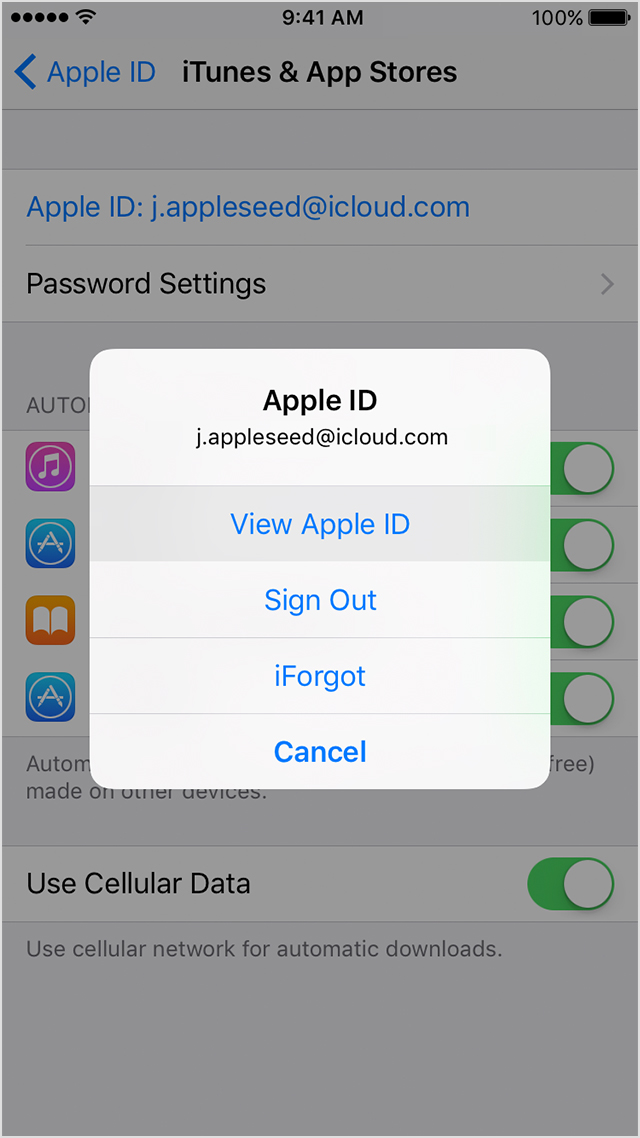
  2. Tap your Apple ID at the top of the screen.
  3. Tap View Apple ID. You might need to sign in or use Touch ID.
    User uploaded file
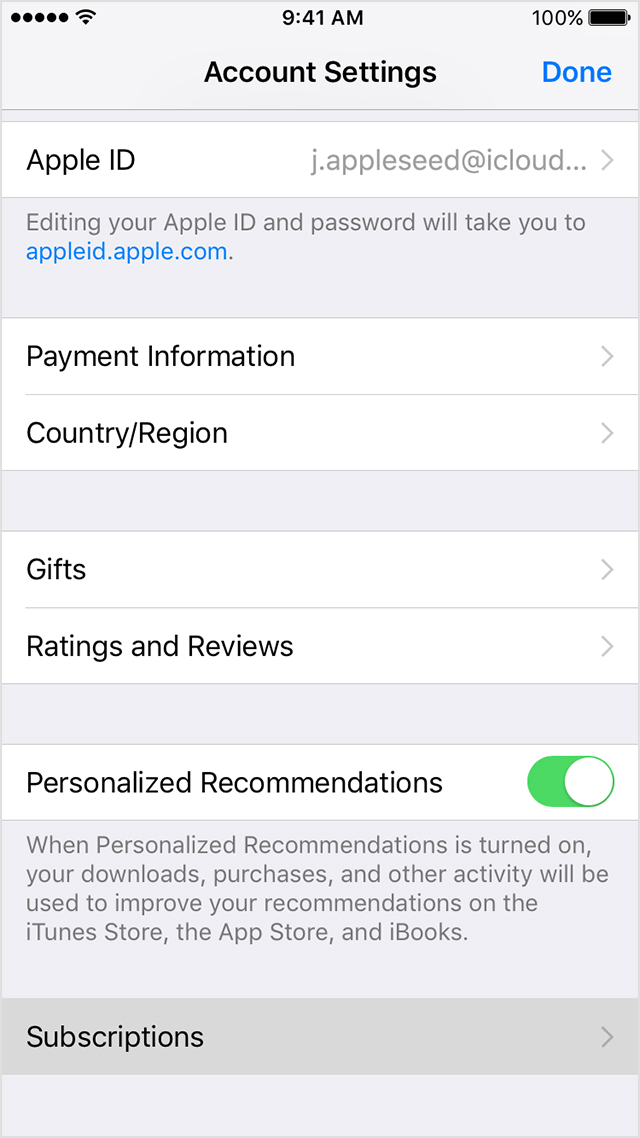
  4. Tap Subscriptions.
    User uploaded file
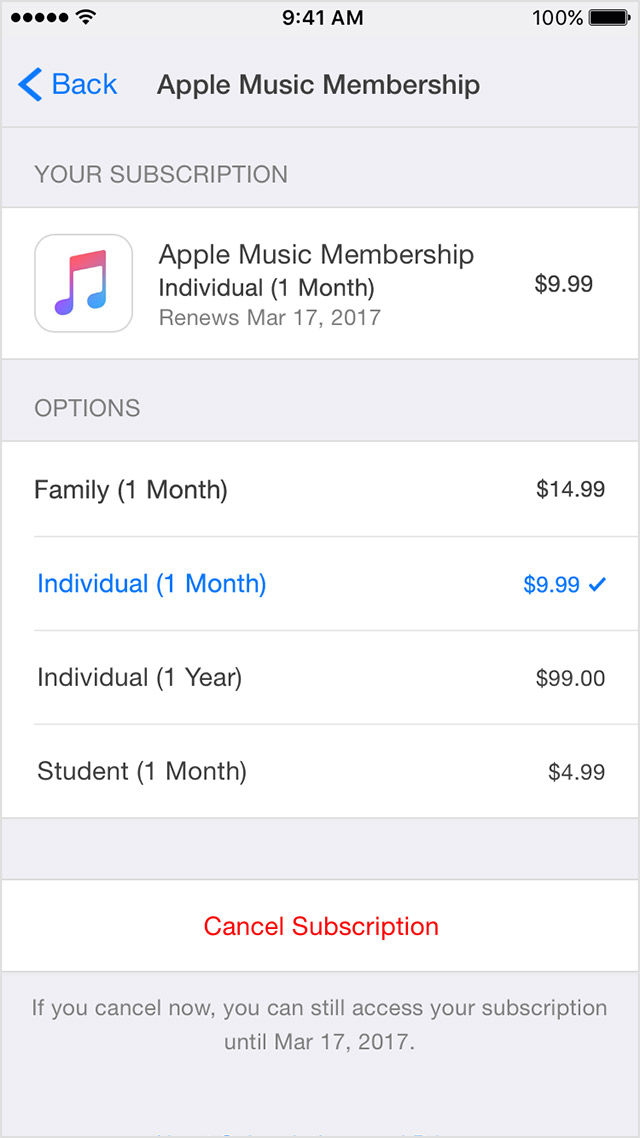
  5. Tap the subscription that you want to manage.
    If you're being charged for a subscription, but you don't see it in your list of subscriptions, it might be billed through someone other than Apple. Get help with subscriptions that aren't in your list.
  6. Use the options to manage your subscription. You can choose a different subscription offering, or tap Cancel Subscription to cancel your subscription. If you cancel, your subscription will stop at the end of the current billing cycle.
    User uploaded file
View, change, or cancel your subscriptions - Apple Support

Be sure to let me know how that goes, that way I can keep working with you if need be.

Sep 29, 2017 11:13 AM in response to AppleJoe

I updated but it’s still not there. Thank you for trying to help me, but I downloaded the app again and I found out that I wasn’t a ‘premium member’ what confused me at first (because I should still have the free premium version until Saturday, but I think it somehow canceled by deleting the app or by changing my payment method? I really don’t know how but I’m so happy this problem is solved. But thank you so much for this reply I really appreciate your help. ^^

This thread has been closed by the system or the community team. You may vote for any posts you find helpful, or search the Community for additional answers.

can’t find my subscriptions

Welcome to Apple Support Community
A forum where Apple customers help each other with their products. Get started with your Apple Account.