Hey stan077!
I understand you're trying to cancel a subscription, and I'd be happy to help you out.
The first thing I'll need to know is which software version you're using. You can head to Settings > General > About to confirm, and if below iOS 11.0.1, I'd encourage you to update your iPhone before we proceed: Update the iOS on your iPhone, iPad, or iPod touch - Apple Support
Another great thing would be to restart your iPhone:
Restart your iPhone, iPad, or iPod touch - Apple SupportHow to restart
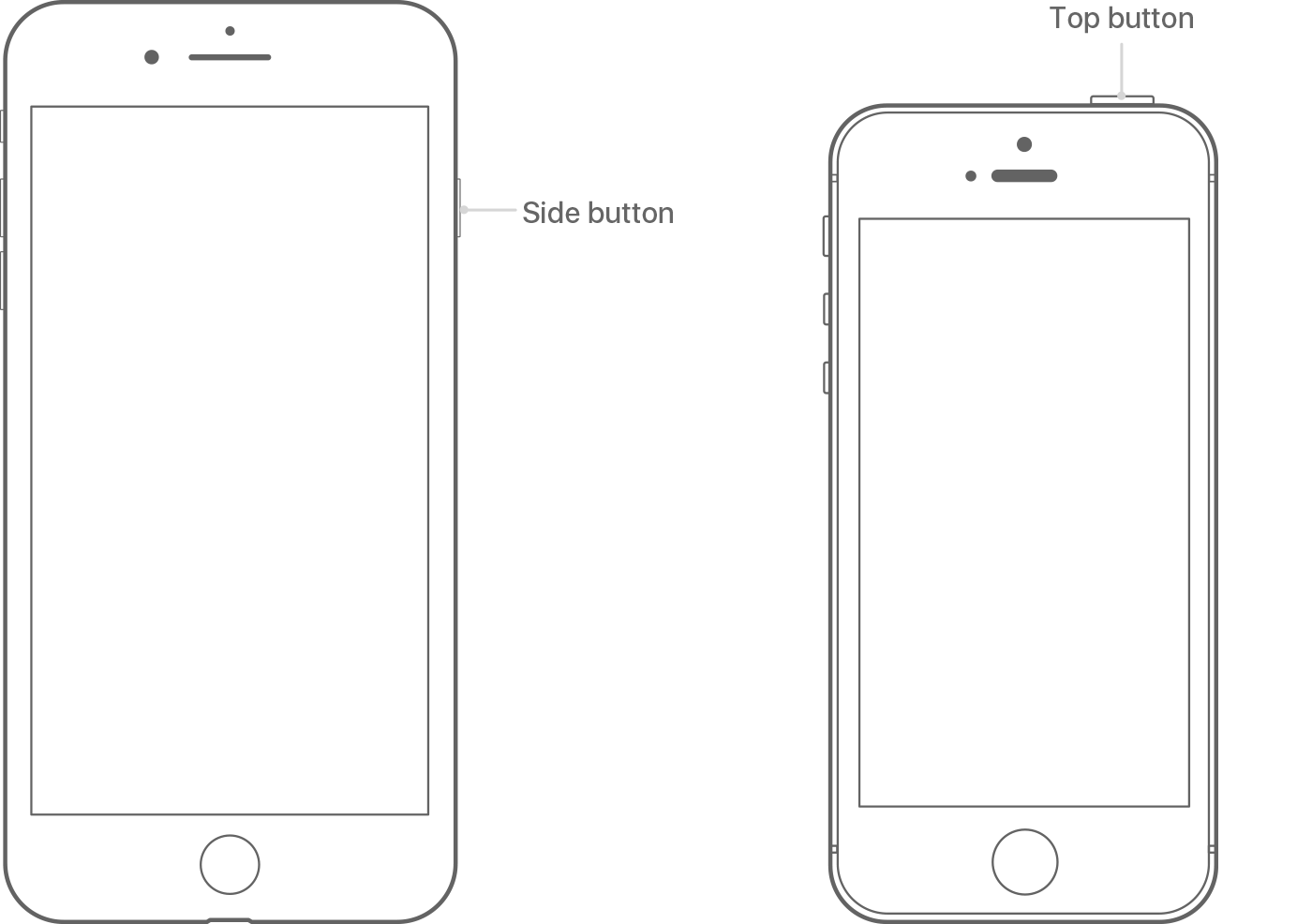
- Press and hold the Top (or Side) button until the slider appears.1
- Drag the slider to turn your device completely off.2
- After the device turns off, press and hold the Top (or Side) button again until you see the Apple logo.
- Your iOS device has a Top button or a Side button. Either way, they do the same thing.
- With iOS 11 or later, you can turn off your device by going to Settings > General> Shut Down.
After you've done those two things, follow the steps outlined here to be sure you're checking for the subscription in the right location:
View, change, or cancel your subscriptions - Apple SupportManage your subscriptions
Follow the steps to view, change, or cancel your subscriptions from your iPhone, iPad, or iPod touch; your Mac or PC; or your Apple TV (4th generation).
On your iPhone, iPad, or iPod touch
To view your subscriptions, tap this link: View my subscriptions. Or follow these steps:
- Go to Settings > [your name] > iTunes & App Store.
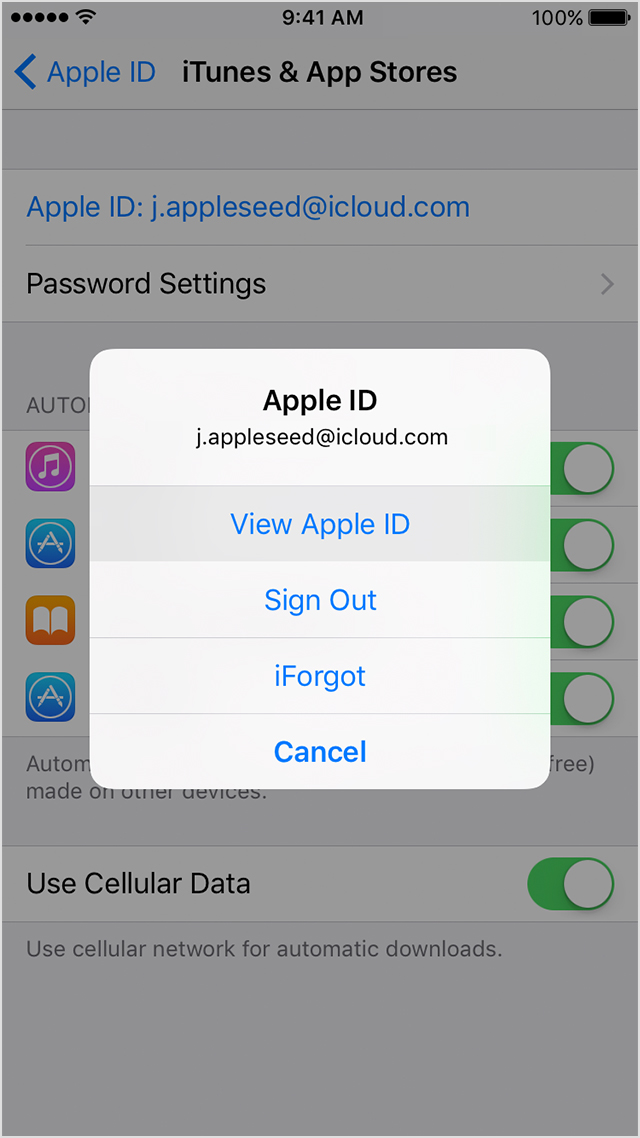
- Tap your Apple ID at the top of the screen.
- Tap View Apple ID. You might need to sign in or use Touch ID.
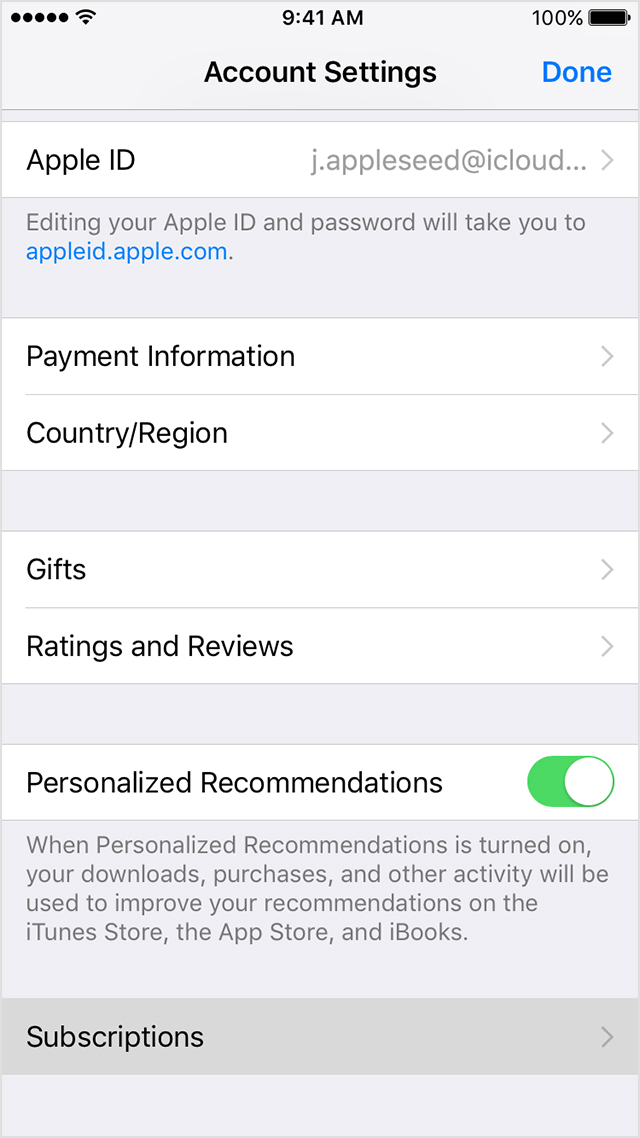
- Tap Subscriptions.
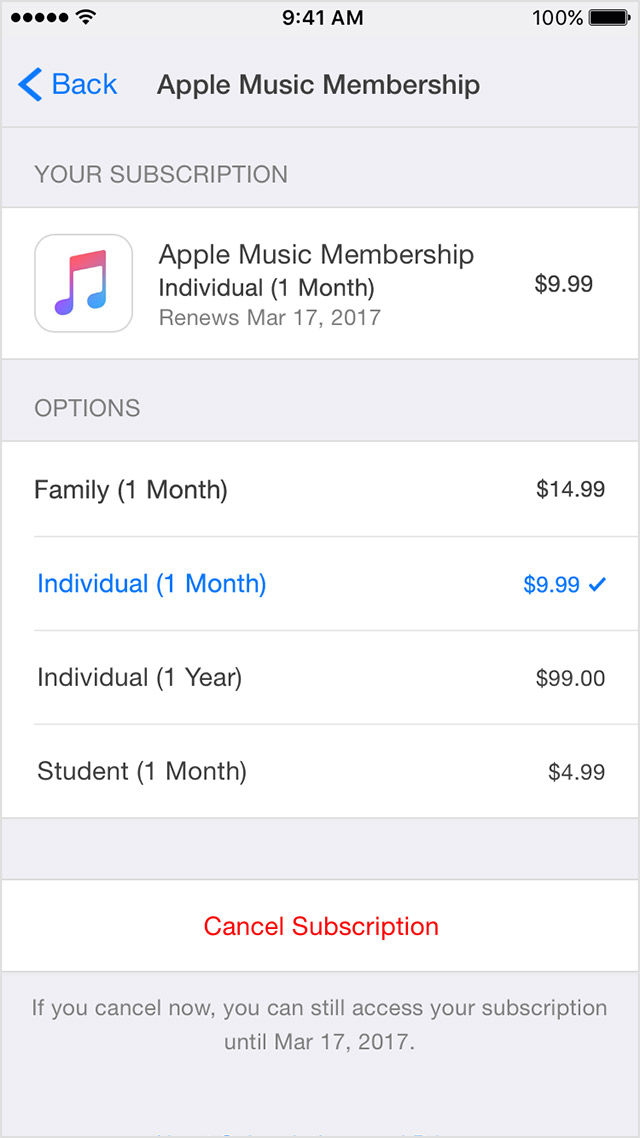
- Tap the subscription that you want to manage.
If you're being charged for a subscription, but you don't see it in your list of subscriptions, it might be billed through someone other than Apple. Get help with subscriptions that aren't in your list.- Use the options to manage your subscription. You can choose a different subscription offering, or tap Cancel Subscription to cancel your subscription. If you cancel, your subscription will stop at the end of the current billing cycle.
Be sure to let me know how that goes, that way I can keep working with you if need be.