Weather Widget not updating since iOS 11

I have noticed that my Weather Widget doesn't update the temperature when I slide over to that screen. The actually app shows the correct temp if I tap on it, but the widget is stuck on a temp from hours or days ago unless I reboot. Anyone else have this problem or have a fix?

iPhone 8 Plus, iOS 11.0.1

Posted on Sep 28, 2017 7:12 AM

Reply
Question marked as Top-ranking reply

Posted on Dec 27, 2017 11:19 AM

I had the same issue for quite a while. Apparently, when they did the update it changed some privacy settings...

Make sure that your location for the weather app is set to always. To do this follow the following steps:

1: Open Settings

2: Scroll down to privacy and open

3: Open Location Services

4: Scroll down to find the "Weather" app and open

5: Change location access from never to always


I hope this helps, I know that it fixed it for me after quite some time struggling with this issue

33 replies

Sep 28, 2017 8:09 PM in response to GregP74

Hey GregP74,

Thanks for letting us know you've attempted that already. Our next suggestion would be to create a recent backup, if you don't have one already: How to back up your iPhone, iPad, and iPod touch

Then, use the steps below to reinstall the iOS software to your iPhone. Be sure to pay close attention to step four and choose to "Update" to prevent data loss:
  1. Make sure that you're using the latest version of iTunes.
  2. If iTunes is already open, close it. Connect your device to your computer and open iTunes. If you don't have a computer, borrow one from a friend or go to an Apple Retail Store or Apple Authorized Service Provider for help.
  3. While your device is connected, force restart it with these steps:
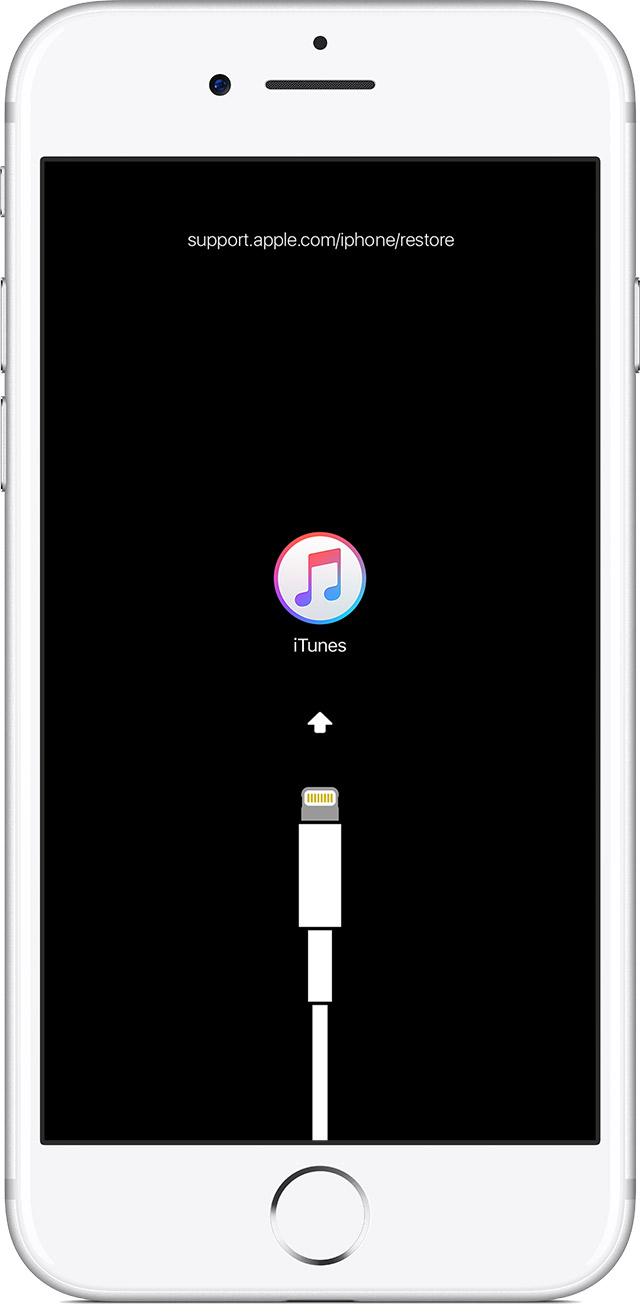
    • On an iPhone 8 or iPhone 8 Plus: Press and quickly release the Volume Up button. Then press and quickly release the Volume Down button. Finally, press and hold the Side button until you see the recovery-mode screen.
    • On an iPhone 7 or iPhone 7 Plus: Press and hold the Side and Volume Down buttons at the same time. Keep holding them until you see the recovery-mode screen.
    • On an iPhone 6s and earlier, iPad, or iPod touch: Press and hold both the Home and the Top (or Side) buttons at the same time. Keep holding them until you see the recovery-mode screen.
      User uploaded file
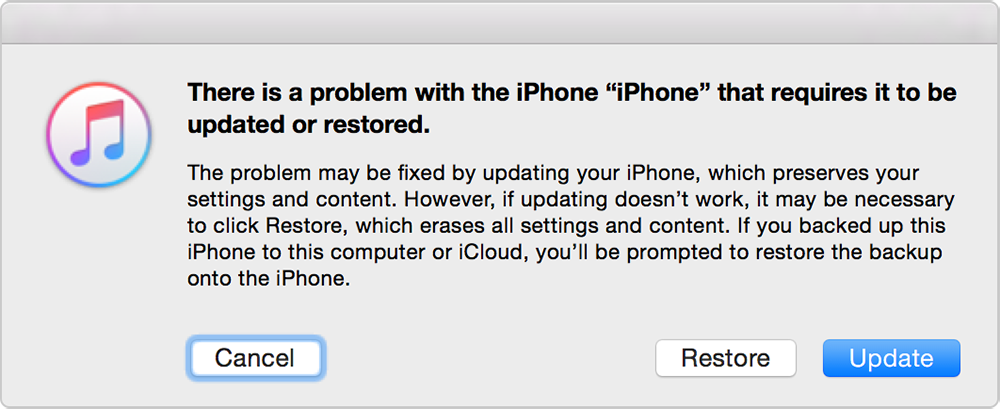
  4. When you see the option to Restore or Update, choose Update. iTunes will try to reinstall iOS without erasing your data. Wait while iTunes downloads the software for your device. If the download takes more than 15 minutes and your device exits recovery mode, let the download finish, then repeat these steps.
    User uploaded file
  5. After the Update or Restore completes, set up your device.
If you can‘t update or restore your iPhone, iPad, or iPod touch


Best Regards.

This thread has been closed by the system or the community team. You may vote for any posts you find helpful, or search the Community for additional answers.

Weather Widget not updating since iOS 11

Welcome to Apple Support Community
A forum where Apple customers help each other with their products. Get started with your Apple Account.