all my shared photo albums have disappeared on IOS11 upgrade. Help please!! Any solutions to get them back

On updating to IOS11 my shared photo albums have gone. Any idea how to get them back please. Albums are from daughter adding me to look at photos

Posted on Oct 1, 2017 1:03 AM

Reply
Question marked as Top-ranking reply

Posted on Feb 2, 2018 11:45 AM

I called the Apple support. They fixed it for me!! I was unable to see shared albums, even albums where I was the creator. Here’s how to fix it.

In settings turn off iCloud photo sharing. A message will appear warning you that if you turn it off it will delete the shared photos from your device. Go ahead and click OK...then turn iCloud photo sharing back on. Go to your photos and check...they’ll all reappear.

8 replies
Question marked as Top-ranking reply

Feb 2, 2018 11:45 AM in response to Juliepeck7

I called the Apple support. They fixed it for me!! I was unable to see shared albums, even albums where I was the creator. Here’s how to fix it.

In settings turn off iCloud photo sharing. A message will appear warning you that if you turn it off it will delete the shared photos from your device. Go ahead and click OK...then turn iCloud photo sharing back on. Go to your photos and check...they’ll all reappear.

Oct 1, 2017 4:44 PM in response to Juliepeck7

Hello, Juliepeck7.

Welcome to Apple Support Communities.

I understand that after updating to iOS 11 your shared photo album is gone. I know how important memories are and I may be able to help with this. Since this album came from your daughter, I would double check with her and make sure you weren't removed or the shared album was deleted: iCloud Photo Sharing

Remove subscribers or delete an album

As the creator of a shared album, you control who can access it. You can remove subscribers or delete the album at any time. When you delete a shared album, it's automatically removed from all of your devices and the devices of your subscribers. If Public Website was enabled, the shared album is removed from the web too.

Remove a subscriber

  1. Open the shared album.
  2. Go to the People tab.
  3. Select the subscriber that you want to remove.
  4. Choose Remove Subscriber.

Delete a shared album

  1. Open the shared album.
  2. Go to the People tab.
  3. Choose Delete Shared Album.

User uploaded file

Any photos that were previously saved or downloaded from the shared album to another location, such as the Photos tab, won't be deleted from that location.

For future reference, shared albums are not permanent on your device until you save the photo directly. Included in the link I posted shows how.
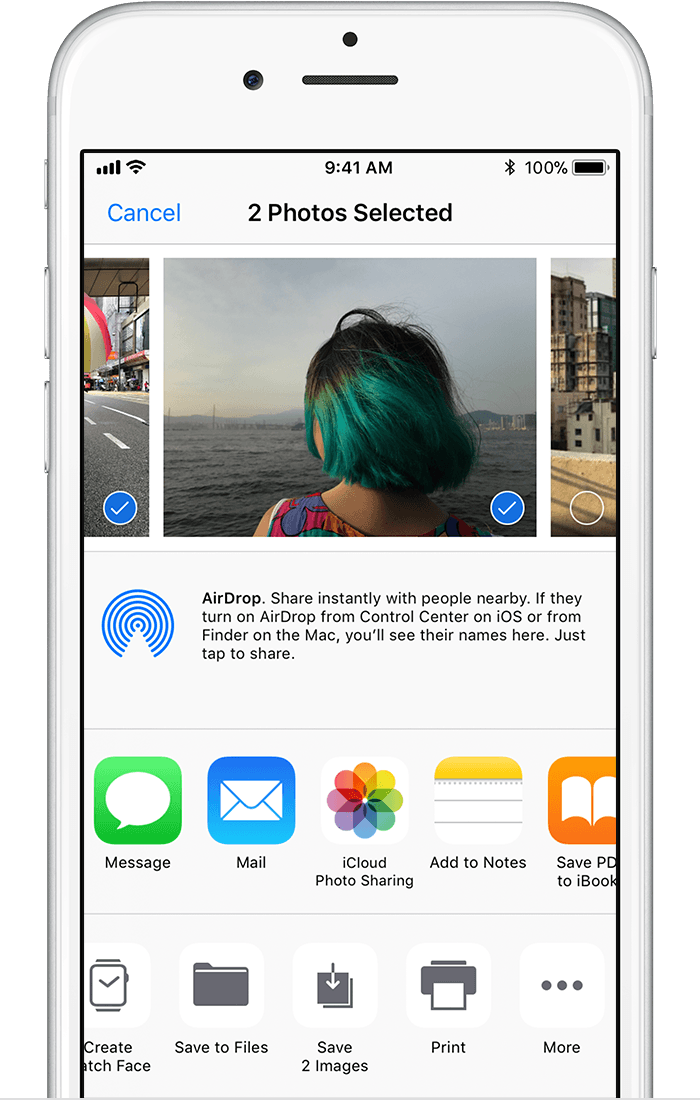
Save photos from a shared album

User uploaded file

Anyone that can access a shared album can download the photos and keep them forever. On your iPhone, iPad, or iPod touch, tap the photo > User uploaded file > Save Image. On your Mac, select the photo or video, control-click > Import. You can only save shared videos to a Mac or PC.

Let me know if this helps.
Thank you for using Apple Support Communities.
Cheers!

This thread has been closed by the system or the community team. You may vote for any posts you find helpful, or search the Community for additional answers.

all my shared photo albums have disappeared on IOS11 upgrade. Help please!! Any solutions to get them back

Welcome to Apple Support Community
A forum where Apple customers help each other with their products. Get started with your Apple Account.

