
Ipod A236
Hi,
For some time now, my iPod is not being recognised by iTunes, so I cannot access my music.
It is fully charged - what else can I attempt ?
Thanks
Mac mini, macOS Sierra (10.12.2)
Hi,
For some time now, my iPod is not being recognised by iTunes, so I cannot access my music.
It is fully charged - what else can I attempt ?
Thanks
Mac mini, macOS Sierra (10.12.2)
Ok - I'll leave that for the moment and maybe buy some new cables ?
Worth a shot.
tt2
Ok - so - I've removed the iPod and cable and used another cable and plugged in my iPhone and that is being recognised by iTunes.
I've also seen this;
If you use a Mac
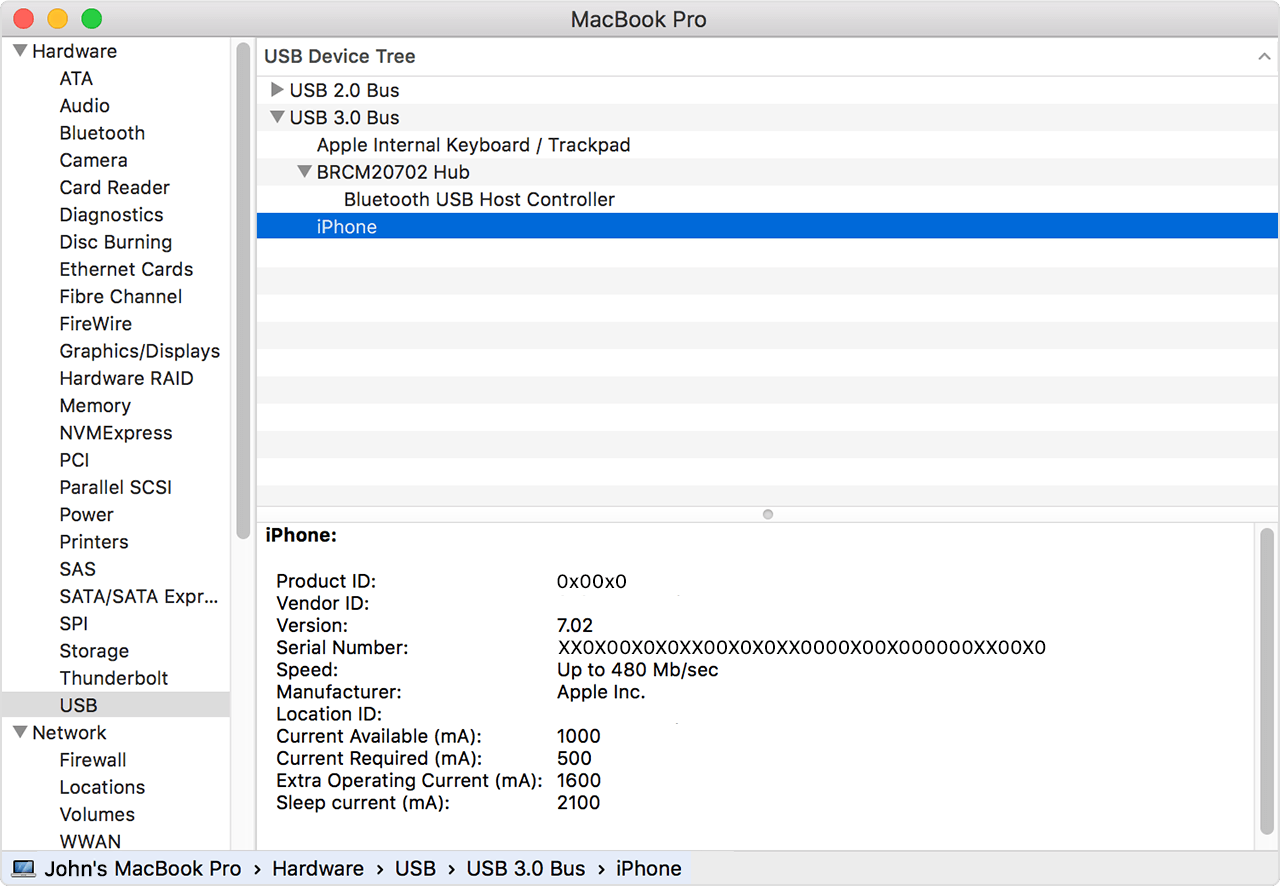
My iPhone is not been recognised in the USB list as hasn't the iPod ???
Now funny you should say that - as I did ask a friend to test it on a PC and the msg was that it was formatted for a mac and could not read it - interesting point is that the iPod was recognised on his iTunes, though not on mine ?
Can I reformat this iPod - and if so,how would I go about it if the iPod is not recognised on iTunes ?
I presume that I can only reformat via iTunes ?
Ok - so, my iTunes shows and recognises my iPhone.
The iPod is not shown or recognised on iTunes.
USB 2.0 list - does not show either iPhone or iPod and they are both connected.
Ipod A236
