how to change the privacy setting on the app store
So when I was downloading an app the AppStore asked me if I don’t want to renter my passcode again to install a free app but I want to change this setting now so how can I do it??
Diana,
Thanks very much for your reply. Restrictions are off on my phone.
Your reply forced me to look again at my phone. I had known that instead of "Password Settings" my phone displayed "Touch ID is enabled for all purchases", but apparently I didn't understand the significance of that statement. When I turned off Use Touch ID for iTunes & App Store then the Password Settings button magically appeared.
I don't understand why one can't access Password Settings if Touch ID is enabled. Is "required" more appropriate than "enabled"?
Peter
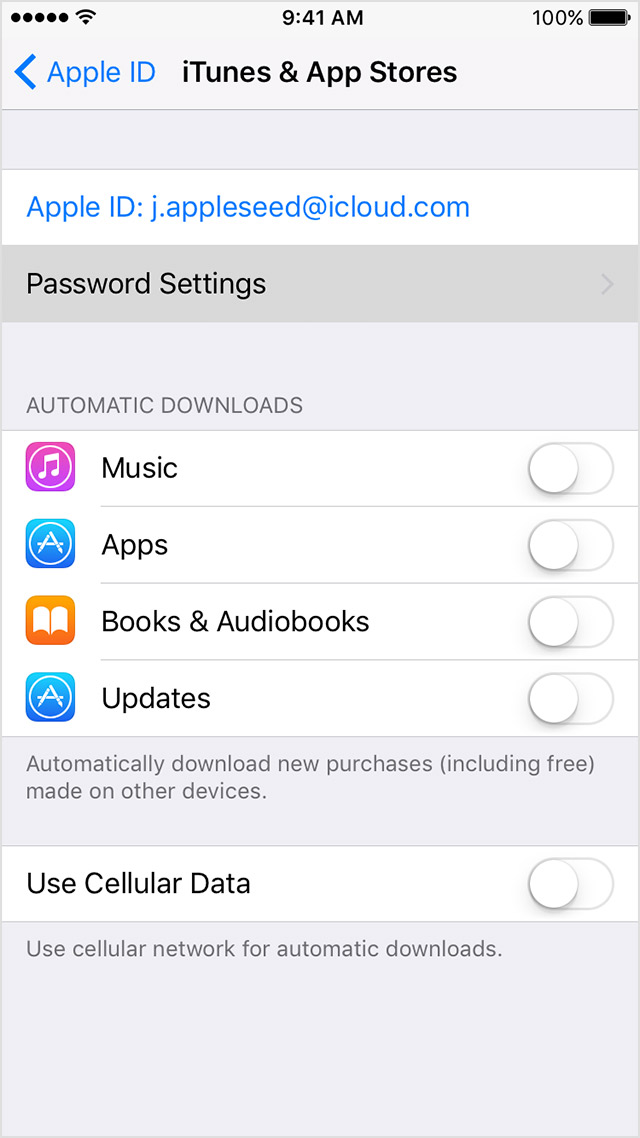
I'm using iOS 11.1 in my iPhone 5s. For the first time in a long while I was asked to enter my Apple ID password when I tried to download a free app. When I tap Settings > [my name] > iTunes & App Store I don't see "Password Settings" underneath my Apple ID as shown in your screenshot. Did this change in 11.1?
Beats me. There's probably a good technical reason. So many things change in the iOS user interface, based on context, etc.
On your iPhone, iPad, or iPod touch
- Tap Settings > [your name] > iTunes & App Store. On iOS 10.2 or earlier, tap
Settings > iTunes & App Store.- Tap Password Settings. If you have Touch ID turned on for purchases, you won't see this menu.
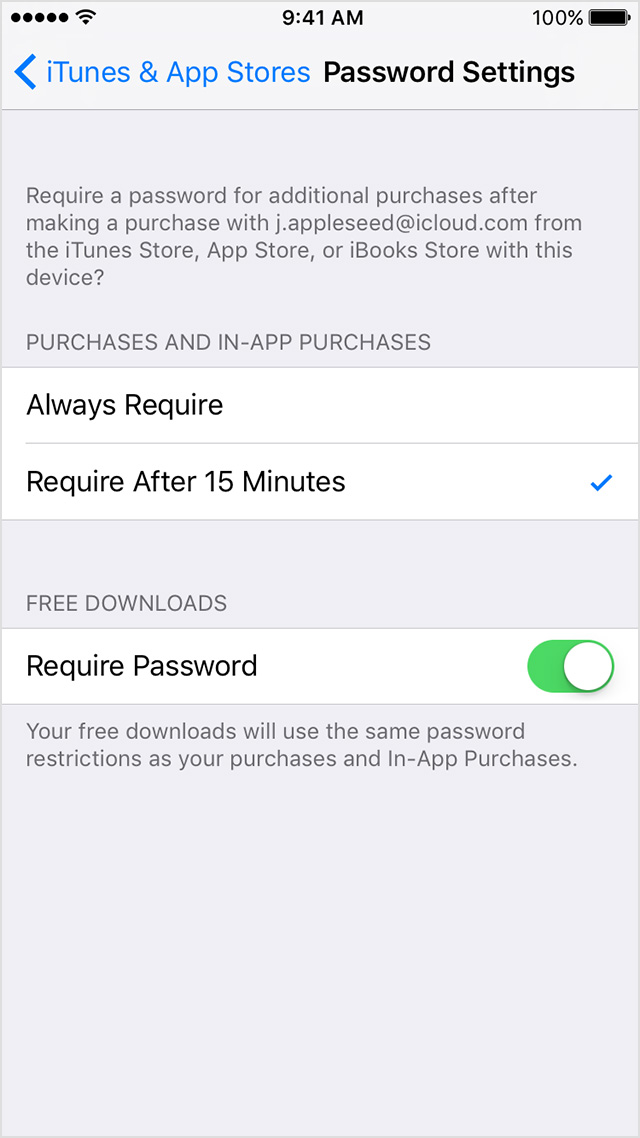
- Under Purchases and In-App Purchases, tap the setting that you want.
- Under Free Downloads, tap Require Password to turn the setting on or off.
- When asked, enter your password. Then tap OK.
Hi peterkz. Make sure you have not restricted Password Settings under Settings > General > Restrictions.
how to change the privacy setting on the app store