iTunes purchased list order
Can anyone help me restore my Purchased list in order of Date Purchased?
iPhone 8 Plus, iOS 11.1
Can anyone help me restore my Purchased list in order of Date Purchased?
iPhone 8 Plus, iOS 11.1
If you want to view your purchase history on your iPhone, iPad, or iPod touch, or you need to report a problem, you can see your purchases from the past 90 days at reportaproblem.apple.com.
See your purchase history
To automatically open iTunes and sign in to your Account Information page from your computer, click this link: View My Account. Or follow these steps:
- Open iTunes.
- If you’re not signed in, sign in with your Apple ID.
If you use Family Sharing, you'll see in your purchase history what you bought using your Apple ID, but you won't see what other family members bought. To see what other family members bought, sign in with their Apple ID.- From the menu bar at the top of your computer screen or at the top of the iTunes window, choose Account > View My Account.
- Enter your password, then press the Return or Enter key on your keyboard, or click View Account.
On the Account Information page:
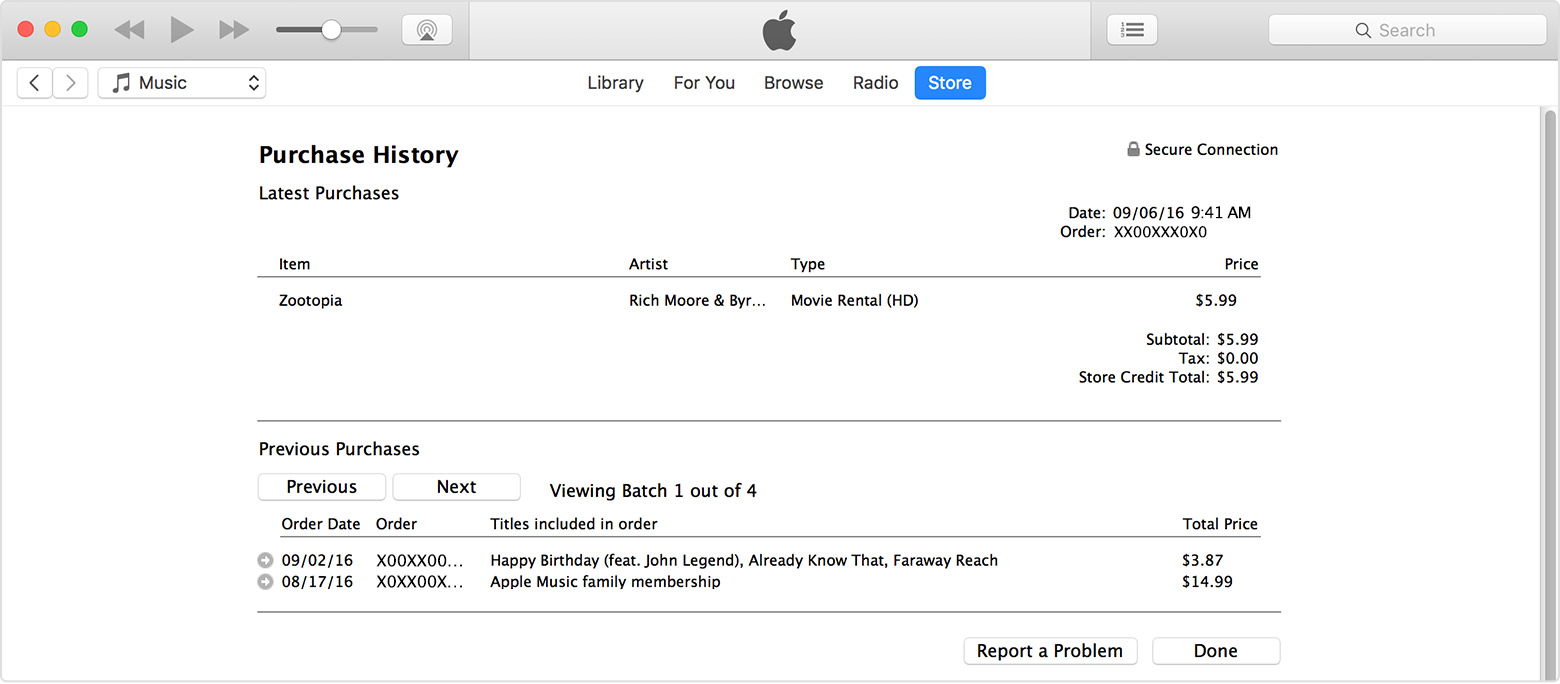
- Scroll down to Purchase History. To the right of Most Recent Purchase, click See All. It might take a moment for your Purchase History to appear.
- To see the details of a purchase, click the arrow
to the left of the order date. Your most recent purchases are first.
You'll see the date, time, and web order number in the top-right corner.
If you can't find an item that you purchased in the iTunes Store within the last 90 days, report a problem. For older purchases, contact iTunes Store support, and select Purchases, Billing, and Redemption.
See your purchase history in the App Store or iTunes Store on your Mac or PC
If you want to view your purchase history on your iPhone, iPad, or iPod touch, or you need to report a problem, you can see your purchases from the past 90 days at reportaproblem.apple.com.
See your purchase history
To automatically open iTunes and sign in to your Account Information page from your computer, click this link: View My Account. Or follow these steps:
- Open iTunes.
- If you’re not signed in, sign in with your Apple ID.
If you use Family Sharing, you'll see in your purchase history what you bought using your Apple ID, but you won't see what other family members bought. To see what other family members bought, sign in with their Apple ID.- From the menu bar at the top of your computer screen or at the top of the iTunes window, choose Account > View My Account.
- Enter your password, then press the Return or Enter key on your keyboard, or click View Account.
On the Account Information page:
- Scroll down to Purchase History. To the right of Most Recent Purchase, click See All. It might take a moment for your Purchase History to appear.
- To see the details of a purchase, click the arrow
You'll see the date, time, and web order number in the top-right corner.
If you can't find an item that you purchased in the iTunes Store within the last 90 days, report a problem. For older purchases, contact iTunes Store support, and select Purchases, Billing, and Redemption.
See your purchase history in the App Store or iTunes Store on your Mac or PC
iTunes purchased list order