
I have had troubles with hackers
I pad pro , third time now with facebook Apple ID google and gmail , just so inconvenient etc
I pad pro , third time now with facebook Apple ID google and gmail , just so inconvenient etc
If your accounts are being hacked, it most likely is not people compromising your computer itself. You might want to run Malwarebytes, though:
Malwarebytes | Free Cyber Security & Anti-Malware Software
The developer is a long time forum member.
While clearing Safari caches is a can be useful, if people are hacking your accounts, they don't need access to Safari or anything on your computer. They start with your email address and go from there. You need to make sure that you're using strong passwords and two-factor authentication on all of your major accounts. Make sure that your Facebook password is in no way similar to any of your other passwords.
Two-factor authentication for Apple ID - Apple Support
https://www.google.com/landing/2step/
If you think that your Apple ID has been compromised, contact Apple Security:
If you think your Apple ID has been compromised - Apple Support
If your accounts are being hacked, it most likely is not people compromising your computer itself. You might want to run Malwarebytes, though:
Malwarebytes | Free Cyber Security & Anti-Malware Software
The developer is a long time forum member.
While clearing Safari caches is a can be useful, if people are hacking your accounts, they don't need access to Safari or anything on your computer. They start with your email address and go from there. You need to make sure that you're using strong passwords and two-factor authentication on all of your major accounts. Make sure that your Facebook password is in no way similar to any of your other passwords.
Two-factor authentication for Apple ID - Apple Support
https://www.google.com/landing/2step/
If you think that your Apple ID has been compromised, contact Apple Security:
If you think your Apple ID has been compromised - Apple Support
Daimler22 wrote:
Well I am led to believe the first time they accessed information from app Facebook some how , but for some reason it’s only snow bowled from there , gmail was hacked too . It’s not the money issue
This sounds like it has nothing at all to do with your device(s) at all. Your accounts are being compromised. Do you use the same password for all? Do you use a strong unguessable password and keep it strictly confidential? Where possible (gmail for one) have you enabled two factor login or authentication? Do you manually type in passwords in public settings (e.g coffee shop, where someone could simply spy on what you’re typing)?
People hacking your online accounts often has nothing at all to do with any of the physical hardware you use personally. It has to do with weak or easily guessed passwords, password sharing or some other security breach with how you access those accounts.
1st) Forward and report any emails stating such to reportphishing@apple.com
2nd) It appears there may be some malware that got downloaded on your device when visiting sites on safari or other browsers
Resolve: Clear cookies, cache, and history in safari on your iPad
Clear the history and cookies from Safari on your iPhone, iPad, or iPod touch
Learn how to delete your history, cookies, and cache using the Settings app.
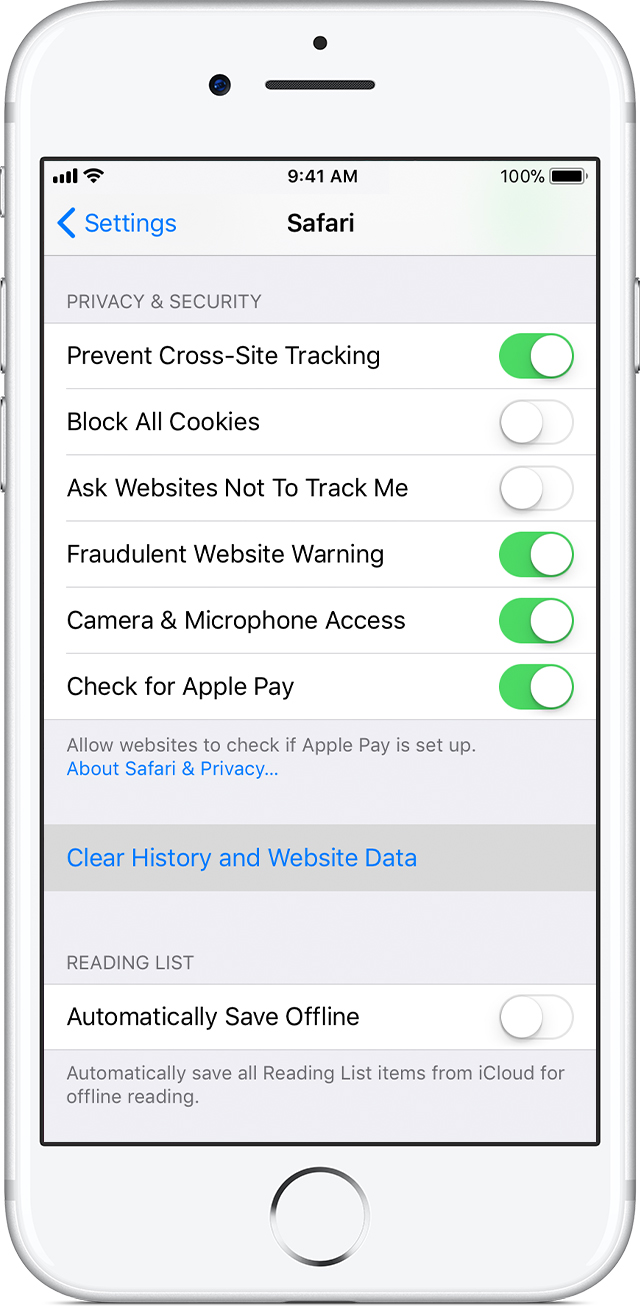
Delete history, cache, and cookies
Here's how to clear information from your device:
When there's no history or website data to clear, the setting turns gray. The setting might also be gray if parental controls are set for websites. To check your settings, go to Settings > General > Restrictions, scroll to Allowed Content, then tap Websites.
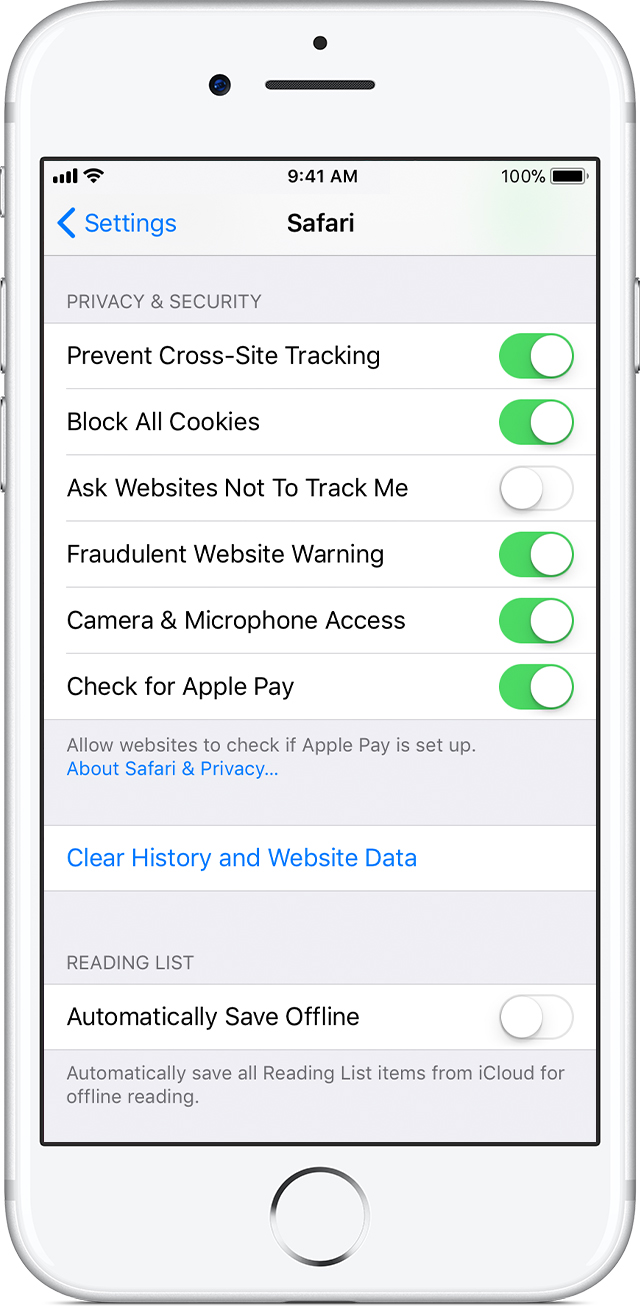
Block cookies
A cookie is a piece of data that a site puts on your device, so it can remember you when you visit again. To choose whether Safari blocks cookies, tap Settings > Safari > Block All Cookies.If you block cookies, some web pages might not work. Here are some examples:
liv0123 wrote:
you can download malwarebytes for ios
There is not a Malwarebytes for iOS. There isn't any anti-virus for iOS, from any company. Due to security restrictions in the system, there's no way for an app to scan anything other than its own data.
This should stop this behavior. However, if it does not, you can download malwarebytes for ios and run the free version. It will scan and quarantine any other potential threats and related to your device.
I feel clearing the cache in Safari will resolve it though.
Also, do not forget to clear your caches in other browsers if you search via them as well on your iPad (chrome, for example)
Hackers are a pain! Always fishing for info 😠 but with a bit of cleaning up and prevention as well as awareness, you can stop the majority if not all
liv0123 wrote:
That's odd. I run it in on mine regularly
You may run it on macOS regularly, but I guarantee there is no Malwarebytes for iOS. (iOS is the system that iPhones and iPads run.) If you're referring to macOS, note that this is the Using iPad forum.
I have been told my whole set up us weak but need the knowledge to complete a secure system without the usual scenario of been without anything
In what manner are they hacking? Are you receiving emails, pop ups, etc?
More info would assist me in helping you (:
Well I am led to believe the first time they accessed information from app Facebook some how , but for some reason it’s only snow bowled from there , gmail was hacked too . It’s not the money issue
or the intrusion that’s the problem , but your completely lost when this happens n I just want to try end this and know where and how to start from scratch as they say
That's odd. I run it in on mine regularly
Please, do tell where you acquired Malwarebytes for iOS?
I have had troubles with hackers



