All files are disappeared

Hello!


I encountered the following problem: all files in the Documents folder are disappeared (there are several other folders in this folder, and each one is empty now).

How can they be returned?


(I have MacBoo kPro, macOS High Sierra, version 10.13.1, Mid 2012)

MacBook Pro (13-inch Mid 2012), macOS Sierra (10.12.3)

Posted on Dec 28, 2017 1:04 AM

Reply
Question marked as Top-ranking reply

Posted on Dec 28, 2017 2:40 PM

Hi detonavomek,

I understand that your files are suddenly missing from the Documents folder on your MacBook Pro. I'm happy to provide some help for this issue.

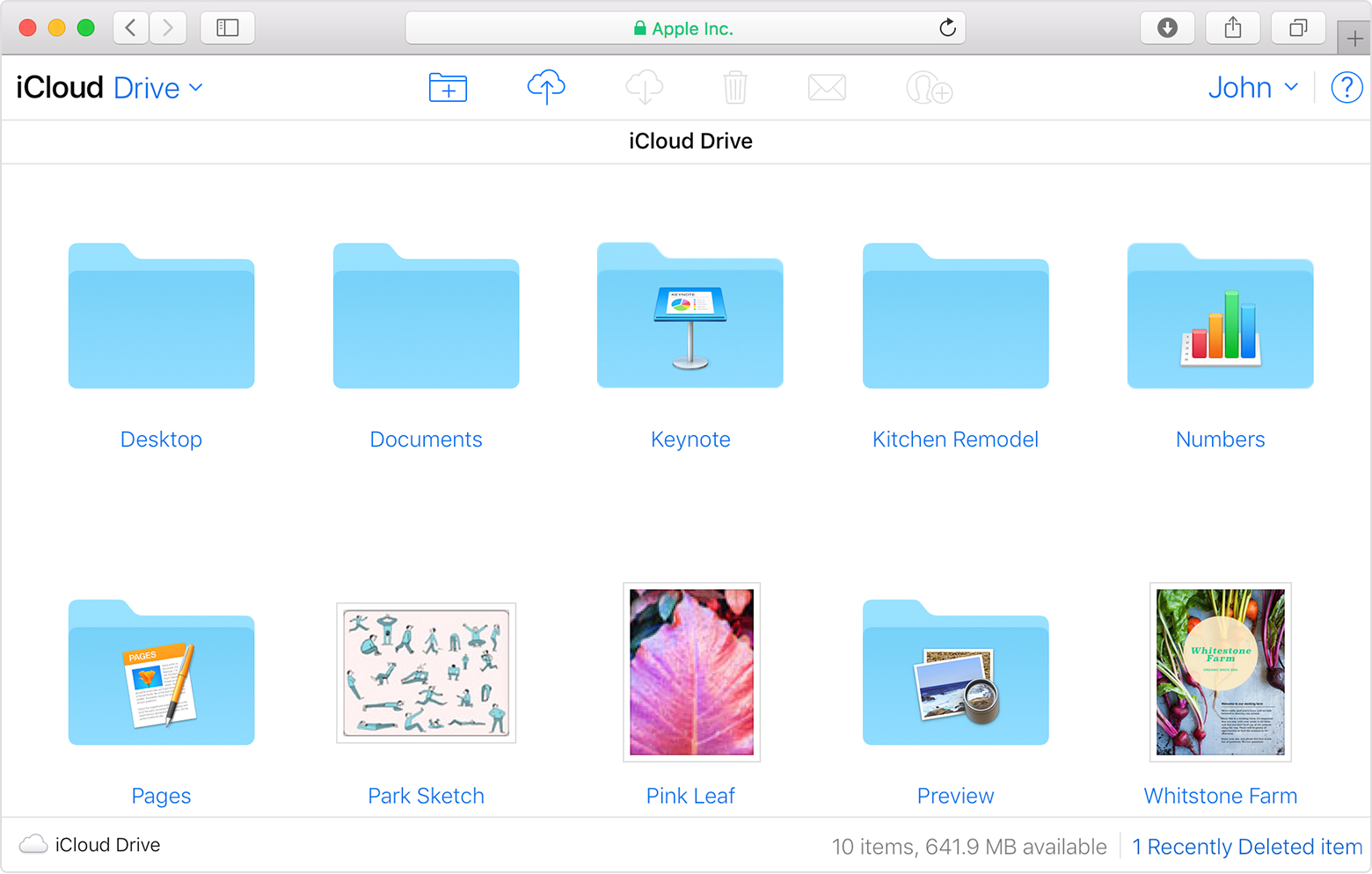
Since these files have suddenly gone, it sounds like something may have happened to iCloud Drive. I first recommend checking iCloud.com to see that your files are still in iCloud:

On iCloud.com

iCloud.com lets you access your Desktop and Documents folder from another computer browser. All of your files are easy to find, organize, and download directly from iCloud Drive. You can even drag files into the Desktop and Documents folders, and then find them later on your Mac.

User uploaded file

  1. Sign in to iCloud.com with your Apple ID.
  2. Go to iCloud Drive.
  3. Double-click the Desktop or Documents folder.

If they are, use the steps in the following article to make sure that iCloud Drive is set up correctly on your MacBook Pro:

Add your Desktop and Documents files to iCloud Drive - Apple Support


Turn on Desktop and Documents

Turn on Desktop and Documents on every Mac that you want to use with iCloud Drive.

  1. From your Mac, go to Apple menu User uploaded file > System Preferences > iCloud.
  2. Make sure that iCloud Drive is turned on.
  3. Next to iCloud Drive, click Options.
  4. Choose Desktop & Documents Folders.
  5. Click Done.

In Finder, you'll see your Desktop and Documents folder in the iCloud section of your sidebar. If you add a second Mac Desktop, you'll find those files in the Desktop folder in iCloud Drive. A folder is created with the same name as your second Mac.


Thanks for using the Apple Support Communities. Cheers!
3 replies
Question marked as Top-ranking reply

Dec 28, 2017 2:40 PM in response to detonavomek

Hi detonavomek,

I understand that your files are suddenly missing from the Documents folder on your MacBook Pro. I'm happy to provide some help for this issue.

Since these files have suddenly gone, it sounds like something may have happened to iCloud Drive. I first recommend checking iCloud.com to see that your files are still in iCloud:

On iCloud.com

iCloud.com lets you access your Desktop and Documents folder from another computer browser. All of your files are easy to find, organize, and download directly from iCloud Drive. You can even drag files into the Desktop and Documents folders, and then find them later on your Mac.

User uploaded file

  1. Sign in to iCloud.com with your Apple ID.
  2. Go to iCloud Drive.
  3. Double-click the Desktop or Documents folder.

If they are, use the steps in the following article to make sure that iCloud Drive is set up correctly on your MacBook Pro:

Add your Desktop and Documents files to iCloud Drive - Apple Support


Turn on Desktop and Documents

Turn on Desktop and Documents on every Mac that you want to use with iCloud Drive.

  1. From your Mac, go to Apple menu User uploaded file > System Preferences > iCloud.
  2. Make sure that iCloud Drive is turned on.
  3. Next to iCloud Drive, click Options.
  4. Choose Desktop & Documents Folders.
  5. Click Done.

In Finder, you'll see your Desktop and Documents folder in the iCloud section of your sidebar. If you add a second Mac Desktop, you'll find those files in the Desktop folder in iCloud Drive. A folder is created with the same name as your second Mac.


Thanks for using the Apple Support Communities. Cheers!

This thread has been closed by the system or the community team. You may vote for any posts you find helpful, or search the Community for additional answers.

All files are disappeared

Welcome to Apple Support Community
A forum where Apple customers help each other with their products. Get started with your Apple Account.