
How do I cancel a subscription
How do I cancel a subscription
iPhone 7 Plus
How do I cancel a subscription
iPhone 7 Plus
Manage your subscriptions
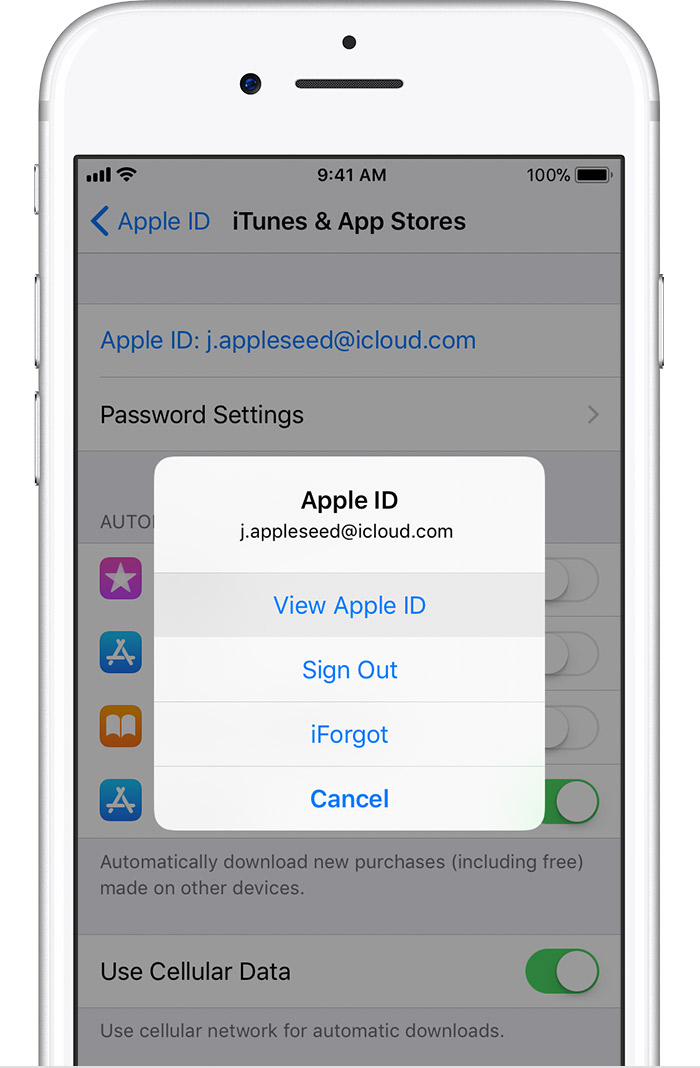
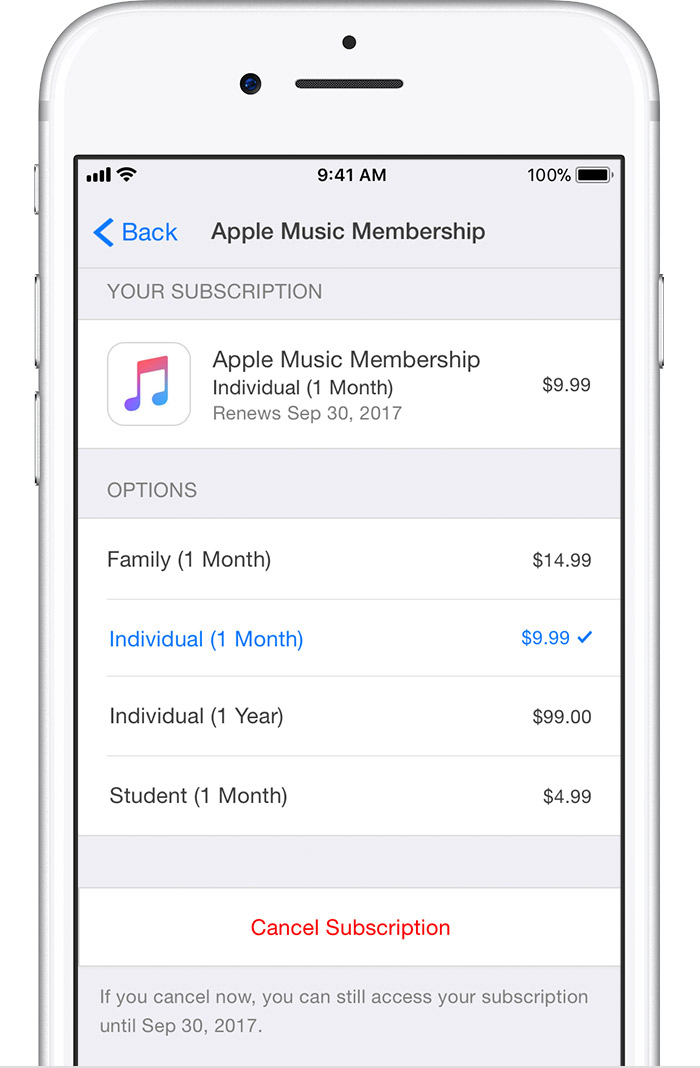
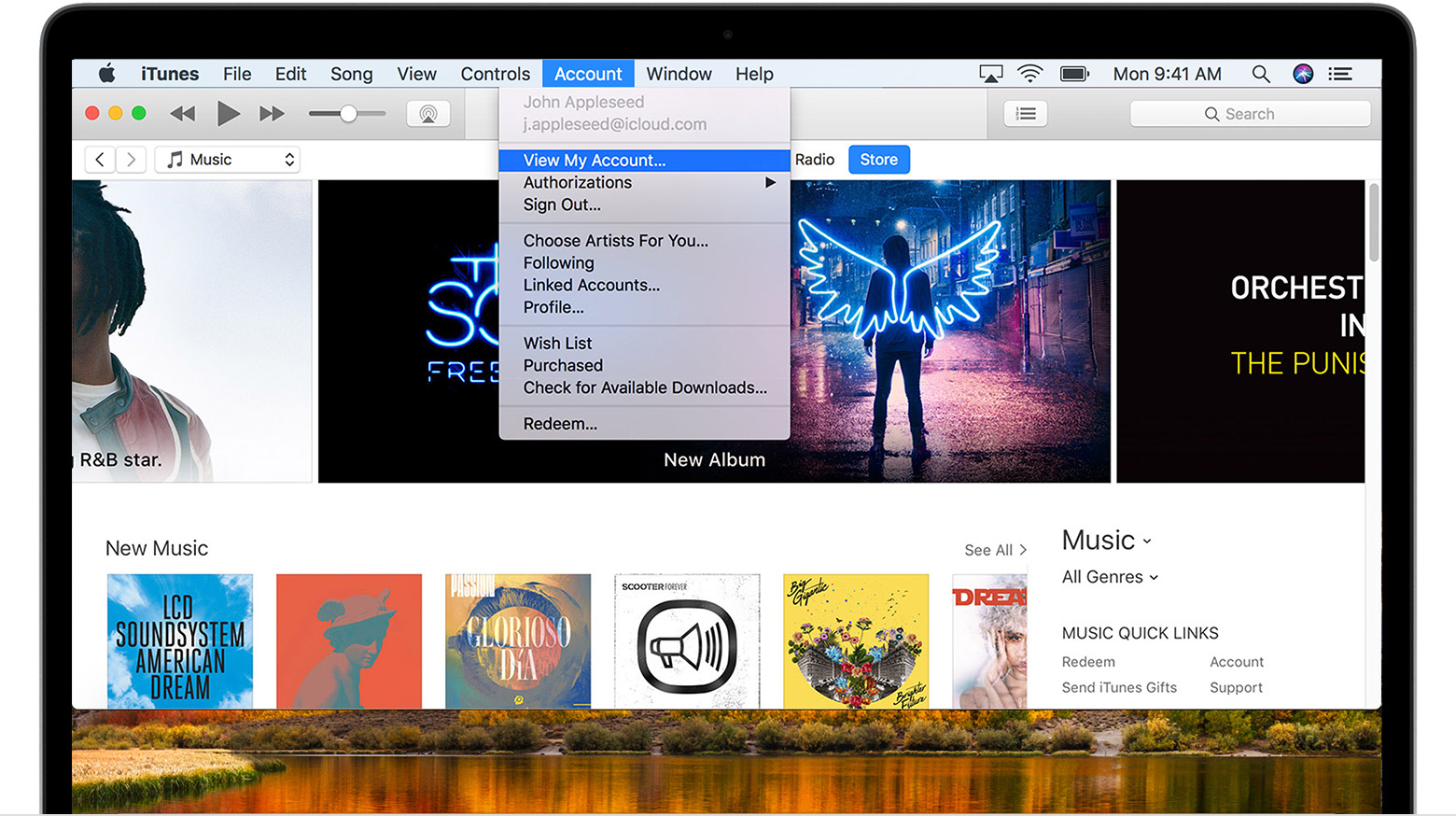
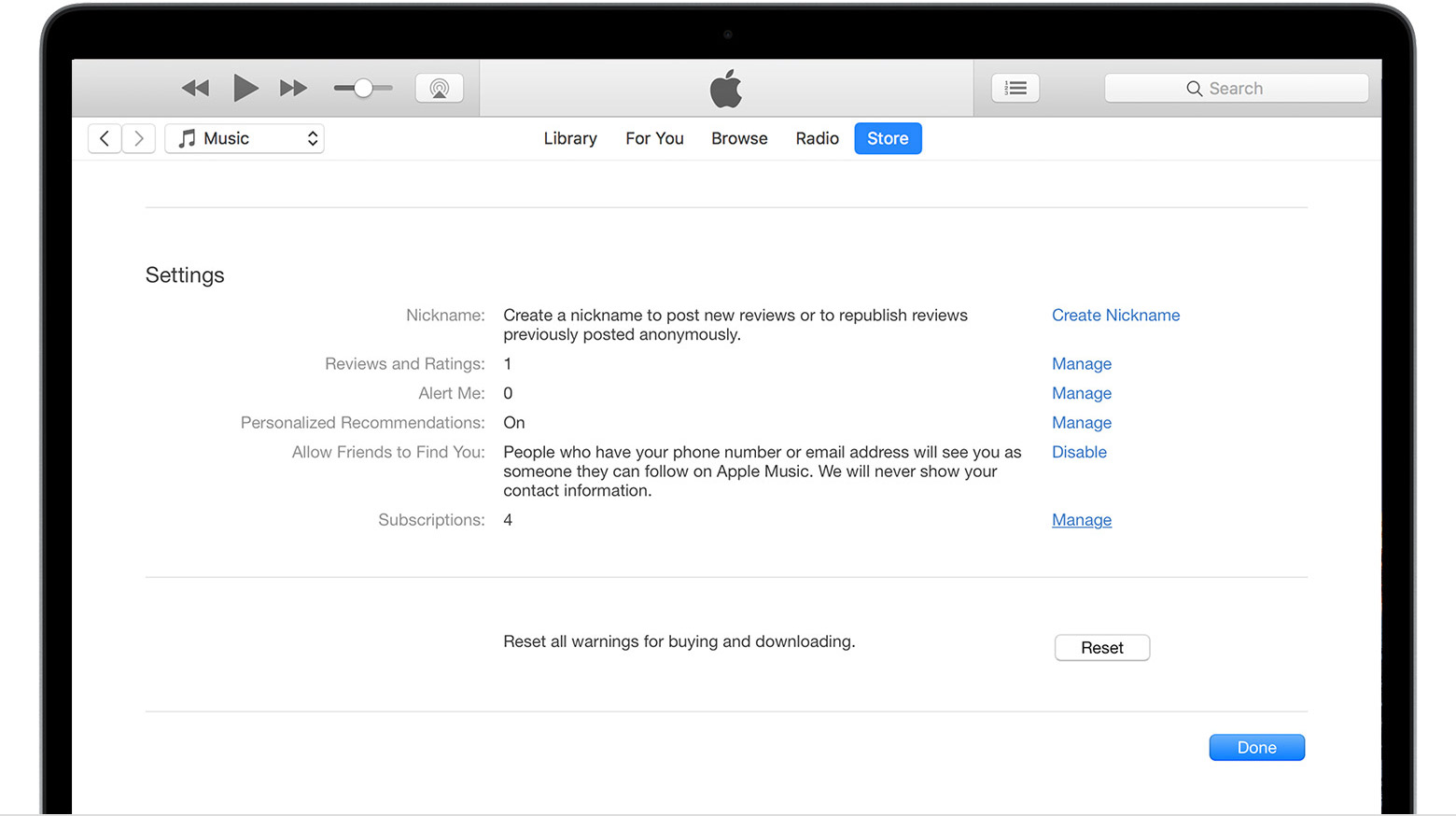
Follow the steps to view, change, or cancel your subscriptions from your iPhone, iPad, or iPod touch; your Mac or PC; or your Apple TV 4K or Apple TV (4th generation).
Some subscriptions might offer a discounted or free trial. If you don’t cancel more than 24 hours before your renewal date, your subscription might renew.
On your iPhone, iPad, or iPod touch


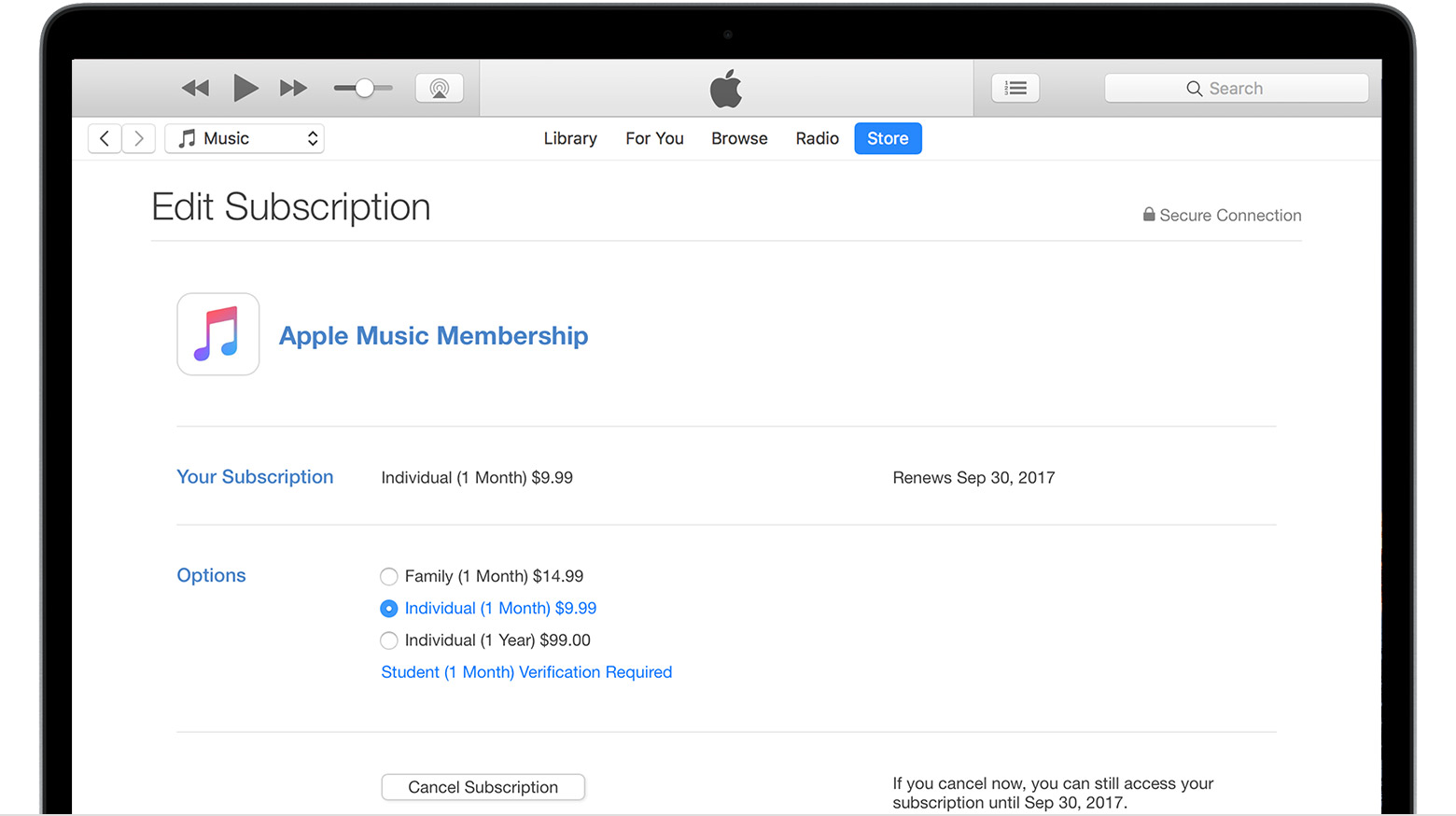
On your Mac or PC
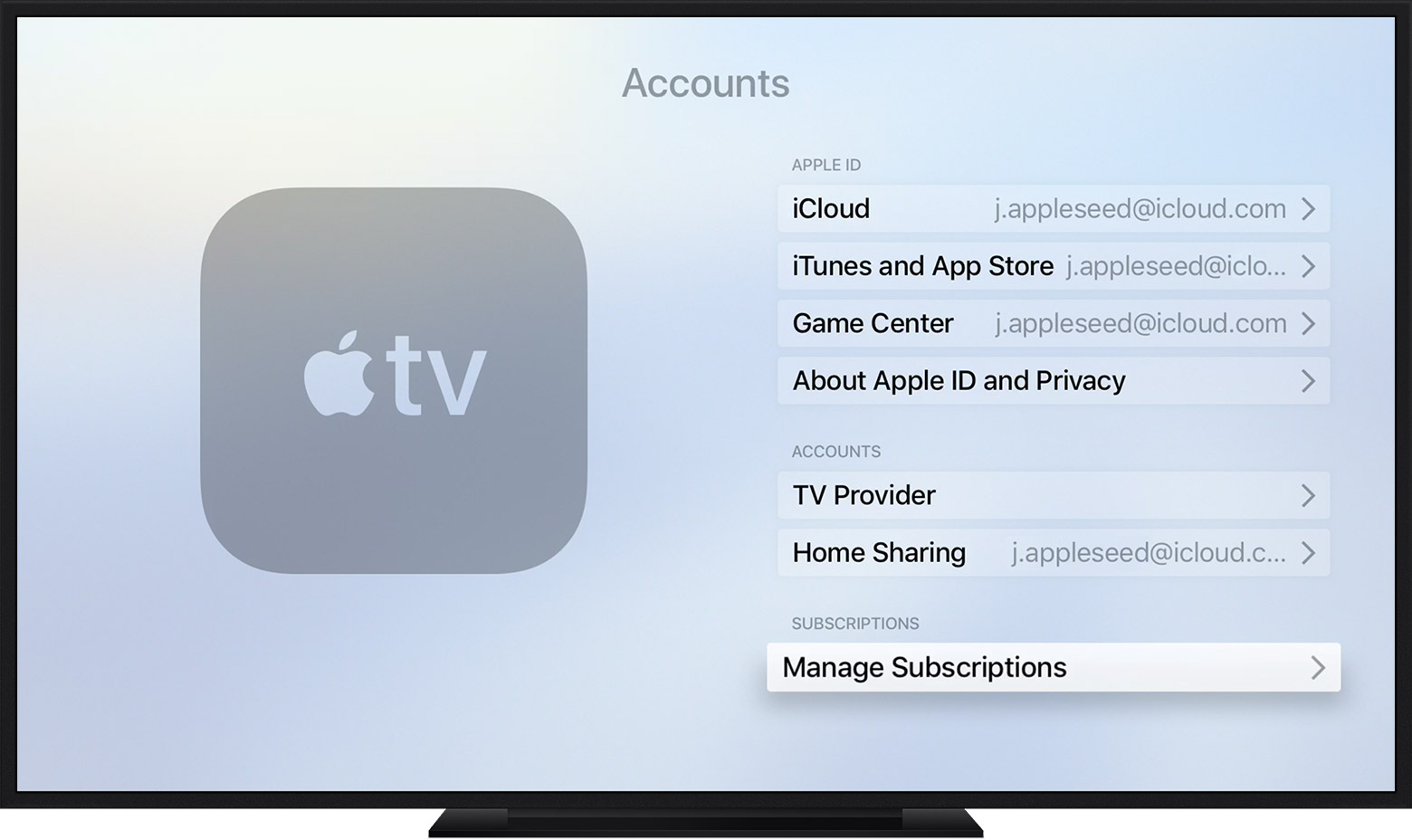
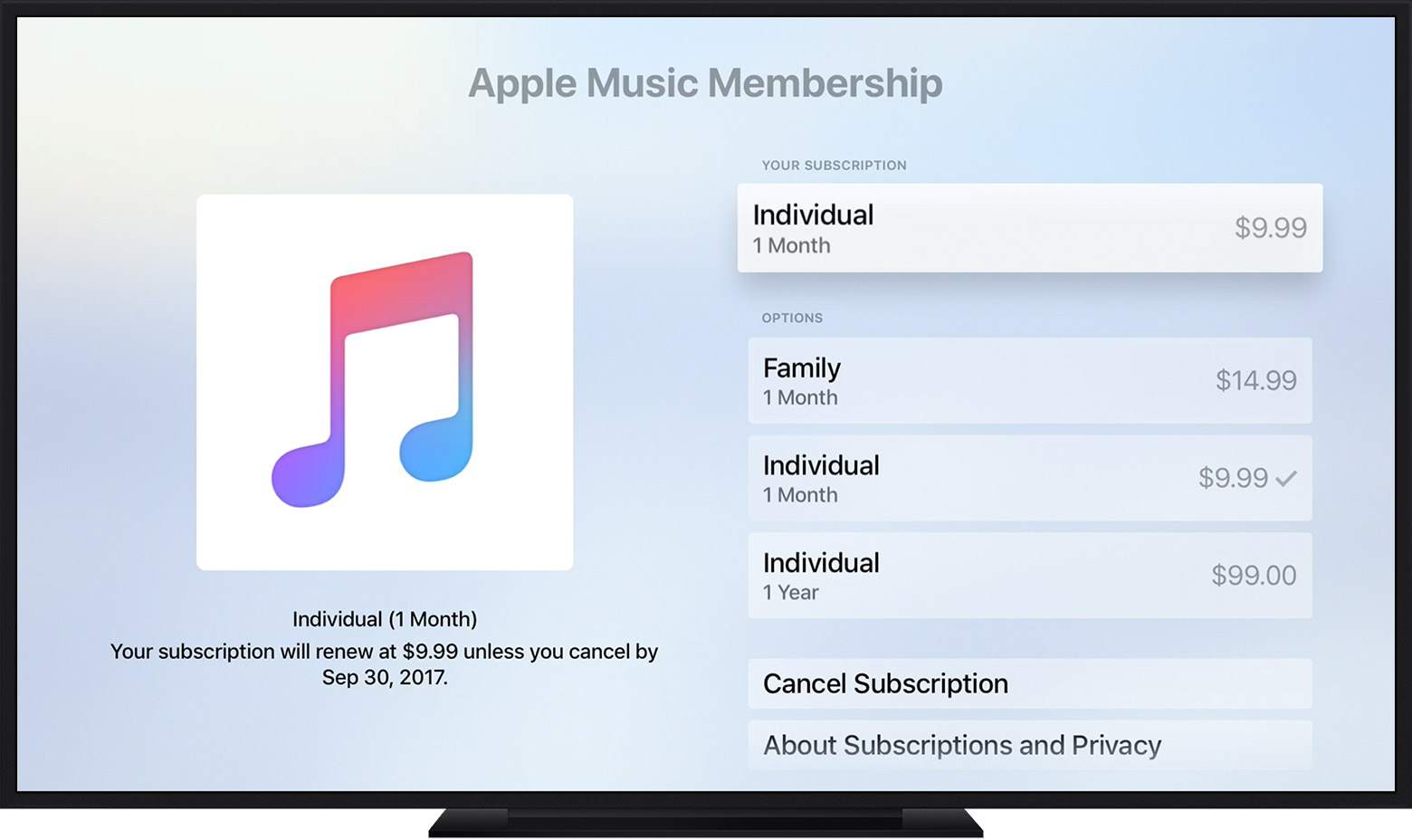
On your Apple TV 4K or Apple TV (4th generation)
You can only edit subscriptions for tvOS apps that are installed on your Apple TV. For Apple TV (3rd generation or earlier), you need to use an iOS device or computer to manage your subscriptions.
Manage your subscriptions
Follow the steps to view, change, or cancel your subscriptions from your iPhone, iPad, or iPod touch; your Mac or PC; or your Apple TV 4K or Apple TV (4th generation).
Some subscriptions might offer a discounted or free trial. If you don’t cancel more than 24 hours before your renewal date, your subscription might renew.
On your iPhone, iPad, or iPod touch
On your Mac or PC
On your Apple TV 4K or Apple TV (4th generation)
You can only edit subscriptions for tvOS apps that are installed on your Apple TV. For Apple TV (3rd generation or earlier), you need to use an iOS device or computer to manage your subscriptions.
Ack 😝 Just post a link. 😉
How do I cancel a subscription


