Little lock icon on top right hand corner.  What is it? How to unlock?

I have a little lock symbol in the top right hand corner. What does it mean? How do I fix it? iPad Air 2 Version: 11.2.2(15C202) Serial no.: DM***5YN Network: ATT IOS 11.2.2 IMEI: ***

<Personal Information Edited by Host>

Posted on Jan 30, 2018 8:20 AM

Reply
Question marked as Top-ranking reply

Posted on Jan 30, 2018 8:37 AM

Does it look like this?: User uploaded file

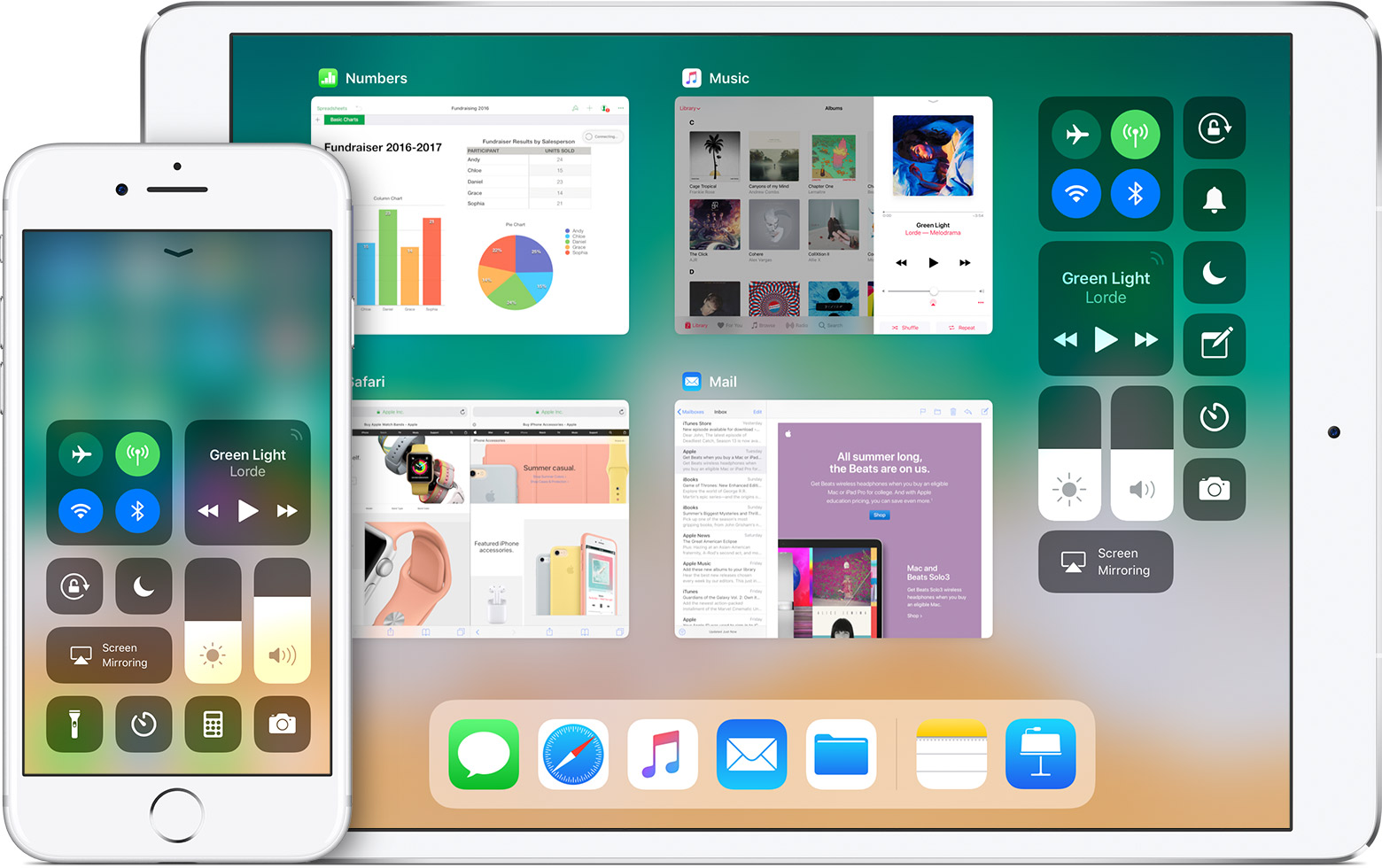
If so, that's the screen orientation lock indicator.


You can turn it on and off, from control center by tapping the same icon there.


Details here:

iOS 11 User Guide - Status Icons - Apple Support

5 replies

Jan 30, 2018 9:15 AM in response to Gilsie

In control center it should be orange with a white background if its turned on, or white with a gray background if its turned off.


The + or - in the Control Center option in the Settings App just controls whether its visible in the actual Control Center.


To bring up the actual control center, swipe up from the bottom of the screen. You should see the app switcher and the control center icons to the right of the screen.


User uploaded file

This thread has been closed by the system or the community team. You may vote for any posts you find helpful, or search the Community for additional answers.

Little lock icon on top right hand corner.  What is it? How to unlock?

Welcome to Apple Support Community
A forum where Apple customers help each other with their products. Get started with your Apple Account.