Can't charge iphone from mac

Hi, I'm really frustrated by this! I have an iphone 6s and a 2015 macbook pro. If I try to charge my iphone from the macbook, it keeps cycling between charging and not charging - like every 2 seconds! What could be happening? these are both apple products and they can't seem to work together - very frustrating! thanks for any help!

MacBook Pro with Retina display, macOS High Sierra (10.13.2)

Posted on Feb 2, 2018 8:58 AM

Reply
6 replies

Feb 3, 2018 8:06 AM in response to Rhinochaser

Hello Rhinochaser,


Thanks for that info and choosing the Apple Support Communities. If I understand correctly, you are having an issue with charging your iPhone with your Mac. To help with your issue, please follow this positioning from this Apple resource on your situation:

Computer

Plug your charging cable into a USB 2.0 or 3.0 port on a computer that's on and not in sleep mode. Don’t use the USB ports on your keyboard.

Follow these steps and try again after each:

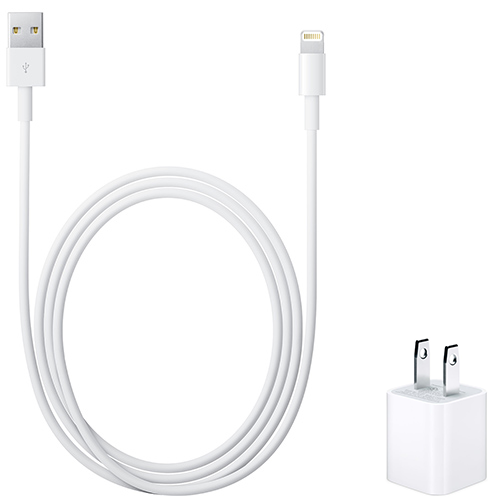
  1. Check your charging cable and USB adapter for signs of damage, like breakage or bent prongs.* Don't use damaged accessories.
    User uploaded file
  2. Use a wall power outlet and check for firm connections between your charging cable, USB wall adapter, and wall outlet, or try a different outlet.
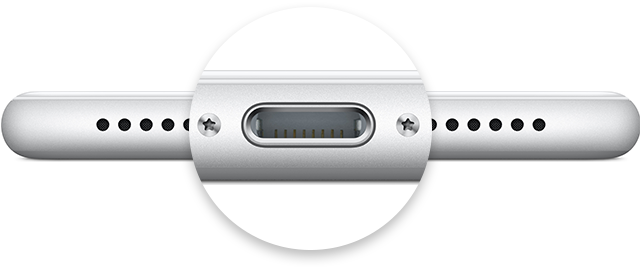
  3. Remove any debris from the charging port on the bottom of your device, then firmly plug your charging cable into your device. If the charging port is damaged, your device probably needs service.
    User uploaded file
  4. Let your device charge for a half hour (If your device is unresponsive afterward, learn what to do).
  5. Force restart your device:
    • On an iPhone X, iPhone 8, or iPhone 8 Plus: Press and quickly release the Volume Up button. Press and quickly release the Volume Down button. Then, press and hold the Side button until you see the Apple logo.
    • On an iPhone 7 or iPhone 7 Plus: Press and hold both the Side and Volume Down buttons for at least 10 seconds, until you see the Apple logo.
    • On an iPhone 6s and earlier, iPad, or iPod touch: Press and hold both the Home and Top (or Side) buttons for at least 10 seconds, until you see the Apple logo.
  6. Let your device charge for another half hour.
  7. If your device still won’t power on or charge, take your device, charging cable, and charging adapter to an Apple Retail Store or Apple Authorized Service Provider for evaluation. You can also contact Apple Support.


If your iPhone, iPad, or iPod touch won't charge


Cheers!

This thread has been closed by the system or the community team. You may vote for any posts you find helpful, or search the Community for additional answers.

Can't charge iphone from mac

Welcome to Apple Support Community
A forum where Apple customers help each other with their products. Get started with your Apple Account.