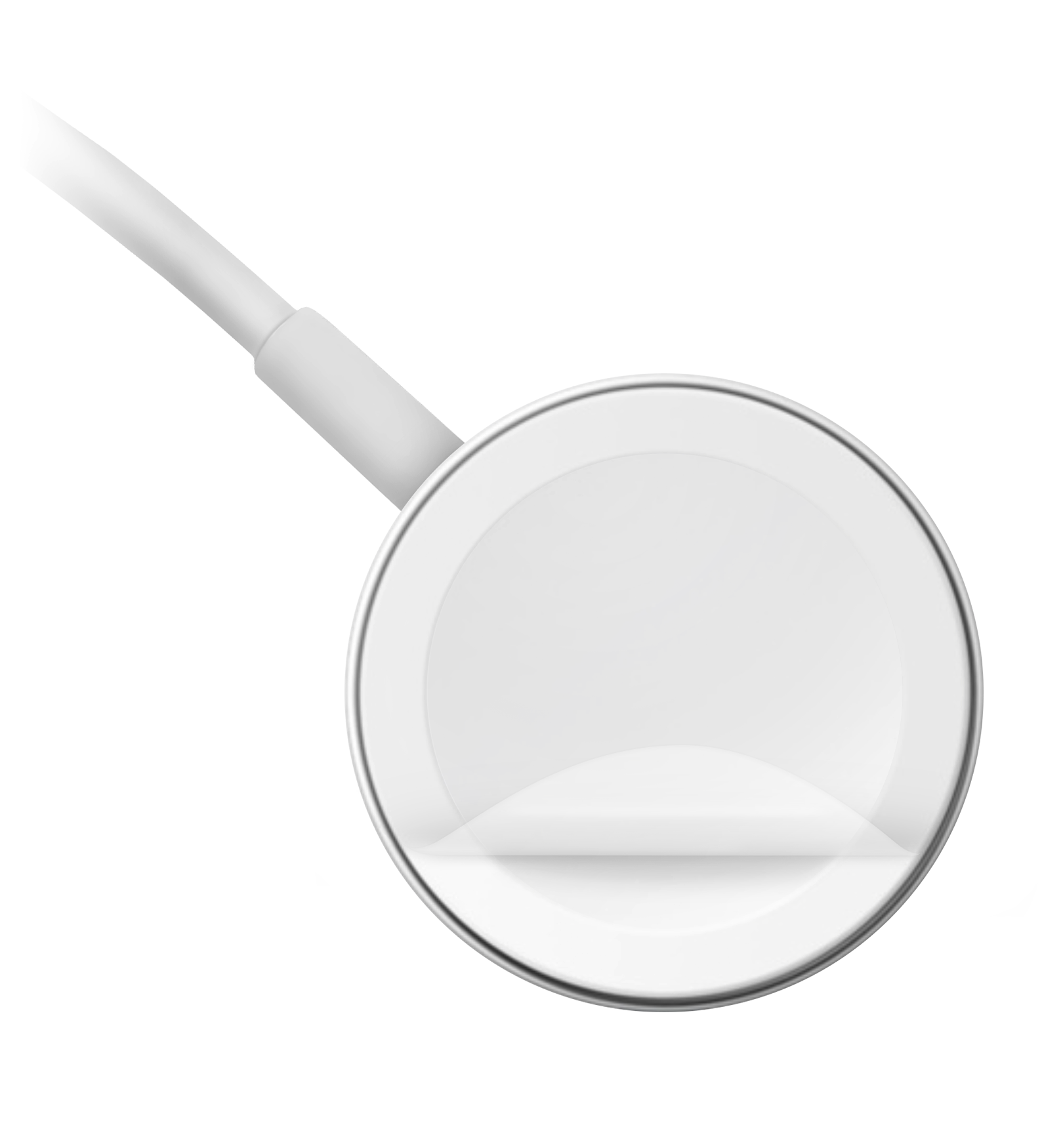
Apple watch 1 charging not compatible even with original charger!!

I received a brand new apple watch 1 (MISB) today and I have to spend 4 hours updating it to os 4.

After that, I keep receiving 'charging accessory not compatible' error message every time I put it on the charger that came with the box, which is the original charger, not any third party accessory! Please address this issue! I am already hating this product given the long waiting time! Now I can't even charge it.

Apple Watch, watchOS 4.2.3

Posted on Feb 24, 2018 11:40 AM

Reply
Question marked as Top-ranking reply

Posted on Feb 26, 2018 2:20 AM

From your description, it seems likely that the battery fell into deep discharge state during storage and is not now capable of properly holding a charge:


Batteries - Maximizing Performance - Apple


I suggest that you contact Apple Support (mail-in service may be available, if required), make a Genius Bar reservation or visit an Apple Authorised Service Provider to arrange for your Apple Watch to be checked and to establish your available service options:


If Apple determines that battery service is required and your Apple Watch is no longer covered under warranty, then chargeable battery service may be available. In the US, for example, this currently costs $79 plus tax and, if required, shipping:


Apple Watch Service Pricing - Apple Support


If you instead wish to dispose of the Apple Watch, then it can be handed in to any Apple Retail Store for recycling.

7 replies
Question marked as Top-ranking reply

Feb 26, 2018 2:20 AM in response to ngok ting

From your description, it seems likely that the battery fell into deep discharge state during storage and is not now capable of properly holding a charge:


Batteries - Maximizing Performance - Apple


I suggest that you contact Apple Support (mail-in service may be available, if required), make a Genius Bar reservation or visit an Apple Authorised Service Provider to arrange for your Apple Watch to be checked and to establish your available service options:


If Apple determines that battery service is required and your Apple Watch is no longer covered under warranty, then chargeable battery service may be available. In the US, for example, this currently costs $79 plus tax and, if required, shipping:


Apple Watch Service Pricing - Apple Support


If you instead wish to dispose of the Apple Watch, then it can be handed in to any Apple Retail Store for recycling.

Feb 25, 2018 1:39 AM in response to ngok ting

Hi


Follow the instructions here, if necessary including contacting Apple Support (remote diagnostics and/or mail-in service may be available, if required), making a Genius Bar reservation or visiting an Apple Authorised Service Provider with a view to having your Apple Watch and cable checked under warranty:


Be sure to use only an Apple or MFi-certified USB power adapter or third-party accessory in conjunction with the supplied Magnetic Charging Cable when charging your Apple Watch.


If you are already doing so, then try using another such power adapter and, if possible, testing by using another Apple Watch Magnetic Charging Cable if you have access to one (perhaps by borrowing it).


(Note that you are not talking to Apple here - this is a user-based technical support community).

Feb 24, 2018 12:27 PM in response to ngok ting

Hello,

Get help

If your Apple Watch won't charge or you see a message on your watch that charging with this accessory isn't supported:

  1. Make sure that you plug the Apple Magnetic Charging Cable all the way into the USB Power Adapter, then make sure that you plug the adapter all the way into a power outlet.
  2. Make sure that you're using the Apple Magnetic Charging Cable and the USB Power Adapter that came with your Apple Watch.
  3. Completely remove any plastic wrap from both sides of the charger.
    User uploaded file
  4. Make sure that the back of your Apple Watch and the magnetic charger are clean.
  5. Position the back of your Apple Watch on the charger. The charger's magnets align your Apple Watch, and you should see User uploaded file on the watch face.
  6. If your Apple Watch still won't charge, force it to restart. Press and hold both the side button and Digital Crown for at least 10 seconds, or until you see the Apple logo.
  7. Try a different Apple Watch Magnetic Charging Cable and a different USB Power Adapter. If your Apple Watch is out of power, you might need to wait a few minutes for User uploaded file to appear after you start charging your device.


If you still need help, contact Apple Support.


Taken from:

If your Apple Watch won't charge or it won't turn on - Apple Support

Feb 25, 2018 3:53 AM in response to ngok ting

You're welcome!


You had not previously advised that the warranty has expired.


If by "Apple Watch 1" you are referring to either an Apple Watch (1st generation) or to a Series 1 model that is no longer covered under Apple's Limited Warranty, rather than to a new Apple Watch Series 1 (which is still sold "brand new" by Apple), then your Apple Watch may be eligible, if required, for chargeable, out-of-warranty service.


I suggest that you proceed with contacting Apple Support or making a Genius Bar reservation in order to establish your available service options.


Keep in mind that, if the Apple Watch has previously been in storage for long enough that the warranty has already expired, then it may now have impaired battery performance.


Apple advises that, when storing Apple Watch long term, it should be stored it with a 50% charge and then recharged to 50% every six months. See under the heading "Store it half-charged when you store it long term":


Batteries - Maximizing Performance - Apple


More information:

Identify your Apple Watch - Apple Support

Feb 25, 2018 3:34 AM in response to Jonathan UK

Thanks for your reply. I only have the original charger available to me. As I said, the warranty is expired before I opened the box. However, I will try to use the online help or genius bar service, if its for free.


I understand this Q&A is user based, that's why I found the above reply problematic as I have stated my specific situation.


I will update.

Feb 25, 2018 8:20 AM in response to Jonathan UK

Thanks, I believe mines an apple watch 1st gen...

And its in the box for god knows how long.

At first my watch was all dried out, I charge it sucessfully to more than 90%. I was then forced by the apple watch app on my iphone to upgrade to 4.2.3. After long waiting, I finally could play with my watch. However, it kept saying that the charging accessory is not supported. Now my watch is drained to 2%. Every time I attach it to the magnet charger which is included, it charges for around a minute, then it pops the message out.


I think my watch is no longer covered, do you know what I can do?


Im super busy this week, I can only go to apple next week... If they cant help, I can then only find a bin and dumb it. What a waste!


I also tried attaching the usb cord to other plugs, same happened.

This thread has been closed by the system or the community team. You may vote for any posts you find helpful, or search the Community for additional answers.

Apple watch 1 charging not compatible even with original charger!!

Welcome to Apple Support Community
A forum where Apple customers help each other with their products. Get started with your Apple Account.